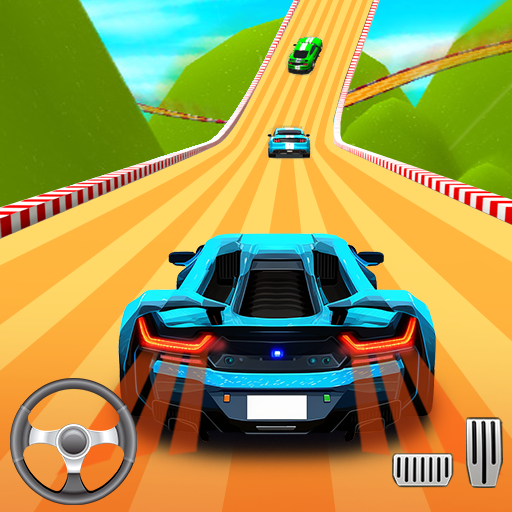
Asphalt 8 - Car Racing Game

Asphalt 8 - Car Racing Game

Racing

| Gameloft SE

Play on PC with BlueStacks or from our cloud

  • Overview
  • Tips & Tricks
  • Game Features
  • How to Play

Page Modified On: April 13, 2026

Play Asphalt 8 - Car Racing Game on PC or Mac

Join millions to experience Asphalt 8 – Car Racing Game, an exciting Racing game from Gameloft SE. With BlueStacks App Player, you are always a step ahead of your opponent, ready to outplay them with faster gameplay and better control with the mouse and keyboard on your PC or Mac.

About the Game

Asphalt 8 – Car Racing Game turns every race into a highlight reel. It’s a high-energy arcade racer from Gameloft SE where you build a dream garage and fling it across bold, twisty routes packed with ramps, shortcuts, and wild moments. Want pure speed, big drifts, and bigger airtime? You’re in the right place.

Game Features

  • Giant Garage: Collect and race 300+ machines, from sleek supercars to powerful motorbikes, featuring licensed legends from top manufacturers.
  • Go Airborne: Hit ramps to pull off barrel rolls and 360° jumps that slingshot you forward—perfect for shaving seconds and showing off.
  • Tracks Worldwide: Tear through sun-baked deserts, neon-lit city streets, and more. Each route hides multiple lines, so learning the best path pays off.
  • Style Your Ride: Tune and customize cars and bikes with upgrades and visual flair, then give your racer avatar a look that matches your vibe.
  • Your Way to Play: Crush solo challenges or jump into competitive multiplayer. Climb leagues, rack up points, and prove you’re the one to beat.
  • Events That Matter: Seasons, limited-time Cups, and special challenges keep the calendar busy with fresh rewards and early access to new vehicles.
  • Smooth, Snappy Handling: Tweak control layouts and on-screen icons until it feels just right. Playing on PC with BlueStacks? Keyboard mappings make tight drifts feel extra clean.
  • Progress That Feels Good: Earn parts and currency, unlock upgrades, and keep your favorites in top shape for tougher brackets and faster times.
  • Skill Meets Spectacle: Master drifting lines, time your nitro, and chain stunts to keep momentum blazing—style and speed go hand in hand in this arcade Racing classic.

Slay your opponents with your epic moves. Play it your way on BlueStacks and dominate the battlefield.


Game Features

Enhancements

  • Macros
  • Multi Instance
  • Multi Instance Sync
  • Script
  • Enhancements
Macros

Macros

Automate the predictable in Asphalt 8 - Car Racing Game and transform your gameplay with Macros. Get access to inventive Macros in the BlueStacks Macro Community
Multi Instance

Multi Instance

Play Asphalt 8 - Car Racing Game on one window. And chat with your friend on the other. Press CTRL + Shift + 8 to open the Multi-Instance Manager. And start creating fresh instances or clone an existing one.
Multi Instance Sync

Multi Instance Sync

Play Asphalt 8 - Car Racing Game with the power of Multi-Instance Sync. Replicate what you are doing on the main instance on all other instances. Level up faster, play more.
Script

Script

Script your way to gaming glory in Asphalt 8 - Car Racing Game with BlueStacks Script. Write and run a set of commands to automate repeated tasks. Trigger the command by assigning it to any key.
Read More

How to Download and Play Asphalt 8 - Car Racing Game on PC or Mac

  • Download and install BlueStacks on your PC or Mac

  • Complete Google sign-in to access the Play Store, or do it later

  • Look for Asphalt 8 - Car Racing Game in the search bar at the top right corner

  • Click to install Asphalt 8 - Car Racing Game from the search results

  • Complete Google sign-in (if you skipped step 2) to install Asphalt 8 - Car Racing Game

  • Click the Asphalt 8 - Car Racing Game icon on the home screen to start playing

video
Watch Video

Minimum System Requirements

With BlueStacks 5, you can get started on a PC that fulfills the following requirements.

  • Operating System

    Microsoft Windows 7 or above, macOS 11 (Big Sur) or above

  • Processor

    Intel, AMD or Apple Silicon Processor

  • RAM

    at least 4GB

  • HDD

    10GB Free Disk Space

Note:

* You must be an Administrator on your PC. Up to date graphics drivers from Microsoft or the chipset vendor.

Asphalt 8 - Car Racing Game - FAQs

  • How to play Asphalt 8 - Car Racing Game on Windows PC & Mac?

    Play Asphalt 8 - Car Racing Game on your PC or Mac by following these simple steps.

    • Click on 'Play Asphalt 8 - Car Racing Game on PC’ to download BlueStacks
    • Install it and log-in to Google Play Store
    • Launch and play the game.
  • Why is BlueStacks the fastest and safest platform to play games on PC?

    BlueStacks respects your privacy and is always safe and secure to use. It does not carry any malware, spyware, or any sort of additional software that could harm your PC.

    It is engineered to optimize speed and performance for a seamless gaming experience.

  • What are Asphalt 8 - Car Racing Game PC requirements?

    Minimum requirement to run Asphalt 8 - Car Racing Game on your PC

    • OS: Microsoft Windows 7 or above MacOS 11 (Big Sur) or above
    • Processor: Intel, AMD or Apple Silicon Processor
    • RAM: Your PC must have at least 4GB of RAM. (Note that having 4GB or more disk space is not a substitute for RAM)
    • HDD: 10GB Free Disk Space.
    • You must be an Administrator on your PC.