Uzbek Cars UIC
Uzbek Cars UIC

Uzbek Cars UIC

Racing

| Entertainment, MChJ

Play on PC with BlueStacks or from our cloud

  • Overview
  • Game Features
  • How to Play

Page Modified On: October 30, 2026

Play Uzbek Cars UIC on PC or Mac

Bring your A-game to Uzbek Cars UIC, the Racing game sensation from Entertainment, MChJ. Give your gameplay the much-needed boost with precise game controls, high FPS graphics, and top-tier features on your PC or Mac with BlueStacks.

About the Game

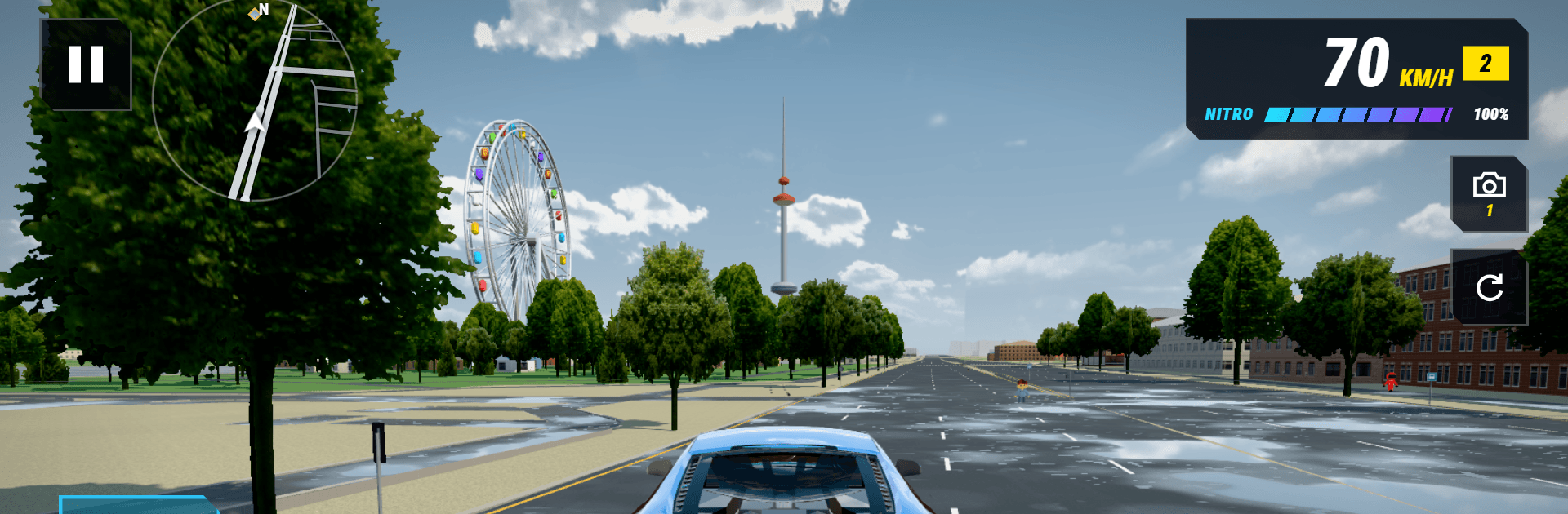
Uzbek Cars UIC is a Racing playground built around the simple joy of driving cool cars and making them your own. Pick a ride, tweak it to your taste, and roam a lively open world at your pace—cruise, drift, or just take in the views. Want company? Head online and roll out together across city streets or a country-spanning map.

Game Features

  • Big Garage, Bigger Personality: Browse 40+ rides, from Uzbek icons like Nexia, Matiz, Damas, Gentra, Onix, and Malibu to muscle, sports, and full-on supercars—each with its own speed, grip, and toughness.
  • Earn and Expand: Stack coins as you play and add new cars to your collection when something faster or flashier catches your eye.
  • Open Roads, Real Feel: Explore a spacious city with grounded driving physics that make drifts, tight turns, and full-throttle pulls feel satisfying.
  • Nitro and Handbrake Fun: Hit the boost when you need a burst, or flick the handbrake for clean slides and quick direction changes.
  • Controls That Fit You: Choose how you steer—on-screen wheel, buttons, joystick, or tilt—and plug in a gamepad if that’s more your style.
  • Changing Skies, Changing Vibes: Roll under clear blue, overcast afternoons, glowing sunsets, or full-on night for a different mood every session.
  • Tune It, Paint It, Own It: Upgrade performance, swap colors, and dial in a look that actually feels like yours.
  • Manage Your Fleet: Make room (and money) by selling cars you don’t use, then invest in something new.
  • Multiple Ways to Drive: Free-cruise the city, jump into online multiplayer, or set out across a map modeled after all of Uzbekistan.
  • Snapshots Made Easy: Switch to Photo Mode to frame your car and capture clean shots of your builds.
  • Languages You Know: Play in Uzbek, English, or Russian—swap anytime in settings.
  • Play on PC with BlueStacks: Run Uzbek Cars UIC on your PC via BlueStacks for a wider view and smooth, steady controls.

Get ready for a buttery smooth, high-performance gaming action only on BlueStacks.

Game Features

Enhancements

  • Macros
  • Multi Instance
  • Multi Instance Sync
  • Script
  • Enhancements
Macros

Macros

Automate the predictable in Uzbek Cars UIC and transform your gameplay with Macros. Get access to inventive Macros in the BlueStacks Macro Community
Multi Instance

Multi Instance

Play Uzbek Cars UIC on one window. And chat with your friend on the other. Press CTRL + Shift + 8 to open the Multi-Instance Manager. And start creating fresh instances or clone an existing one.
Multi Instance Sync

Multi Instance Sync

Play Uzbek Cars UIC with the power of Multi-Instance Sync. Replicate what you are doing on the main instance on all other instances. Level up faster, play more.
Script

Script

Script your way to gaming glory in Uzbek Cars UIC with BlueStacks Script. Write and run a set of commands to automate repeated tasks. Trigger the command by assigning it to any key.
Read More

How to Download and Play Uzbek Cars UIC on PC or Mac

  • Download and install BlueStacks on your PC or Mac

  • Complete Google sign-in to access the Play Store, or do it later

  • Look for Uzbek Cars UIC in the search bar at the top right corner

  • Click to install Uzbek Cars UIC from the search results

  • Complete Google sign-in (if you skipped step 2) to install Uzbek Cars UIC

  • Click the Uzbek Cars UIC icon on the home screen to start playing

video
Watch Video

Minimum System Requirements

With BlueStacks 5, you can get started on a PC that fulfills the following requirements.

  • Operating System

    Microsoft Windows 7 or above, macOS 11 (Big Sur) or above

  • Processor

    Intel, AMD or Apple Silicon Processor

  • RAM

    at least 4GB

  • HDD

    10GB Free Disk Space

Note:

* You must be an Administrator on your PC. Up to date graphics drivers from Microsoft or the chipset vendor.

Uzbek Cars UIC - FAQs

  • How to play Uzbek Cars UIC on Windows PC & Mac?

    Play Uzbek Cars UIC on your PC or Mac by following these simple steps.

    • Click on 'Play Uzbek Cars UIC on PC’ to download BlueStacks
    • Install it and log-in to Google Play Store
    • Launch and play the game.
  • Why is BlueStacks the fastest and safest platform to play games on PC?

    BlueStacks respects your privacy and is always safe and secure to use. It does not carry any malware, spyware, or any sort of additional software that could harm your PC.

    It is engineered to optimize speed and performance for a seamless gaming experience.

  • What are Uzbek Cars UIC PC requirements?

    Minimum requirement to run Uzbek Cars UIC on your PC

    • OS: Microsoft Windows 7 or above MacOS 11 (Big Sur) or above
    • Processor: Intel, AMD or Apple Silicon Processor
    • RAM: Your PC must have at least 4GB of RAM. (Note that having 4GB or more disk space is not a substitute for RAM)
    • HDD: 10GB Free Disk Space.
    • You must be an Administrator on your PC.