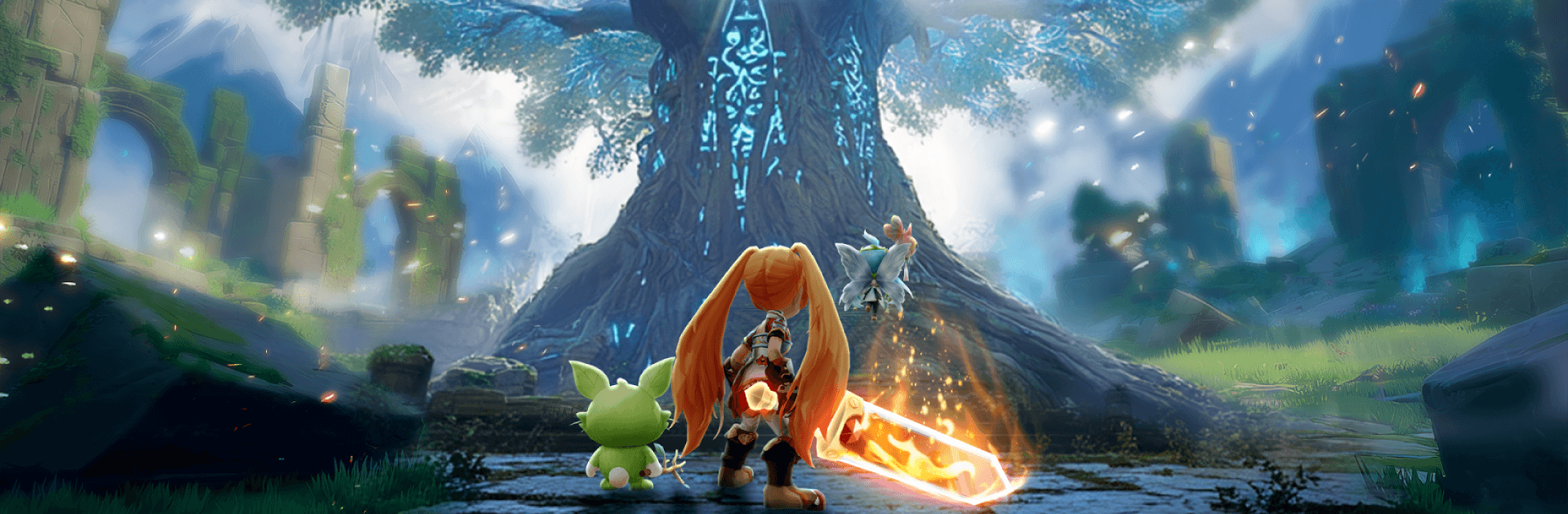
Atheria : World of Spirits

Atheria : World of Spirits

Role Playing

| Tamatem Inc.

Play on PC with BlueStacks or from our cloud

Click here to Pre-Register for Atheria : World of Spirits
  • Overview
  • Features
  • How to Play

Page Modified On: April 02, 2026

Play Atheria : World of Spirits on PC or Mac

Join millions to experience Atheria : World of Spirits, an exciting Role Playing game from Tamatem Inc.. With BlueStacks App Player, you are always a step ahead of your opponent, ready to outplay them with faster gameplay and better control with the mouse and keyboard on your PC or Mac.

About the Game

Atheria : World of Spirits is a Role Playing adventure from Tamatem Inc. that blends open-ended character building, sharp tactical combat, and a vibrant anime-style world. One session you’re experimenting with elements; the next you’re testing new builds against rivals or showing off rare mounts. Prefer a bigger screen and keyboard? It plays smoothly on PC with BlueStacks, too.

Game Features

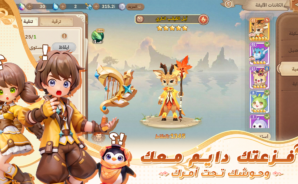
  • Classless Freedom: Build exactly how you like—mix frost and fire, craft a storm-slinging archer, or go full glass-cannon assassin with huge crits. Swap styles anytime and surprise foes who think they’ve figured you out.

  • Tactical Companion Swaps: Recruit powerful companions and rotate three of them on the fly. Timing their entries and abilities adds a clever layer of strategy that rewards planning and quick reads in battle.

  • Elemental Combat Your Way: Freeze, burn, shock, or stack effects for satisfying combos. Whether you favor control, burst, or sustained damage, the system lets you tune fights to your rhythm.

  • Build, Plan, Outplay: Grow your settlement, manage resources, and prepare smart counters before clashing with rival forces. It’s not just about power—it’s about picking your moment and bringing the right tools.

  • Style With Substance: Customize your look with lavish outfits, majestic spirits, and standout mounts—think radiant unicorns and towering azure titans. Your gear and companions don’t just turn heads; they tell your story.

  • A Social World That’s Alive: Join guilds, tackle group events, and meet players who love theorycraft as much as they love memes. Built with communities across Saudi Arabia and the Gulf in mind, the chat and co-op scene stay active around the clock.

  • Progress That Feels Personal: Every battle teaches you something—about your build, your timing, and your team. Tinker, refine, and keep evolving as your companions grow alongside you.

Make your gaming sessions memorable with precise controls that give you an edge in close combats and visuals that pop up, bringing every character to life.
Features

  • Macros

    Focus more on the fun part of the game, skip the tedious aspects. Master Atheria : World of Spirits with Macros. Record yourself completing the monotonous tasks you wish to automate and replay them later with just one keypress.

  • Rerolling

    Speed up the rerolling process in Atheria : World of Spirits. Perform multiple summons and keep looking for the best Heroes. Use Multi-Instance sync to replicate the rerolling mechanism in all instances.

  • Eco Mode

    Farm in-game resources with ease in Atheria : World of Spirits. Enable the Eco Mode when running the game in multiple instances. And lower your PC's resource consumption.

  • Multi Instance Sync

    With the Multi-instance Sync, you can do even more in Atheria : World of Spirits. Sync the action of the main instance and repeat them in real time for all other instances. Sync and sit back, let the game progress unfold.

How to Download and Play Atheria : World of Spirits on PC or Mac

  • Download and install BlueStacks on your PC or Mac

  • Complete Google sign-in to access the Play Store, or do it later

  • Look for Atheria : World of Spirits in the search bar at the top right corner

  • Click to install Atheria : World of Spirits from the search results

  • Complete Google sign-in (if you skipped step 2) to install Atheria : World of Spirits

  • Click the Atheria : World of Spirits icon on the home screen to start playing

video
Watch Video

Minimum System Requirements

With BlueStacks 5, you can get started on a PC that fulfills the following requirements.

  • Operating System

    Microsoft Windows 7 or above, macOS 11 (Big Sur) or above

  • Processor

    Intel, AMD or Apple Silicon Processor

  • RAM

    at least 4GB

  • HDD

    10GB Free Disk Space

Note:

* You must be an Administrator on your PC. Up to date graphics drivers from Microsoft or the chipset vendor.

Exclusive Gaming Content. And More.

Get the latest updates on the BlueStacks Blog.

See More
Atheria : World of Spirits

Be among the first to play Atheria : World of Spirits on PC

Get notified when the Game launches

Atheria : World of Spirits - FAQs

  • How to play Atheria : World of Spirits on Windows PC & Mac?

    Play Atheria : World of Spirits on your PC or Mac by following these simple steps.

    • Click on 'Play Atheria : World of Spirits on PC’ to download BlueStacks
    • Install it and log-in to Google Play Store
    • Launch and play the game.
  • Why is BlueStacks the fastest and safest platform to play games on PC?

    BlueStacks respects your privacy and is always safe and secure to use. It does not carry any malware, spyware, or any sort of additional software that could harm your PC.

    It is engineered to optimize speed and performance for a seamless gaming experience.

  • What are Atheria : World of Spirits PC requirements?

    Minimum requirement to run Atheria : World of Spirits on your PC

    • OS: Microsoft Windows 7 or above MacOS 11 (Big Sur) or above
    • Processor: Intel, AMD or Apple Silicon Processor
    • RAM: Your PC must have at least 4GB of RAM. (Note that having 4GB or more disk space is not a substitute for RAM)
    • HDD: 10GB Free Disk Space.
    • You must be an Administrator on your PC.