Exclusive Gaming Content. And More.
Get the latest updates on the BlueStacks Blog.
See MorePlay on PC with BlueStacks or from our cloud
Page Modified On: June 18, 2026
Crash Cat : Zombie Survivor by CookApps has plenty to keep you busy. BlueStacks lets you play it on PC or Mac with more screen space, better control, and fewer mobile limits.
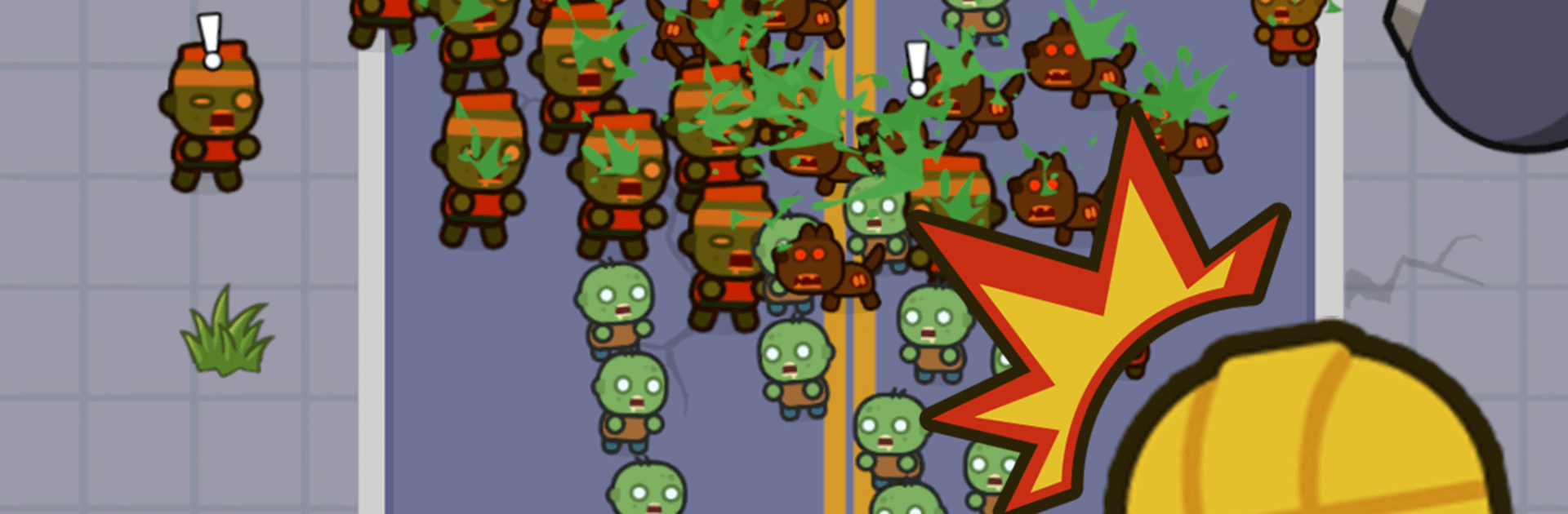
The world’s gone sideways, and one small passenger just wants to get home. Crash Cat : Zombie Survivor is a punchy, chaos-friendly Role Playing road trip where you steer a scrapheap truck through streets jammed with the undead. Every run feels different—fast choices, funny disasters, and those perfect moments when everything clicks.
Pedal-to-Impact Physics: Your speed turns into smashing power. Floor it, clip a corner, and a well-timed slam clears the lane like a can opener through tin.
Aim-Free Fire, You Drive: Mounted guns handle the shooting, so you can focus on threading gaps and landing rams. It even feels extra smooth on BlueStacks if you prefer keyboard precision.
Roguelite Runs That Snowball: Pick from skills, weapons, and bolt-on parts after each skirmish. Smart combos turn your truck into a moving blender; bad calls turn it into modern art.
Oddball Toy System: Strange trinkets show up on the road. They look harmless. Plug them in anyway. Sometimes you spark wild synergies, sometimes you spark… other things.
Build a Beast on Wheels: Start with a dented pickup and end with a steel brute—thicker armor, nastier engines, louder everything. You’ll feel the weight and momentum grow with each upgrade.
Hazards That Don’t Play Fair: Fog banks, arcing electricity, barrels that go boom, toxic clouds, and endless biters force snap decisions. Pick your line or get turned into scrap.
A Simple, Somehow Perfect Mission: You’re not saving the world—you’re getting a cat home. Keep rolling, protect the passenger, and make the wreckage sing.
Get ready for a buttery smooth, high-performance gaming action only on BlueStacks.

Focus more on the fun part of the game, skip the tedious aspects. Master Crash Cat : Zombie Survivor with Macros. Record yourself completing the monotonous tasks you wish to automate and replay them later with just one keypress.
Speed up the rerolling process in Crash Cat : Zombie Survivor. Perform multiple summons and keep looking for the best Heroes. Use Multi-Instance sync to replicate the rerolling mechanism in all instances.
Farm in-game resources with ease in Crash Cat : Zombie Survivor. Enable the Eco Mode when running the game in multiple instances. And lower your PC's resource consumption.
With the Multi-instance Sync, you can do even more in Crash Cat : Zombie Survivor. Sync the action of the main instance and repeat them in real time for all other instances. Sync and sit back, let the game progress unfold.
Download and install BlueStacks on your PC or Mac
Complete Google sign-in to access the Play Store, or do it later
Look for Crash Cat : Zombie Survivor in the search bar at the top right corner
Click to install Crash Cat : Zombie Survivor from the search results
Complete Google sign-in (if you skipped step 2) to install Crash Cat : Zombie Survivor
Click the Crash Cat : Zombie Survivor icon on the home screen to start playing
With BlueStacks 5, you can get started on a PC that fulfills the following requirements.
Microsoft Windows 7 or above, macOS 11 (Big Sur) or above
Intel, AMD or Apple Silicon Processor
at least 4GB
10GB Free Disk Space
* You must be an Administrator on your PC. Up to date graphics drivers from Microsoft or the chipset vendor.
Leave your email and we will notify
you when the game launches
Play Crash Cat : Zombie Survivor on your PC or Mac by following these simple steps.
BlueStacks respects your privacy and is always safe and secure to use. It does not carry any malware, spyware, or any sort of additional software that could harm your PC.
It is engineered to optimize speed and performance for a seamless gaming experience.
Minimum requirement to run Crash Cat : Zombie Survivor on your PC
Since you are on your phone, we are going to send you to the Google Play page.
In some cases BlueStacks uses affiliate links when linking to Google Play
BlueStacks 4 is not available on Windows XP. You must have Windows 7 or higher. Windows 10 is recommended.