Mini Bus Driving Euro Bus Game

Mini Bus Driving Euro Bus Game

Role Playing

| Simulator Games 2022

Play on PC with BlueStacks or from our cloud

  • Overview
  • Game Features
  • How to Play

Page Modified On: June 09, 2026

Play Mini Bus Driving Euro Bus Game on PC or Mac

Explore a whole new adventure with Mini Bus Driving Euro Bus Game, a Role Playing game created by Simulator Games 2022. Experience great gameplay with BlueStacks, the most popular gaming platform to play Android games on your PC or Mac.

About the Game

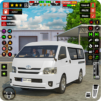
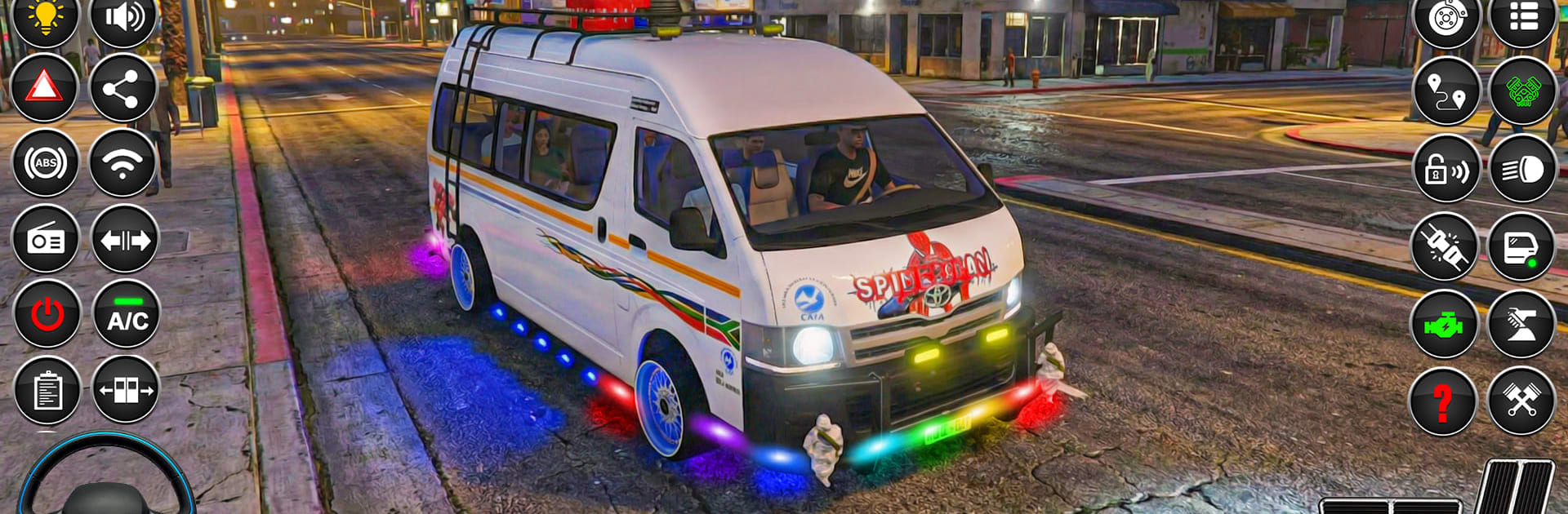
Mini Bus Driving Euro Bus Game hands you the keys and a full day’s worth of routes, deadlines, and real road drama. It’s a Role Playing take on bus driving where you’re juggling tight streets, unpredictable weather, and passengers who expect a smooth ride. Prefer a bigger screen? It runs great on BlueStacks, too.

Game Features

  • Authentic driving feel: Manage weighty steering, careful braking, and wider turns that actually matter when you’re piloting a big vehicle.
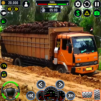
  • Varied routes: Creep through busy downtown traffic, climb twisty mountain roads, tackle muddy off-road paths, and thread narrow village lanes.
  • Dynamic weather and time: Rain slicks the pavement, fog kills visibility, and night drives test your headlights and patience.
  • Passenger pick-up and drop-off: Stick to the schedule, stop cleanly, and deliver everyone safely—good habits bring better rewards.
  • Multiple ways to play: Jump into city shifts, head off-road for tougher terrain, or take on challenge missions focused on precision and timing.
  • Bus garage and upgrades: Unlock a range of buses—from compact city haulers to rugged coaches—and tune performance or tweak the look to match your style.
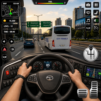
  • Smooth controls and cameras: Choose your control setup and switch between cockpit and exterior views for tight parking or highway cruising.
  • Smart traffic and rules: Watch the lights, mind the lanes, and avoid fender benders—one careless move can cost the mission.
  • Gradual difficulty curve: Early routes teach the ropes, then the game ramps up with tighter schedules, sharper turns, and trickier conditions.

Start your journey now. Download the game on BlueStacks, invite your friends, and march on a new adventure.


Game Features

Enhancements

  • Macros
  • Rerolling
  • Eco Mode
  • Multi Instance Sync
  • Enhancements
Macros

Macros

Focus more on the fun part of the game, skip the tedious aspects. Master Mini Bus Driving Euro Bus Game with Macros. Record yourself completing the monotonous tasks you wish to automate and replay them later with just one keypress.
Rerolling

Rerolling

Speed up the rerolling process in Mini Bus Driving Euro Bus Game. Perform multiple summons and keep looking for the best Heroes. Use Multi-Instance sync to replicate the rerolling mechanism in all instances.
Eco Mode

Eco Mode

Farm in-game resources with ease in Mini Bus Driving Euro Bus Game. Enable the Eco Mode when running the game in multiple instances. And lower your PC's resource consumption.
Multi Instance Sync

Multi Instance Sync

With the Multi-instance Sync, you can do even more in Mini Bus Driving Euro Bus Game. Sync the action of the main instance and repeat them in real time for all other instances. Sync and sit back, let the game progress unfold.
Read More

How to Download and Play Mini Bus Driving Euro Bus Game on PC or Mac

  • Download and install BlueStacks on your PC or Mac

  • Complete Google sign-in to access the Play Store, or do it later

  • Look for Mini Bus Driving Euro Bus Game in the search bar at the top right corner

  • Click to install Mini Bus Driving Euro Bus Game from the search results

  • Complete Google sign-in (if you skipped step 2) to install Mini Bus Driving Euro Bus Game

  • Click the Mini Bus Driving Euro Bus Game icon on the home screen to start playing

video
Watch Video

Minimum System Requirements

With BlueStacks 5, you can get started on a PC that fulfills the following requirements.

  • Operating System

    Microsoft Windows 7 or above, macOS 11 (Big Sur) or above

  • Processor

    Intel, AMD or Apple Silicon Processor

  • RAM

    at least 4GB

  • HDD

    10GB Free Disk Space

Note:

* You must be an Administrator on your PC. Up to date graphics drivers from Microsoft or the chipset vendor.

Mini Bus Driving Euro Bus Game - FAQs

  • How to play Mini Bus Driving Euro Bus Game on Windows PC & Mac?

    Play Mini Bus Driving Euro Bus Game on your PC or Mac by following these simple steps.

    • Click on 'Play Mini Bus Driving Euro Bus Game on PC’ to download BlueStacks
    • Install it and log-in to Google Play Store
    • Launch and play the game.
  • Why is BlueStacks the fastest and safest platform to play games on PC?

    BlueStacks respects your privacy and is always safe and secure to use. It does not carry any malware, spyware, or any sort of additional software that could harm your PC.

    It is engineered to optimize speed and performance for a seamless gaming experience.

  • What are Mini Bus Driving Euro Bus Game PC requirements?

    Minimum requirement to run Mini Bus Driving Euro Bus Game on your PC

    • OS: Microsoft Windows 7 or above MacOS 11 (Big Sur) or above
    • Processor: Intel, AMD or Apple Silicon Processor
    • RAM: Your PC must have at least 4GB of RAM. (Note that having 4GB or more disk space is not a substitute for RAM)
    • HDD: 10GB Free Disk Space.
    • You must be an Administrator on your PC.