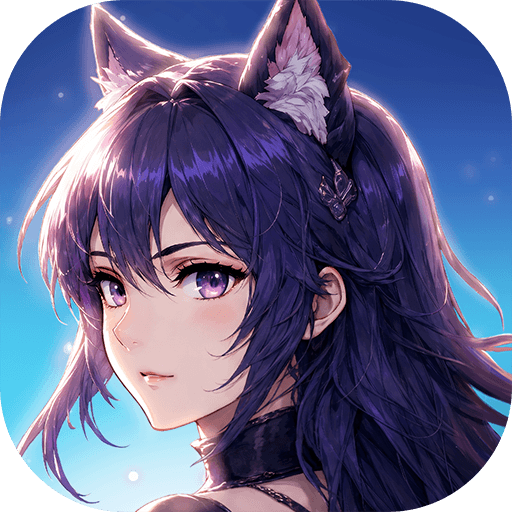
Mini SoulLand-ดินแดนพรหมยุทธ์

Mini SoulLand-ดินแดนพรหมยุทธ์

Role Playing

| 37 Mobile Games

Play on PC with BlueStacks or from our cloud

  • Overview
  • Game Features
  • How to Play

Page Modified On: August 18, 2025

Play Mini SoulLand-ดินแดนพรหมยุทธ์ on PC or Mac

From the innovators and creators at 37 Mobile Games, Mini SoulLand-ดินแดนพรหมยุทธ์ is another fun addition to the World of Role Playing games. Go beyond your mobile screen and play it bigger and better on your PC or Mac. An immersive experience awaits you.

About the Game

Step into the wild and unpredictable world of Mini SoulLand-ดินแดนพรหมยุทธ์, the role-playing adventure from 37 Mobile Games that’s brimming with quirky characters and big surprises. Here, familiar faces like Tang San, Xiao Wu, and Oscar aren’t just legends—they’re your classmates at Shrek Academy, hustling, forging, and even hawking grilled sausages. Whether you’re new to the Brahmayut world or already a die-hard fan, you’ll find loads of chaos, clever tactics, and good-natured competition waiting for you. It’s a place where just half an hour a day can launch you on a journey from rookie to powerhouse.

Game Features

  • A True Brahmayut Experience
    Roam through officially authorized lands bursting with spirit masters, unique creatures, and the promise of rare, million-year spirit rings. Each corner of this realm is packed with stories to uncover and new challenges to meet.

  • Mix and Match Spirit Masters and Abilities
    Pick your party and customize your fighters. You’ve got the freedom to switch up your tactics mid-battle, matching spirits, masters, and skills however you like. Every encounter’s a fresh puzzle.

  • Epic Gear Forging—No Experience Necessary
    Ever wanted to create your own legendary weapon? Grab that hammer and try your hand at forging. Every swing counts, bringing you closer to rare spirit rings and top-tier gear—in classic Brahmayut fashion.

  • From Novice Spirit Master to Legendary
    Your adventure starts small, but soon you’re facing spirit beasts, learning new skills, and building up your own sect. Gather allies, travel the world, and claim your path as a true Brahmayut master.

  • Training That Fits Any Schedule
    Upgrades don’t have to take all day. Quick daily quests, automated training, and efficient systems make it easy to keep growing stronger, even if you’ve only got a few minutes.

  • Smooth Play on PC with BlueStacks
    Whether you’re managing your sect or facing off in battle, playing with BlueStacks gives you that extra bit of control and comfort, right from your desktop.

Start your journey now. Download the game on BlueStacks, invite your friends, and march on a new adventure.


Game Features

Enhancements

  • Macros
  • Rerolling
  • Eco Mode
  • Multi Instance Sync
  • Enhancements
Macros

Macros

Focus more on the fun part of the game, skip the tedious aspects. Master Mini SoulLand-ดินแดนพรหมยุทธ์ with Macros. Record yourself completing the monotonous tasks you wish to automate and replay them later with just one keypress.
Rerolling

Rerolling

Speed up the rerolling process in Mini SoulLand-ดินแดนพรหมยุทธ์. Perform multiple summons and keep looking for the best Heroes. Use Multi-Instance sync to replicate the rerolling mechanism in all instances.
Eco Mode

Eco Mode

Farm in-game resources with ease in Mini SoulLand-ดินแดนพรหมยุทธ์. Enable the Eco Mode when running the game in multiple instances. And lower your PC's resource consumption.
Multi Instance Sync

Multi Instance Sync

With the Multi-instance Sync, you can do even more in Mini SoulLand-ดินแดนพรหมยุทธ์. Sync the action of the main instance and repeat them in real time for all other instances. Sync and sit back, let the game progress unfold.
Read More

How to Download and Play Mini SoulLand-ดินแดนพรหมยุทธ์ on PC or Mac

  • Download and install BlueStacks on your PC or Mac

  • Complete Google sign-in to access the Play Store, or do it later

  • Look for Mini SoulLand-ดินแดนพรหมยุทธ์ in the search bar at the top right corner

  • Click to install Mini SoulLand-ดินแดนพรหมยุทธ์ from the search results

  • Complete Google sign-in (if you skipped step 2) to install Mini SoulLand-ดินแดนพรหมยุทธ์

  • Click the Mini SoulLand-ดินแดนพรหมยุทธ์ icon on the home screen to start playing

video
Watch Video

Minimum System Requirements

With BlueStacks 5, you can get started on a PC that fulfills the following requirements.

  • Operating System

    Microsoft Windows 7 or above, macOS 11 (Big Sur) or above

  • Processor

    Intel, AMD or Apple Silicon Processor

  • RAM

    at least 4GB

  • HDD

    10GB Free Disk Space

Note:

* You must be an Administrator on your PC. Up to date graphics drivers from Microsoft or the chipset vendor.

Mini SoulLand-ดินแดนพรหมยุทธ์ - FAQs

  • How to play Mini SoulLand-ดินแดนพรหมยุทธ์ on Windows PC & Mac?

    Play Mini SoulLand-ดินแดนพรหมยุทธ์ on your PC or Mac by following these simple steps.

    • Click on 'Play Mini SoulLand-ดินแดนพรหมยุทธ์ on PC’ to download BlueStacks
    • Install it and log-in to Google Play Store
    • Launch and play the game.
  • Why is BlueStacks the fastest and safest platform to play games on PC?

    BlueStacks respects your privacy and is always safe and secure to use. It does not carry any malware, spyware, or any sort of additional software that could harm your PC.

    It is engineered to optimize speed and performance for a seamless gaming experience.

  • What are Mini SoulLand-ดินแดนพรหมยุทธ์ PC requirements?

    Minimum requirement to run Mini SoulLand-ดินแดนพรหมยุทธ์ on your PC

    • OS: Microsoft Windows 7 or above MacOS 11 (Big Sur) or above
    • Processor: Intel, AMD or Apple Silicon Processor
    • RAM: Your PC must have at least 4GB of RAM. (Note that having 4GB or more disk space is not a substitute for RAM)
    • HDD: 10GB Free Disk Space.
    • You must be an Administrator on your PC.