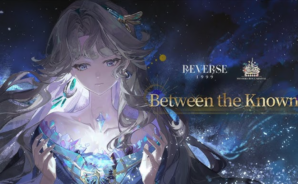
Reverse: 1999
Reverse: 1999

Reverse: 1999

Role Playing

| Bluepoch Co.,Ltd.

BlueStacks Verified

Play on PC with BlueStacks or from our cloud

  • Overview
  • Tips & Tricks
  • Game Features
  • How to Play

Page Modified On: July 24, 2026

Play Reverse: 1999 on PC or Mac

Reverse: 1999 is a Role Playing game developed by Bluepoch Co.,Ltd. BlueStacks app player is the best platform to play this Android game on your PC or Mac for an immersive gaming experience.

About the Game

Reverse: 1999 takes you on a time travel adventure. It follows the unrest a storm leaves in its wake. As the Timekeeper, you are free to travel through the timeline and explore different eras. You have to team up with Sonetto, a powerful Arcanist and ally, to visit eras and find other Arcanists who can also sense the “storm,” and save them from being sifted out of the timeline. 

Game Features

  • Stunning Visuals: The game combines Pop art with classical oil painting and other art styles to create unique visual elements that bring life to every history you explore.
  • Professional Voiceover: Every character in the game is voiced by actors and actresses with distinct accents, such as British, Italian, French, and several others.
  • Team Building: You can join forces with others to improve your chances against the “storm.” The game lets you cast spells and showcase your arcane skills together to crush enemies.
  • Detailed Maps: Every map features realistic elements, such as buildings, trees, and more, that immerse you in the experience, making every moment feel real. 

How to Play? 

Download Reverse: 1999 for free from the Google Play Store using the BlueStacks app player.

What’s New?
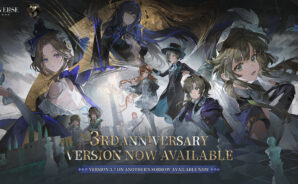
The Reverse: 1999 x Atomic Heart collaboration is now live with the Polymerized Dreams version, introducing the limited characters The Twins and NORA. The update includes free subscription rewards, 30 summons, a Cut-to-fit Garment voucher, NORA, the Artifice of NORA, and additional rewards earned through tasks.

The Analysis of Metallic Dramaturgy time-limited banner features an increased drop rate for the first Duo-Afflatus 6-star character, The Twins. The update also introduces the Back to Chelomey event along with Daily Life at Chelomey, Workday Diary, Call from the Alma Mater, Mane’s Bulletin, and more new content.

Game Features

Enhancements

  • Macros
  • Rerolling
  • Eco Mode
  • Multi Instance Sync
  • Enhancements
Macros

Macros

Focus more on the fun part of the game, skip the tedious aspects. Master Reverse: 1999 with Macros. Record yourself completing the monotonous tasks you wish to automate and replay them later with just one keypress.
Rerolling

Rerolling

Speed up the rerolling process in Reverse: 1999. Perform multiple summons and keep looking for the best Heroes. Use Multi-Instance sync to replicate the rerolling mechanism in all instances.
Eco Mode

Eco Mode

Farm in-game resources with ease in Reverse: 1999. Enable the Eco Mode when running the game in multiple instances. And lower your PC's resource consumption.
Multi Instance Sync

Multi Instance Sync

With the Multi-instance Sync, you can do even more in Reverse: 1999. Sync the action of the main instance and repeat them in real time for all other instances. Sync and sit back, let the game progress unfold.
Read More

How to Download and Play Reverse: 1999 on PC or Mac

  • Download and install BlueStacks on your PC or Mac

  • Complete Google sign-in to access the Play Store, or do it later

  • Look for Reverse: 1999 in the search bar at the top right corner

  • Click to install Reverse: 1999 from the search results

  • Complete Google sign-in (if you skipped step 2) to install Reverse: 1999

  • Click the Reverse: 1999 icon on the home screen to start playing

video
Watch Video

Minimum System Requirements

With BlueStacks 5, you can get started on a PC that fulfills the following requirements.

  • Operating System

    Microsoft Windows 7 or above, macOS 11 (Big Sur) or above

  • Processor

    Intel, AMD or Apple Silicon Processor

  • RAM

    at least 4GB

  • HDD

    10GB Free Disk Space

Note:

* You must be an Administrator on your PC. Up to date graphics drivers from Microsoft or the chipset vendor.

Reverse: 1999 - FAQs

  • How to play Reverse: 1999 on Windows PC & Mac?

    Play Reverse: 1999 on your PC or Mac by following these simple steps.

    • Click on 'Play Reverse: 1999 on PC’ to download BlueStacks
    • Install it and log-in to Google Play Store
    • Launch and play the game.
  • Why is BlueStacks the fastest and safest platform to play games on PC?

    BlueStacks respects your privacy and is always safe and secure to use. It does not carry any malware, spyware, or any sort of additional software that could harm your PC.

    It is engineered to optimize speed and performance for a seamless gaming experience.

  • What are Reverse: 1999 PC requirements?

    Minimum requirement to run Reverse: 1999 on your PC

    • OS: Microsoft Windows 7 or above MacOS 11 (Big Sur) or above
    • Processor: Intel, AMD or Apple Silicon Processor
    • RAM: Your PC must have at least 4GB of RAM. (Note that having 4GB or more disk space is not a substitute for RAM)
    • HDD: 10GB Free Disk Space.
    • You must be an Administrator on your PC.