Stardew Valley
Stardew Valley

Stardew Valley

Role Playing

| ConcernedApe

Play on PC with BlueStacks or from our cloud

  • Overview
  • Tips & Tricks
  • Game Features
  • How to Play

Page Modified On: November 25, 2025

Play Stardew Valley on PC or Mac

Stardew Valley brings the Role Playing genre to life, and throws up exciting challenges for gamers. Developed by ConcernedApe, this Android game is best experienced on BlueStacks, the World’s #1 app player for PC and Mac users.

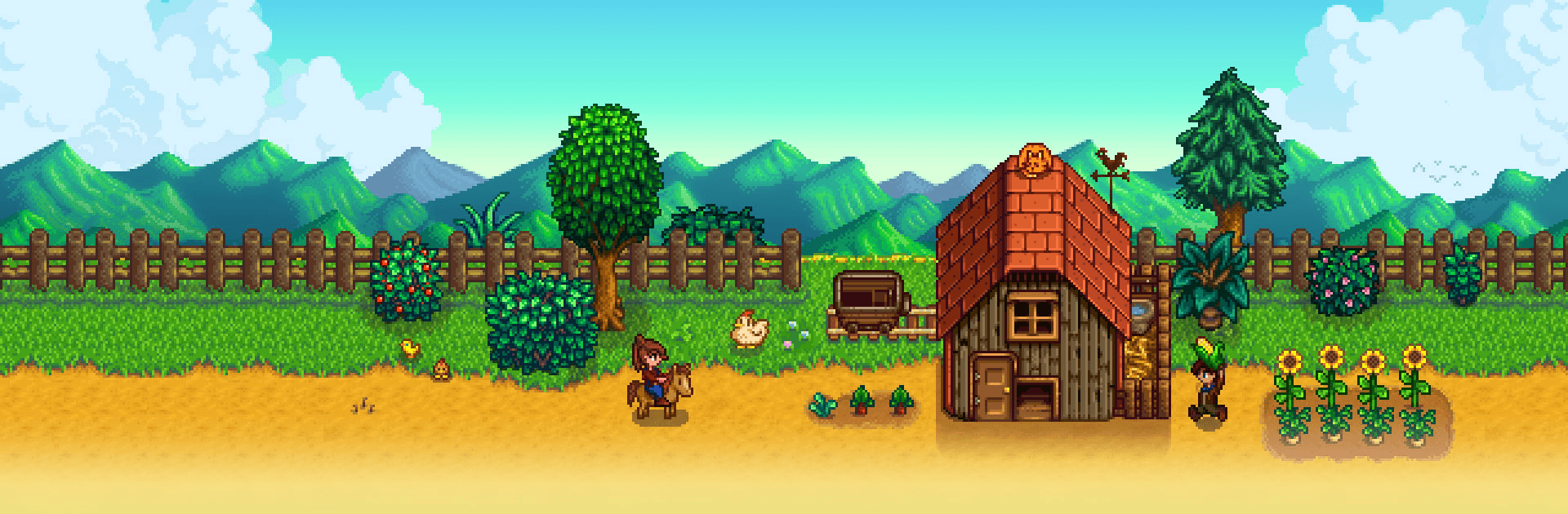
Stardew Valley feels like a slow morning that keeps stretching into one more day. It starts with a messy plot of land and a few simple tools, then opens up into this calm loop of planting, watering, harvesting, and making the place feel like home. Seasons actually matter, so crops change, the music shifts, and the routine never really gets stale. There is no rushy timer energy. Players pick a pace, choose what matters, and the game just lets that be enough.

There is a lot to mess with. Build barns and coops, raise animals, lay out paths, fences, and little bits of decor until the farm finally looks right. Change clothes, remodel the house, and, if that sounds fun, date one of the town folks and start a family. The village has small festivals, gift giving, and quirky side errands on the board, so there is always something low-key to chase. When a break from chores sounds good, the mines are there with simple combat, ore to smelt, and shiny stones to hoard. Fishing is its own little rhythm game. Foraging along the forest and beach pays off because everything feeds into crafting, cooking, and selling. Newer stuff like fish ponds, extra outfits, more crops, and a few town upgrades means it keeps growing without losing the cozy feel.

On PC with BlueStacks, controls are flexible. Touch-style input works, a virtual stick or a controller is fine, and mouse and keyboard is clean for menus. Tool auto-select and auto-attack smooth out the fiddly parts, and autosave makes short sessions painless. It is single player and that actually fits the mood, since it is more about quiet progress than competing. No microtransactions hanging over things, just a big chill farm sim that sneaks up and eats hours in the best way.

Make your gaming sessions memorable with precise controls that give you an edge in close combats and visuals that pop up, bringing every character to life.

Game Features

Enhancements

  • Macros
  • Rerolling
  • Eco Mode
  • Multi Instance Sync
  • Enhancements
Macros

Macros

Focus more on the fun part of the game, skip the tedious aspects. Master Stardew Valley with Macros. Record yourself completing the monotonous tasks you wish to automate and replay them later with just one keypress.
Rerolling

Rerolling

Speed up the rerolling process in Stardew Valley. Perform multiple summons and keep looking for the best Heroes. Use Multi-Instance sync to replicate the rerolling mechanism in all instances.
Eco Mode

Eco Mode

Farm in-game resources with ease in Stardew Valley. Enable the Eco Mode when running the game in multiple instances. And lower your PC's resource consumption.
Multi Instance Sync

Multi Instance Sync

With the Multi-instance Sync, you can do even more in Stardew Valley. Sync the action of the main instance and repeat them in real time for all other instances. Sync and sit back, let the game progress unfold.
Read More

How to Download and Play Stardew Valley on PC or Mac

  • Download and install BlueStacks on your PC or Mac

  • Complete Google sign-in to access the Play Store, or do it later

  • Look for Stardew Valley in the search bar at the top right corner

  • Click to install Stardew Valley from the search results

  • Complete Google sign-in (if you skipped step 2) to install Stardew Valley

  • Click the Stardew Valley icon on the home screen to start playing

video
Watch Video

Minimum System Requirements

With BlueStacks 5, you can get started on a PC that fulfills the following requirements.

  • Operating System

    Microsoft Windows 7 or above, macOS 11 (Big Sur) or above

  • Processor

    Intel, AMD or Apple Silicon Processor

  • RAM

    at least 4GB

  • HDD

    10GB Free Disk Space

Note:

* You must be an Administrator on your PC. Up to date graphics drivers from Microsoft or the chipset vendor.

Stardew Valley - FAQs

  • How to play Stardew Valley on Windows PC & Mac?

    Play Stardew Valley on your PC or Mac by following these simple steps.

    • Click on 'Play Stardew Valley on PC’ to download BlueStacks
    • Install it and log-in to Google Play Store
    • Launch and play the game.
  • Why is BlueStacks the fastest and safest platform to play games on PC?

    BlueStacks respects your privacy and is always safe and secure to use. It does not carry any malware, spyware, or any sort of additional software that could harm your PC.

    It is engineered to optimize speed and performance for a seamless gaming experience.

  • What are Stardew Valley PC requirements?

    Minimum requirement to run Stardew Valley on your PC

    • OS: Microsoft Windows 7 or above MacOS 11 (Big Sur) or above
    • Processor: Intel, AMD or Apple Silicon Processor
    • RAM: Your PC must have at least 4GB of RAM. (Note that having 4GB or more disk space is not a substitute for RAM)
    • HDD: 10GB Free Disk Space.
    • You must be an Administrator on your PC.