Ticket Hero
Ticket Hero

Ticket Hero

Role Playing

| BillionaireGames

Play on PC with BlueStacks or from our cloud

  • Overview
  • Game Features
  • How to Play

Page Modified On: June 09, 2026

Play Ticket Hero on PC or Mac

Explore a whole new adventure with Ticket Hero, a Role Playing game created by BillionaireGames. Experience great gameplay with BlueStacks, the most popular gaming platform to play Android games on your PC or Mac.

About the Game

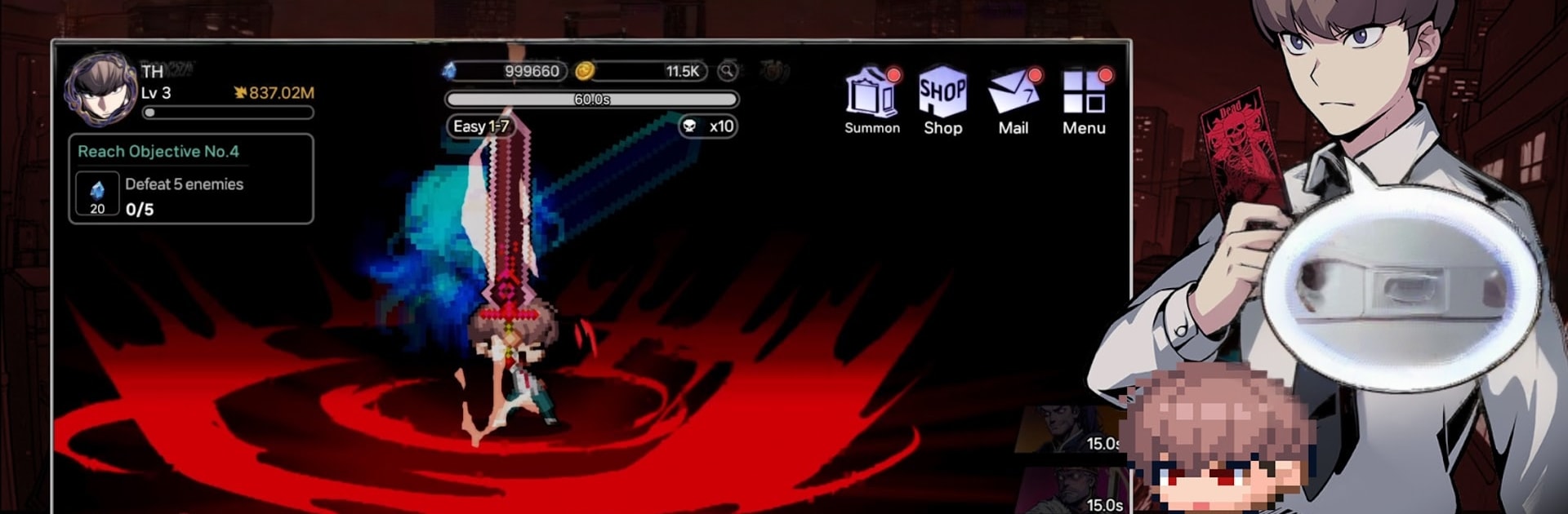
Ticket Hero is a snappy pixel-action Role Playing game where a strange ticket drops you into a world of legends and big, satisfying fights. Mix and match abilities from different heroes, smash through dungeons, and come back to find your character stronger even if you were away. Prefer hands-on timing or laid-back growth? It does both, and flips between them smoothly.

Game Features

  • Awaken a Legend: Rip open a mysterious ticket and tap into the power of famed heroes. Swap combat styles on the fly and chain skills to shred bosses and tricky mobs.
  • Build It Your Way: Experiment with loadouts, skill synergies, and hero combinations. Find a setup that melts armor, clears waves fast, or focuses on big single-target hits.
  • Idle Growth, Real Payoff: Progress doesn’t pause when you do. Log back in to a pile of resources, new upgrades, and a noticeably tougher hero.
  • Evolving Action: As your stats climb, so does the spectacle—more strikes, punchier effects, and flashy finishers from both you and your legendary avatars.
  • Competitive Modes: Prove it in the Arena, rally friends for Guild Battles, and step into the Underworld Tournament. Climb the ranks and earn unique titles and decorations to show off your status.
  • Constant Challenges: Tackle resource-rich special dungeons, tense multi-phase boss raids, and surprise monster encounters that keep runs fresh.
  • Pixel Style With Personality: Crisp pixel art, sharp cutscenes, and distinct hero designs give every battle a little extra flair.
  • Easy on PC with BlueStacks: Want roomier controls and smooth performance on a bigger screen? Ticket Hero plays great on BlueStacks without changing the core feel.

Ready to top the leaderboard? We bet you do. Let precise controls and sharp visuals optimized on BlueStacks lead you to victory.


Game Features

Enhancements

  • Macros
  • Rerolling
  • Eco Mode
  • Multi Instance Sync
  • Enhancements
Macros

Macros

Focus more on the fun part of the game, skip the tedious aspects. Master Ticket Hero with Macros. Record yourself completing the monotonous tasks you wish to automate and replay them later with just one keypress.
Rerolling

Rerolling

Speed up the rerolling process in Ticket Hero. Perform multiple summons and keep looking for the best Heroes. Use Multi-Instance sync to replicate the rerolling mechanism in all instances.
Eco Mode

Eco Mode

Farm in-game resources with ease in Ticket Hero. Enable the Eco Mode when running the game in multiple instances. And lower your PC's resource consumption.
Multi Instance Sync

Multi Instance Sync

With the Multi-instance Sync, you can do even more in Ticket Hero. Sync the action of the main instance and repeat them in real time for all other instances. Sync and sit back, let the game progress unfold.
Read More

How to Download and Play Ticket Hero on PC or Mac

  • Download and install BlueStacks on your PC or Mac

  • Complete Google sign-in to access the Play Store, or do it later

  • Look for Ticket Hero in the search bar at the top right corner

  • Click to install Ticket Hero from the search results

  • Complete Google sign-in (if you skipped step 2) to install Ticket Hero

  • Click the Ticket Hero icon on the home screen to start playing

video
Watch Video

Minimum System Requirements

With BlueStacks 5, you can get started on a PC that fulfills the following requirements.

  • Operating System

    Microsoft Windows 7 or above, macOS 11 (Big Sur) or above

  • Processor

    Intel, AMD or Apple Silicon Processor

  • RAM

    at least 4GB

  • HDD

    10GB Free Disk Space

Note:

* You must be an Administrator on your PC. Up to date graphics drivers from Microsoft or the chipset vendor.

Ticket Hero - FAQs

  • How to play Ticket Hero on Windows PC & Mac?

    Play Ticket Hero on your PC or Mac by following these simple steps.

    • Click on 'Play Ticket Hero on PC’ to download BlueStacks
    • Install it and log-in to Google Play Store
    • Launch and play the game.
  • Why is BlueStacks the fastest and safest platform to play games on PC?

    BlueStacks respects your privacy and is always safe and secure to use. It does not carry any malware, spyware, or any sort of additional software that could harm your PC.

    It is engineered to optimize speed and performance for a seamless gaming experience.

  • What are Ticket Hero PC requirements?

    Minimum requirement to run Ticket Hero on your PC

    • OS: Microsoft Windows 7 or above MacOS 11 (Big Sur) or above
    • Processor: Intel, AMD or Apple Silicon Processor
    • RAM: Your PC must have at least 4GB of RAM. (Note that having 4GB or more disk space is not a substitute for RAM)
    • HDD: 10GB Free Disk Space.
    • You must be an Administrator on your PC.