Totem Force
Totem Force

Totem Force

Role Playing

| Hosted Games

Play on PC with BlueStacks or from our cloud

  • Overview
  • Game Features
  • How to Play

Page Modified On: April 21, 2026

Play Totem Force on PC or Mac

From the innovators and creators at Hosted Games, Totem Force is another fun addition to the World of Role Playing games. Go beyond your mobile screen and play it bigger and better on your PC or Mac. An immersive experience awaits you.

About the Game

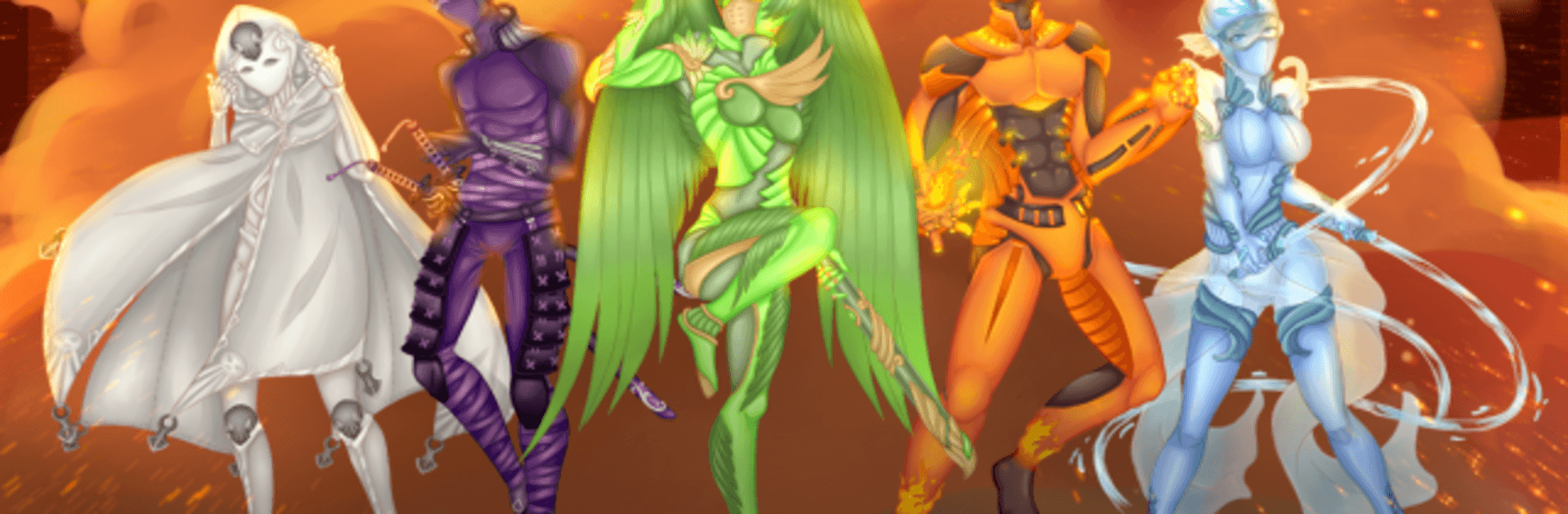
Totem Force is a Role Playing adventure where saving the city has to fit between classes, crushes, and cramming for exams. One strange rescue pulls an ordinary high-schooler into a wild, anime-style saga of giant threats and very human feelings. Your choices steer everything—from the color of your super suit to who’s by your side when the sky starts falling.

Game Features

  • Choice-Driven Story: Shape every chapter with decisions that matter, changing relationships, battles, and what kind of hero you become.
  • Play Your Identity: Create a lead who’s male, female, or non-binary, and set your attraction—gay, straight, bisexual, or asexual.
  • School vs. Superhero: Juggle homework, friendships, and world-ending emergencies without dropping the ball. Or drop it spectacularly. Your call.
  • Big Fights, Bigger Stakes: Face towering robots, unhinged deities, and monster attacks while learning to handle powers you never asked for.
  • Romance Your Way: Flirt with your infuriating rival, the enigmatic blonde who knows more than they’re saying, your ride-or-die from childhood, and other unexpected sparks.
  • Heart, Mind, or Will: Talk it out, think it through, or push past your limits—multiple problem-solving paths keep scenes fresh.
  • Epic Word Count: A sprawling, 260,000-word interactive journey packed with branching routes and plenty of reasons to replay.
  • All Text, All Imagination: No graphics or sound—just sharp prose from Hosted Games that lets your brain stage the explosions and the awkward hallway conversations.
  • Claim Your Legacy: Uncover why you were chosen and what it means to bear the title “Heir to the Heavens.”
  • Smooth on PC: Prefer a keyboard and big screen? Totem Force plays comfortably on BlueStacks so you can make choices without missing a beat.

Ready to top the leaderboard? We bet you do. Let precise controls and sharp visuals optimized on BlueStacks lead you to victory.


Game Features

Enhancements

  • Macros
  • Rerolling
  • Eco Mode
  • Multi Instance Sync
  • Enhancements
Macros

Macros

Focus more on the fun part of the game, skip the tedious aspects. Master Totem Force with Macros. Record yourself completing the monotonous tasks you wish to automate and replay them later with just one keypress.
Rerolling

Rerolling

Speed up the rerolling process in Totem Force. Perform multiple summons and keep looking for the best Heroes. Use Multi-Instance sync to replicate the rerolling mechanism in all instances.
Eco Mode

Eco Mode

Farm in-game resources with ease in Totem Force. Enable the Eco Mode when running the game in multiple instances. And lower your PC's resource consumption.
Multi Instance Sync

Multi Instance Sync

With the Multi-instance Sync, you can do even more in Totem Force. Sync the action of the main instance and repeat them in real time for all other instances. Sync and sit back, let the game progress unfold.
Read More

How to Download and Play Totem Force on PC or Mac

  • Download and install BlueStacks on your PC or Mac

  • Complete Google sign-in to access the Play Store, or do it later

  • Look for Totem Force in the search bar at the top right corner

  • Click to install Totem Force from the search results

  • Complete Google sign-in (if you skipped step 2) to install Totem Force

  • Click the Totem Force icon on the home screen to start playing

video
Watch Video

Minimum System Requirements

With BlueStacks 5, you can get started on a PC that fulfills the following requirements.

  • Operating System

    Microsoft Windows 7 or above, macOS 11 (Big Sur) or above

  • Processor

    Intel, AMD or Apple Silicon Processor

  • RAM

    at least 4GB

  • HDD

    10GB Free Disk Space

Note:

* You must be an Administrator on your PC. Up to date graphics drivers from Microsoft or the chipset vendor.

Totem Force - FAQs

  • How to play Totem Force on Windows PC & Mac?

    Play Totem Force on your PC or Mac by following these simple steps.

    • Click on 'Play Totem Force on PC’ to download BlueStacks
    • Install it and log-in to Google Play Store
    • Launch and play the game.
  • Why is BlueStacks the fastest and safest platform to play games on PC?

    BlueStacks respects your privacy and is always safe and secure to use. It does not carry any malware, spyware, or any sort of additional software that could harm your PC.

    It is engineered to optimize speed and performance for a seamless gaming experience.

  • What are Totem Force PC requirements?

    Minimum requirement to run Totem Force on your PC

    • OS: Microsoft Windows 7 or above MacOS 11 (Big Sur) or above
    • Processor: Intel, AMD or Apple Silicon Processor
    • RAM: Your PC must have at least 4GB of RAM. (Note that having 4GB or more disk space is not a substitute for RAM)
    • HDD: 10GB Free Disk Space.
    • You must be an Administrator on your PC.