Bus Masters: India Simulator

Bus Masters: India Simulator

Simulation

| Highbrow Interactive

Play on PC with BlueStacks or from our cloud

  • Overview
  • Tips & Tricks
  • Game Features
  • How to Play

Page Modified On: September 10, 2026

Play Bus Masters: India Simulator on PC or Mac

Bring your A-game to Bus Masters: India Simulator, the Simulation game sensation from Highbrow Interactive. Give your gameplay the much-needed boost with precise game controls, high FPS graphics, and top-tier features on your PC or Mac with BlueStacks.

About the Game

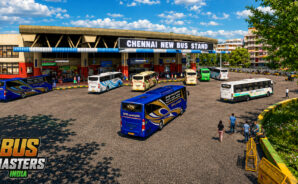
Bus Masters: India Simulator is a Simulation experience built around the real feel of driving across India—crowded bazaars, misty ghats, and long overnight highway runs included. It’s all about weighty buses, unpredictable traffic, and that bus-wala rhythm you only get on local roads. Prefer a bigger screen? It also plays nicely on PC with BlueStacks without changing what makes it special.

Game Features

  • Authentic Indian roads: Navigate busy markets, rural stretches, coastal highways, and steep mountain ghats with hairpins that punish sloppy driving.
  • Lively traffic behavior: Deal with autos darting in, bikes hovering in blind spots, and cars that stop where they shouldn’t—exactly the chaos you expect.
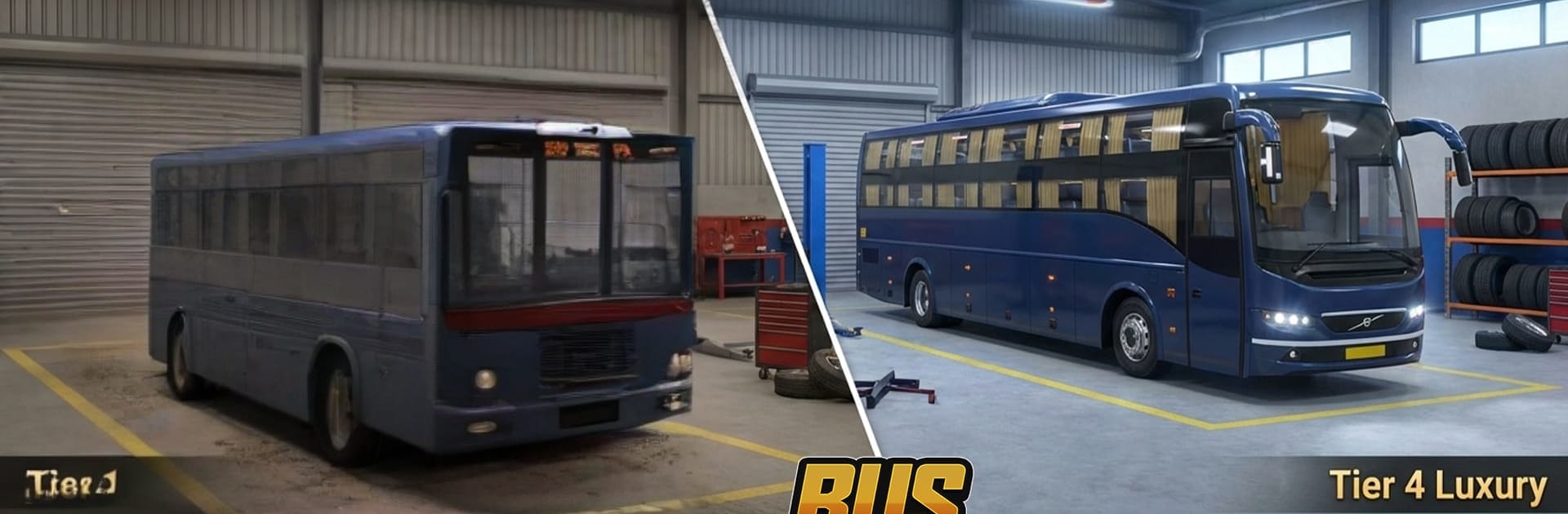
  • Distinct buses to master: Drive city shuttles, sleeper coaches, tourist rides, and long-haul express buses, each with unique handling, momentum, and braking.
  • Deep customization: Paint jobs, regional liveries, stickers, LED lights, chrome touches, cabin details, route boards, and pressure horns—tune both the look and the vibe.
  • Career from driver to owner: Start by taking gigs, save up for your first bus, land better contracts, hire drivers, and grow a full-fledged transport company.
  • Dynamic conditions: Day-night cycles with working headlights, rain and fog that change grip and visibility, and passengers who expect you to stick to the timetable.
  • Realistic physics: Weight-based handling and consequences for reckless moves make every overtake, brake check, and hill climb matter.
  • Sounds that feel local: Multi-tone pressure horns and ambient audio inspired by real highways add that familiar roadside soundtrack.

BlueStacks gives you more room to focus on the game and less time adjusting around mobile limitations.

Game Features

Enhancements

  • Macros
  • Multi Instance
  • Multi Instance Sync
  • Script
  • Enhancements
Macros

Macros

Automate the predictable in Bus Masters: India Simulator and transform your gameplay with Macros. Get access to inventive Macros in the BlueStacks Macro Community
Multi Instance

Multi Instance

Play Bus Masters: India Simulator on one window. And chat with your friend on the other. Press CTRL + Shift + 8 to open the Multi-Instance Manager. And start creating fresh instances or clone an existing one.
Multi Instance Sync

Multi Instance Sync

Play Bus Masters: India Simulator with the power of Multi-Instance Sync. Replicate what you are doing on the main instance on all other instances. Level up faster, play more.
Script

Script

Script your way to gaming glory in Bus Masters: India Simulator with BlueStacks Script. Write and run a set of commands to automate repeated tasks. Trigger the command by assigning it to any key.
Read More

How to Download and Play Bus Masters: India Simulator on PC or Mac

  • Download and install BlueStacks on your PC or Mac

  • Complete Google sign-in to access the Play Store, or do it later

  • Look for Bus Masters: India Simulator in the search bar at the top right corner

  • Click to install Bus Masters: India Simulator from the search results

  • Complete Google sign-in (if you skipped step 2) to install Bus Masters: India Simulator

  • Click the Bus Masters: India Simulator icon on the home screen to start playing

video
Watch Video

Minimum System Requirements

With BlueStacks 5, you can get started on a PC that fulfills the following requirements.

  • Operating System

    Microsoft Windows 7 or above, macOS 11 (Big Sur) or above

  • Processor

    Intel, AMD or Apple Silicon Processor

  • RAM

    at least 4GB

  • HDD

    10GB Free Disk Space

Note:

* You must be an Administrator on your PC. Up to date graphics drivers from Microsoft or the chipset vendor.

Bus Masters: India Simulator - FAQs

  • How to play Bus Masters: India Simulator on Windows PC & Mac?

    Play Bus Masters: India Simulator on your PC or Mac by following these simple steps.

    • Click on 'Play Bus Masters: India Simulator on PC’ to download BlueStacks
    • Install it and log-in to Google Play Store
    • Launch and play the game.
  • Why is BlueStacks the fastest and safest platform to play games on PC?

    BlueStacks respects your privacy and is always safe and secure to use. It does not carry any malware, spyware, or any sort of additional software that could harm your PC.

    It is engineered to optimize speed and performance for a seamless gaming experience.

  • What are Bus Masters: India Simulator PC requirements?

    Minimum requirement to run Bus Masters: India Simulator on your PC

    • OS: Microsoft Windows 7 or above MacOS 11 (Big Sur) or above
    • Processor: Intel, AMD or Apple Silicon Processor
    • RAM: Your PC must have at least 4GB of RAM. (Note that having 4GB or more disk space is not a substitute for RAM)
    • HDD: 10GB Free Disk Space.
    • You must be an Administrator on your PC.