Car Parking Multiplayer 2

Car Parking Multiplayer 2

Simulation

| olzhass

Play on PC with BlueStacks or from our cloud

  • Overview
  • Game Features
  • How to Play

Page Modified On: November 27, 2025

Play Car Parking Multiplayer 2 on PC or Mac

Car Parking Multiplayer 2 brings the Racing genre to life, and throws up exciting challenges for gamers. Developed by olzhass, this Android game is best experienced on BlueStacks, the World’s #1 app player for PC and Mac users.

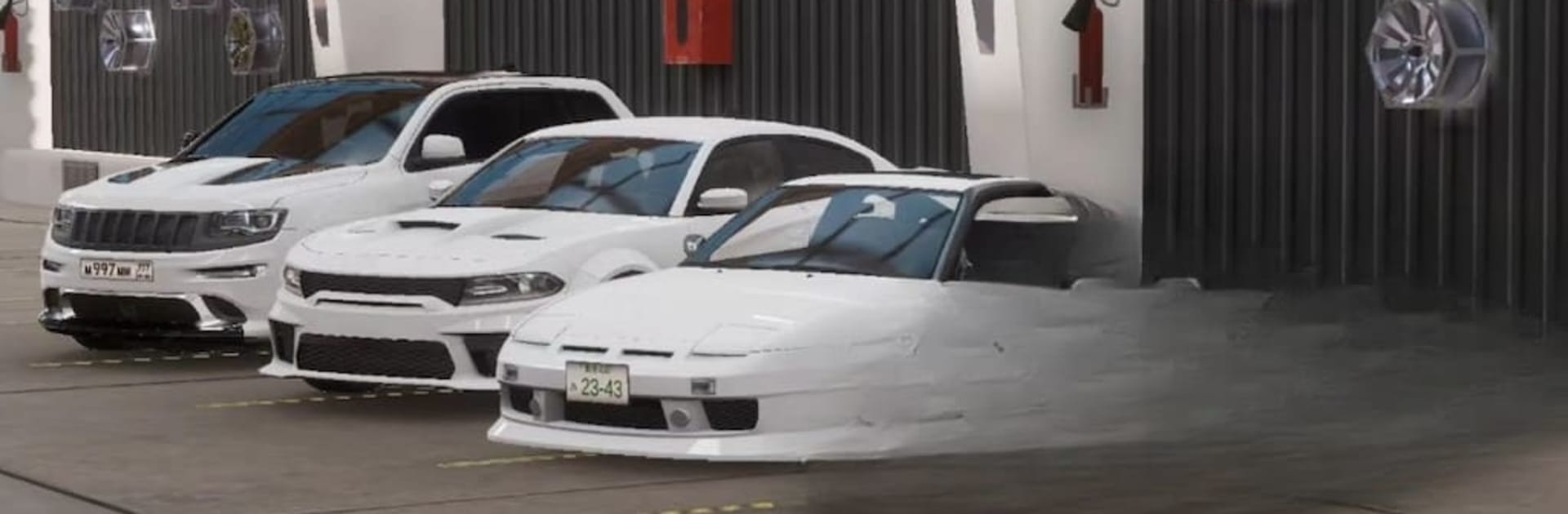
Car Parking Multiplayer 2 is a big open world driving game that leans into realism and a relaxed social vibe. Players are not stuck in the car the whole time, they can hop out, walk around, hit up gas stations, and roll into service shops when the car needs a look. The multiplayer side is the real draw. There are loads of people cruising around, chatting with voice, lining up informal races, trading cars, or just hanging out. There are side roles too, like jumping into police chases, picking up taxi fares, or heading to a strip for straight line runs. A drone camera lets someone scout the area or take clean shots of the ride. There is a friend list, emotes, and character tweaks so it feels like a little community rather than a menu of lobbies.

The garage is deep without being confusing. Suspension can be adjusted, transmissions can be manual with a working clutch, fuel use matters, and there is a proper dyno to test builds. The livery tools are solid for painting and decals. Cars have modeled interiors and the city has buildings you can walk into, which makes simple stuff like parking feel more grounded. There are dozens of parking and precision trials for anyone who wants to actually practice tight maneuvers, not only free roam. On PC with BlueStacks, keyboard steering and camera control feel clean, and mapping a clutch or handbrake to keys makes the manual setups way easier to handle. It is the kind of game where someone can grind tuning one day and just cruise with friends the next.

Make your gaming sessions memorable with precise controls that give you an edge in close combats and visuals that pop up, bringing every character to life.

Game Features

Enhancements

  • Macros
  • Multi Instance
  • Multi Instance Sync
  • Script
  • Enhancements
Macros

Macros

Automate the predictable in Car Parking Multiplayer 2 and transform your gameplay with Macros. Get access to inventive Macros in the BlueStacks Macro Community
Multi Instance

Multi Instance

Play Car Parking Multiplayer 2 on one window. And chat with your friend on the other. Press CTRL + Shift + 8 to open the Multi-Instance Manager. And start creating fresh instances or clone an existing one.
Multi Instance Sync

Multi Instance Sync

Play Car Parking Multiplayer 2 with the power of Multi-Instance Sync. Replicate what you are doing on the main instance on all other instances. Level up faster, play more.
Script

Script

Script your way to gaming glory in Car Parking Multiplayer 2 with BlueStacks Script. Write and run a set of commands to automate repeated tasks. Trigger the command by assigning it to any key.
Read More

How to Download and Play Car Parking Multiplayer 2 on PC or Mac

  • Download and install BlueStacks on your PC or Mac

  • Complete Google sign-in to access the Play Store, or do it later

  • Look for Car Parking Multiplayer 2 in the search bar at the top right corner

  • Click to install Car Parking Multiplayer 2 from the search results

  • Complete Google sign-in (if you skipped step 2) to install Car Parking Multiplayer 2

  • Click the Car Parking Multiplayer 2 icon on the home screen to start playing

video
Watch Video

Minimum System Requirements

With BlueStacks 5, you can get started on a PC that fulfills the following requirements.

  • Operating System

    Microsoft Windows 7 or above, macOS 11 (Big Sur) or above

  • Processor

    Intel, AMD or Apple Silicon Processor

  • RAM

    at least 4GB

  • HDD

    10GB Free Disk Space

Note:

* You must be an Administrator on your PC. Up to date graphics drivers from Microsoft or the chipset vendor.

Car Parking Multiplayer 2 - FAQs

  • How to play Car Parking Multiplayer 2 on Windows PC & Mac?

    Play Car Parking Multiplayer 2 on your PC or Mac by following these simple steps.

    • Click on 'Play Car Parking Multiplayer 2 on PC’ to download BlueStacks
    • Install it and log-in to Google Play Store
    • Launch and play the game.
  • Why is BlueStacks the fastest and safest platform to play games on PC?

    BlueStacks respects your privacy and is always safe and secure to use. It does not carry any malware, spyware, or any sort of additional software that could harm your PC.

    It is engineered to optimize speed and performance for a seamless gaming experience.

  • What are Car Parking Multiplayer 2 PC requirements?

    Minimum requirement to run Car Parking Multiplayer 2 on your PC

    • OS: Microsoft Windows 7 or above MacOS 11 (Big Sur) or above
    • Processor: Intel, AMD or Apple Silicon Processor
    • RAM: Your PC must have at least 4GB of RAM. (Note that having 4GB or more disk space is not a substitute for RAM)
    • HDD: 10GB Free Disk Space.
    • You must be an Administrator on your PC.