Coach Master: Bus Driving Game

Coach Master: Bus Driving Game

Simulation

| Elites Hub

Play on PC with BlueStacks or from our cloud

  • Overview
  • Game Features
  • How to Play

Page Modified On: September 11, 2026

Play Coach Master: Bus Driving Game on PC or Mac

Bring your A-game to Coach Master: Bus Driving Game, the Simulation game sensation from Elites Hub. Give your gameplay the much-needed boost with precise game controls, high FPS graphics, and top-tier features on your PC or Mac with BlueStacks.

About the Game

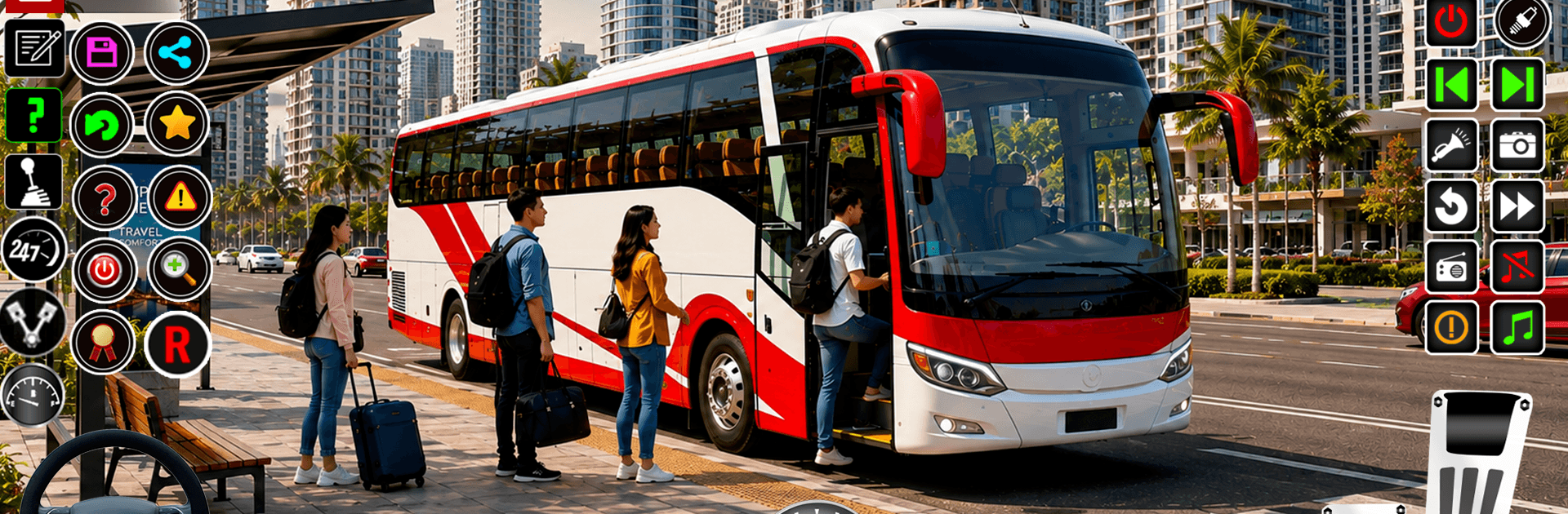
Coach Master: Bus Driving Game hands you the keys to a full-size coach and the chaos of a living city. This Simulation leans into believable handling, passenger schedules, and the little details—mirrors, weather, engine hum—that make a route feel real. Want a bigger view and tighter controls? It plays smoothly on BlueStacks too.

Game Features

  • Authentic city driving: Thread your way through traffic, respect signals, and manage tight turns like a real driver on busy urban roads and open highways.
  • Passenger pickup missions: Pull into marked stops, open doors on time, and deliver everyone safely to rack up clean runs and better scores.
  • Modern coach fleet: Unlock and drive a range of sleek buses with detailed dashboards, working mirrors, and true-to-life interiors.
  • Smooth controls and feel: Steering, braking, and weight transfer are tuned so big vehicles feel hefty without being clumsy.
  • Varied routes and challenges: Tackle narrow streets, long-haul stretches, sharp ramps, and trickier sections that test planning and patience.
  • Multiple camera views: Swap from cockpit to third-person (and more) to park precisely or enjoy the scenery.
  • Lifelike engine audio: Hear the turbo spool, the brake hiss, and indicator clicks that bring each ride to life.
  • Dynamic weather and time: Drive through rain, fog, and changing light, each affecting grip, visibility, and timing.
  • Precision parking tasks: Line up perfectly at terminals and squeeze into tight bays without tapping a bumper.
  • Smart city traffic: Navigate believable AI vehicles that stop, merge, and occasionally surprise you at busy intersections.
  • Crisp visuals: Clean HD graphics and detailed environments make landmarks, lanes, and signage easy to read.
  • Playable offline: Run routes and complete missions anywhere, no connection required.
  • Easy to start, hard to master: Friendly controls get you rolling fast, while stricter routes reward neat driving and consistency.

Get ready for a buttery smooth, high-performance gaming action only on BlueStacks.

Game Features

Enhancements

  • Macros
  • Multi Instance
  • Multi Instance Sync
  • Script
  • Enhancements
Macros

Macros

Automate the predictable in Coach Master: Bus Driving Game and transform your gameplay with Macros. Get access to inventive Macros in the BlueStacks Macro Community
Multi Instance

Multi Instance

Play Coach Master: Bus Driving Game on one window. And chat with your friend on the other. Press CTRL + Shift + 8 to open the Multi-Instance Manager. And start creating fresh instances or clone an existing one.
Multi Instance Sync

Multi Instance Sync

Play Coach Master: Bus Driving Game with the power of Multi-Instance Sync. Replicate what you are doing on the main instance on all other instances. Level up faster, play more.
Script

Script

Script your way to gaming glory in Coach Master: Bus Driving Game with BlueStacks Script. Write and run a set of commands to automate repeated tasks. Trigger the command by assigning it to any key.
Read More

How to Download and Play Coach Master: Bus Driving Game on PC or Mac

  • Download and install BlueStacks on your PC or Mac

  • Complete Google sign-in to access the Play Store, or do it later

  • Look for Coach Master: Bus Driving Game in the search bar at the top right corner

  • Click to install Coach Master: Bus Driving Game from the search results

  • Complete Google sign-in (if you skipped step 2) to install Coach Master: Bus Driving Game

  • Click the Coach Master: Bus Driving Game icon on the home screen to start playing

video
Watch Video

Minimum System Requirements

With BlueStacks 5, you can get started on a PC that fulfills the following requirements.

  • Operating System

    Microsoft Windows 7 or above, macOS 11 (Big Sur) or above

  • Processor

    Intel, AMD or Apple Silicon Processor

  • RAM

    at least 4GB

  • HDD

    10GB Free Disk Space

Note:

* You must be an Administrator on your PC. Up to date graphics drivers from Microsoft or the chipset vendor.

Coach Master: Bus Driving Game - FAQs

  • How to play Coach Master: Bus Driving Game on Windows PC & Mac?

    Play Coach Master: Bus Driving Game on your PC or Mac by following these simple steps.

    • Click on 'Play Coach Master: Bus Driving Game on PC’ to download BlueStacks
    • Install it and log-in to Google Play Store
    • Launch and play the game.
  • Why is BlueStacks the fastest and safest platform to play games on PC?

    BlueStacks respects your privacy and is always safe and secure to use. It does not carry any malware, spyware, or any sort of additional software that could harm your PC.

    It is engineered to optimize speed and performance for a seamless gaming experience.

  • What are Coach Master: Bus Driving Game PC requirements?

    Minimum requirement to run Coach Master: Bus Driving Game on your PC

    • OS: Microsoft Windows 7 or above MacOS 11 (Big Sur) or above
    • Processor: Intel, AMD or Apple Silicon Processor
    • RAM: Your PC must have at least 4GB of RAM. (Note that having 4GB or more disk space is not a substitute for RAM)
    • HDD: 10GB Free Disk Space.
    • You must be an Administrator on your PC.