Demon Hunters Story
Demon Hunters Story

Demon Hunters Story

Simulation

| Sponge Mobile

Play on PC with BlueStacks or from our cloud

  • Overview
  • Game Features
  • How to Play

Page Modified On: August 10, 2026

Play Demon Hunters Story on PC or Mac

Explore a whole new adventure with Demon Hunters Story, a Simulation game created by Sponge Mobile. Experience great gameplay with BlueStacks, the most popular gaming platform to play Android games on your PC or Mac.

About the Game

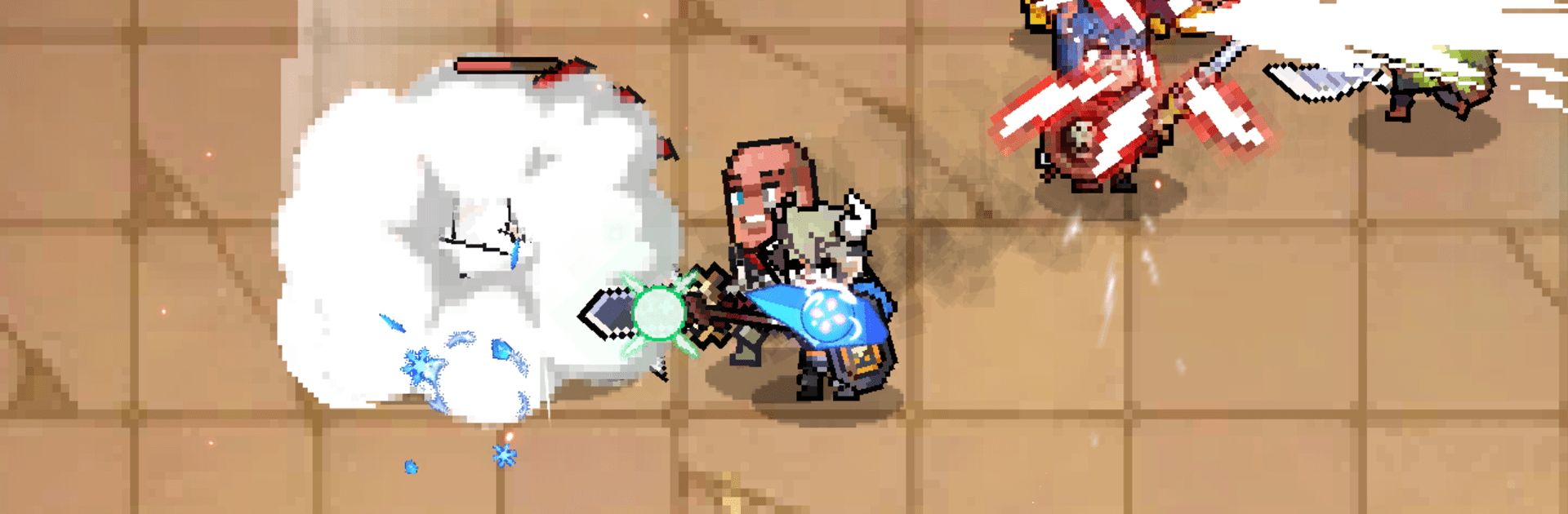
Demon Hunters Story drops you into a world wrecked by a demon catastrophe and asks you to rebuild hope one battle at a time. You’ll gather a crew of stylish Hunters, set up smart team comps, and watch them shred through enemies while you tune builds behind the scenes. It leans into Genre: Simulation vibes too, with progression systems you can manage at your own pace.

Game Features

  • Hands-off combat, real payoff: Let your squad handle routine fights while you step in for clutch moments, timing big abilities or swapping tactics when things get spicy. Great for quick sessions or long grinds.
  • Classes with real roles: Tanks up front, damage dealers cracking armor, healers keeping everyone upright, plus archers and wizards raining pain from afar. Mix and match to counter different threats.
  • Flashy skills and finishers: Clean effects, bold weapon animations, and momentum-changing ultimates make every brawl feel loud and satisfying.
  • Grow without ceilings: Pour resources into gear upgrades, skill tuning, awakenings, and high-tier transcendence paths. Small tweaks stack up fast.
  • Build your roster: Recruit new Hunters, chase rare relics, and experiment with synergies until your team clicks.
  • Plenty to tackle: Rogue-like dungeons for loot, hulking raid bosses that test coordination, and PvP if you’re in the mood to measure your build against others.
  • Idol-flavored heroes: Dark fantasy with a pop-idol twist—collect star-quality demon slayers and let style meet steel.
  • A story with heart: Follow a relic-bearing prodigy and their allies as they push back the apocalypse, one hard-won victory at a time.
  • Play your way: Prefer a bigger screen and comfy controls? BlueStacks is an easy option without making setup a chore.

Get ready for a buttery smooth, high-performance gaming action only on BlueStacks.

Game Features

Enhancements

  • Macros
  • Multi Instance
  • Multi Instance Sync
  • Script
  • Enhancements
Macros

Macros

Automate the predictable in Demon Hunters Story and transform your gameplay with Macros. Get access to inventive Macros in the BlueStacks Macro Community
Multi Instance

Multi Instance

Play Demon Hunters Story on one window. And chat with your friend on the other. Press CTRL + Shift + 8 to open the Multi-Instance Manager. And start creating fresh instances or clone an existing one.
Multi Instance Sync

Multi Instance Sync

Play Demon Hunters Story with the power of Multi-Instance Sync. Replicate what you are doing on the main instance on all other instances. Level up faster, play more.
Script

Script

Script your way to gaming glory in Demon Hunters Story with BlueStacks Script. Write and run a set of commands to automate repeated tasks. Trigger the command by assigning it to any key.
Read More

How to Download and Play Demon Hunters Story on PC or Mac

  • Download and install BlueStacks on your PC or Mac

  • Complete Google sign-in to access the Play Store, or do it later

  • Look for Demon Hunters Story in the search bar at the top right corner

  • Click to install Demon Hunters Story from the search results

  • Complete Google sign-in (if you skipped step 2) to install Demon Hunters Story

  • Click the Demon Hunters Story icon on the home screen to start playing

video
Watch Video

Minimum System Requirements

With BlueStacks 5, you can get started on a PC that fulfills the following requirements.

  • Operating System

    Microsoft Windows 7 or above, macOS 11 (Big Sur) or above

  • Processor

    Intel, AMD or Apple Silicon Processor

  • RAM

    at least 4GB

  • HDD

    10GB Free Disk Space

Note:

* You must be an Administrator on your PC. Up to date graphics drivers from Microsoft or the chipset vendor.

Demon Hunters Story - FAQs

  • How to play Demon Hunters Story on Windows PC & Mac?

    Play Demon Hunters Story on your PC or Mac by following these simple steps.

    • Click on 'Play Demon Hunters Story on PC’ to download BlueStacks
    • Install it and log-in to Google Play Store
    • Launch and play the game.
  • Why is BlueStacks the fastest and safest platform to play games on PC?

    BlueStacks respects your privacy and is always safe and secure to use. It does not carry any malware, spyware, or any sort of additional software that could harm your PC.

    It is engineered to optimize speed and performance for a seamless gaming experience.

  • What are Demon Hunters Story PC requirements?

    Minimum requirement to run Demon Hunters Story on your PC

    • OS: Microsoft Windows 7 or above MacOS 11 (Big Sur) or above
    • Processor: Intel, AMD or Apple Silicon Processor
    • RAM: Your PC must have at least 4GB of RAM. (Note that having 4GB or more disk space is not a substitute for RAM)
    • HDD: 10GB Free Disk Space.
    • You must be an Administrator on your PC.