Happy Spa: Beauty Salon Games

Happy Spa: Beauty Salon Games

Simulation

| WeFun: Casual,Cooking & Hospital Games

Play on PC with BlueStacks or from our cloud

  • Overview
  • Game Features
  • How to Play

Page Modified On: June 02, 2026

Play Happy Spa: Beauty Salon Games on PC or Mac

Bring your A-game to Happy Spa: Beauty Salon Games, the Simulation game sensation from WeFun: Casual,Cooking & Hospital Games. Give your gameplay the much-needed boost with precise game controls, high FPS graphics, and top-tier features on your PC or Mac with BlueStacks.

About the Game

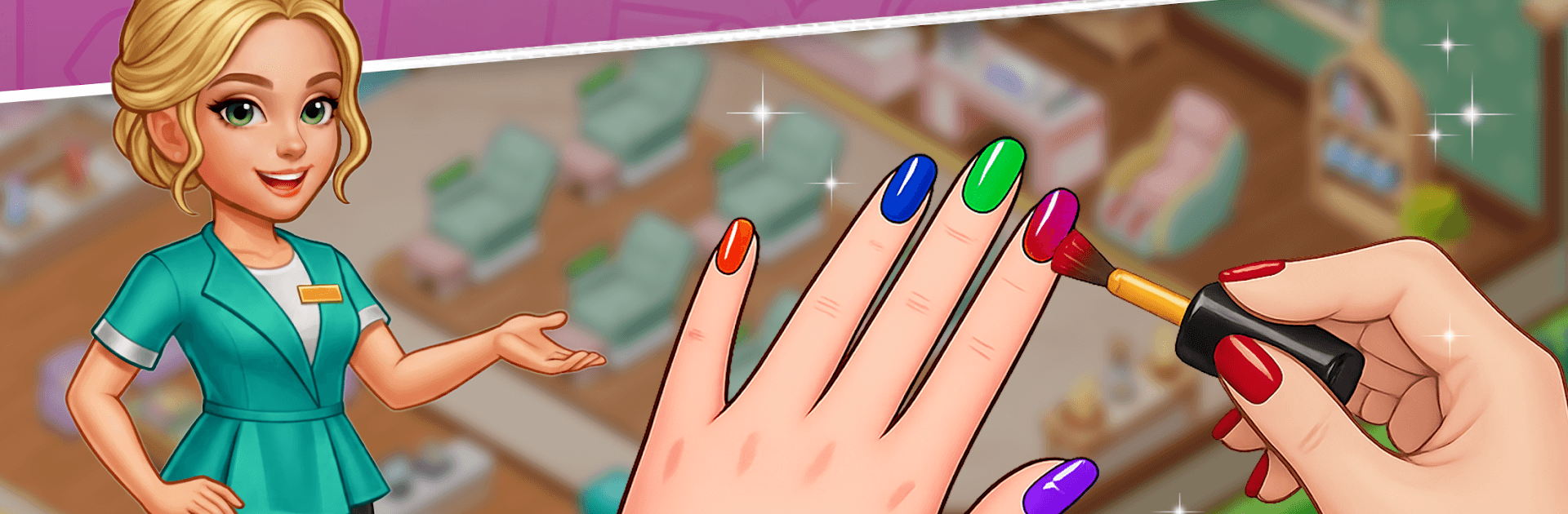
Happy Spa: Beauty Salon Games is a cozy, fast-paced Simulation where you run a stylish spa and keep a steady flow of clients glowing and happy. It’s part chill, part challenge: you’ll juggle treatments, customize your space, and try to beat the clock without breaking a sweat. If you love time-management games with a creative twist—nails, hair, skincare, the whole deal—this one scratches that itch.

Game Features

  • Time-Management Rush: Handle multiple customers at once, queue up tasks smartly, and finish treatments before their patience runs out.
  • Real Spa Services: Offer facials, hair care, makeovers, and nail treatments—mix and match to match each client’s request.
  • Nail Art Playground: Experiment with colors, patterns, stickers, and shine to craft looks that pop, from minimalist chic to full-on glam.
  • Decor and Upgrades: Earn coins to add comfy beds, soft lighting, plants, and premium tools, then watch your ratings rise as the salon feels more luxe.
  • Smooth Progression: Unlock fresh levels, new rooms, and advanced equipment that open up quicker workflows and trickier goals.
  • Relaxing Yet Engaging: Calming visuals balance the countdown pressure, so it feels soothing even when the queue gets wild.
  • Grow Your Spa: Start small and expand into a polished beauty hub across varied locations, each with its own pace and challenges.
  • Play Offline: Perfect for quick sessions on the go—no connection needed to keep the treatments flowing.
  • Optional PC Play: Prefer a bigger screen? It plays nicely on BlueStacks for a crisp, click-friendly setup.

BlueStacks gives you more room to focus on the game and less time adjusting around mobile limitations.


Game Features

Enhancements

  • Macros
  • Multi Instance
  • Multi Instance Sync
  • Script
  • Enhancements
Macros

Macros

Automate the predictable in Happy Spa: Beauty Salon Games and transform your gameplay with Macros. Get access to inventive Macros in the BlueStacks Macro Community
Multi Instance

Multi Instance

Play Happy Spa: Beauty Salon Games on one window. And chat with your friend on the other. Press CTRL + Shift + 8 to open the Multi-Instance Manager. And start creating fresh instances or clone an existing one.
Multi Instance Sync

Multi Instance Sync

Play Happy Spa: Beauty Salon Games with the power of Multi-Instance Sync. Replicate what you are doing on the main instance on all other instances. Level up faster, play more.
Script

Script

Script your way to gaming glory in Happy Spa: Beauty Salon Games with BlueStacks Script. Write and run a set of commands to automate repeated tasks. Trigger the command by assigning it to any key.
Read More

How to Download and Play Happy Spa: Beauty Salon Games on PC or Mac

  • Download and install BlueStacks on your PC or Mac

  • Complete Google sign-in to access the Play Store, or do it later

  • Look for Happy Spa: Beauty Salon Games in the search bar at the top right corner

  • Click to install Happy Spa: Beauty Salon Games from the search results

  • Complete Google sign-in (if you skipped step 2) to install Happy Spa: Beauty Salon Games

  • Click the Happy Spa: Beauty Salon Games icon on the home screen to start playing

video
Watch Video

Minimum System Requirements

With BlueStacks 5, you can get started on a PC that fulfills the following requirements.

  • Operating System

    Microsoft Windows 7 or above, macOS 11 (Big Sur) or above

  • Processor

    Intel, AMD or Apple Silicon Processor

  • RAM

    at least 4GB

  • HDD

    10GB Free Disk Space

Note:

* You must be an Administrator on your PC. Up to date graphics drivers from Microsoft or the chipset vendor.

Happy Spa: Beauty Salon Games - FAQs

  • How to play Happy Spa: Beauty Salon Games on Windows PC & Mac?

    Play Happy Spa: Beauty Salon Games on your PC or Mac by following these simple steps.

    • Click on 'Play Happy Spa: Beauty Salon Games on PC’ to download BlueStacks
    • Install it and log-in to Google Play Store
    • Launch and play the game.
  • Why is BlueStacks the fastest and safest platform to play games on PC?

    BlueStacks respects your privacy and is always safe and secure to use. It does not carry any malware, spyware, or any sort of additional software that could harm your PC.

    It is engineered to optimize speed and performance for a seamless gaming experience.

  • What are Happy Spa: Beauty Salon Games PC requirements?

    Minimum requirement to run Happy Spa: Beauty Salon Games on your PC

    • OS: Microsoft Windows 7 or above MacOS 11 (Big Sur) or above
    • Processor: Intel, AMD or Apple Silicon Processor
    • RAM: Your PC must have at least 4GB of RAM. (Note that having 4GB or more disk space is not a substitute for RAM)
    • HDD: 10GB Free Disk Space.
    • You must be an Administrator on your PC.