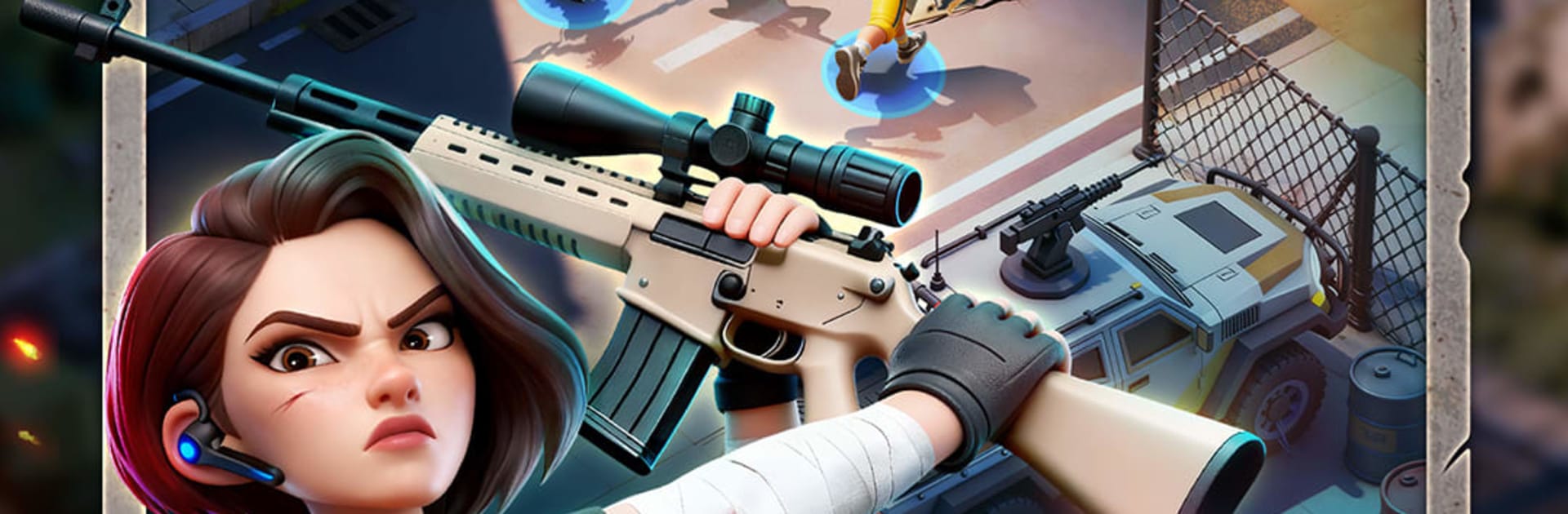
Hope Zone
Hope Zone

Hope Zone

Simulation

| StarFortune

Play on PC with BlueStacks or from our cloud

  • Overview
  • Game Features
  • How to Play

Page Modified On: April 07, 2026

Play Hope Zone on PC or Mac

Hope Zone brings the Simulation genre to life, and throws up exciting challenges for gamers. Developed by StarFortune, this Android game is best experienced on BlueStacks, the World’s #1 app player for PC and Mac users.

About the Game

Hope Zone from StarFortune is a gritty Simulation about running the last safe city after everything falls apart. You’re the one calling the shots—who gets through the gates, what gets built first, and when to risk a fight. It blends city building with wave defense and tough moral choices, all centered on people trying to make it to sunrise.

Game Features

  • Build, fortify, survive: Plan your city layout, reinforce walls, and set up defenses while keeping power, water, and food steady. Every upgrade and placement matters when the next horde tests your design.
  • People with pasts: Survivors aren’t just numbers. They come with backstories, skills, flaws, and moods that affect how your settlement runs—and how your decisions land.
  • Real management, real stakes: Assign jobs for gathering, hauling, crafting, patrolling, or frontline duty. Specialize your crew, rotate shifts, and keep the city moving without breaking morale.
  • Risky expeditions: Send squads beyond the walls to scavenge parts, track the virus’s origins, and face evolving mutants. Big rewards if you make it back, bigger problems if you don’t.
  • Research that changes everything: Build labs, climb a deep tech tree, and unlock smarter farming, sturdier barricades, better medicine, and nastier traps to keep the dead outside.
  • PvP in a shattered world: Clash with other players for territory and critical supplies, or strike cease-fires when it’s smarter to cooperate. Power decides who sets the rules.
  • Choices with consequences: Open your doors to strangers or save rations for your own? Focus on culture and care or pure militarization? Your path shapes the city’s future.
  • Play your way, including on PC: Prefer mouse and keyboard? Hope Zone runs smoothly on BlueStacks, making longer sessions and precise control feel natural without changing the core experience.

Start your journey now. Download the game on BlueStacks, invite your friends, and march on a new adventure.


Game Features

Enhancements

  • Macros
  • Multi Instance
  • Multi Instance Sync
  • Script
  • Enhancements
Macros

Macros

Automate the predictable in Hope Zone and transform your gameplay with Macros. Get access to inventive Macros in the BlueStacks Macro Community
Multi Instance

Multi Instance

Play Hope Zone on one window. And chat with your friend on the other. Press CTRL + Shift + 8 to open the Multi-Instance Manager. And start creating fresh instances or clone an existing one.
Multi Instance Sync

Multi Instance Sync

Play Hope Zone with the power of Multi-Instance Sync. Replicate what you are doing on the main instance on all other instances. Level up faster, play more.
Script

Script

Script your way to gaming glory in Hope Zone with BlueStacks Script. Write and run a set of commands to automate repeated tasks. Trigger the command by assigning it to any key.
Read More

How to Download and Play Hope Zone on PC or Mac

  • Download and install BlueStacks on your PC or Mac

  • Complete Google sign-in to access the Play Store, or do it later

  • Look for Hope Zone in the search bar at the top right corner

  • Click to install Hope Zone from the search results

  • Complete Google sign-in (if you skipped step 2) to install Hope Zone

  • Click the Hope Zone icon on the home screen to start playing

video
Watch Video

Minimum System Requirements

With BlueStacks 5, you can get started on a PC that fulfills the following requirements.

  • Operating System

    Microsoft Windows 7 or above, macOS 11 (Big Sur) or above

  • Processor

    Intel, AMD or Apple Silicon Processor

  • RAM

    at least 4GB

  • HDD

    10GB Free Disk Space

Note:

* You must be an Administrator on your PC. Up to date graphics drivers from Microsoft or the chipset vendor.

Hope Zone - FAQs

  • How to play Hope Zone on Windows PC & Mac?

    Play Hope Zone on your PC or Mac by following these simple steps.

    • Click on 'Play Hope Zone on PC’ to download BlueStacks
    • Install it and log-in to Google Play Store
    • Launch and play the game.
  • Why is BlueStacks the fastest and safest platform to play games on PC?

    BlueStacks respects your privacy and is always safe and secure to use. It does not carry any malware, spyware, or any sort of additional software that could harm your PC.

    It is engineered to optimize speed and performance for a seamless gaming experience.

  • What are Hope Zone PC requirements?

    Minimum requirement to run Hope Zone on your PC

    • OS: Microsoft Windows 7 or above MacOS 11 (Big Sur) or above
    • Processor: Intel, AMD or Apple Silicon Processor
    • RAM: Your PC must have at least 4GB of RAM. (Note that having 4GB or more disk space is not a substitute for RAM)
    • HDD: 10GB Free Disk Space.
    • You must be an Administrator on your PC.