House Flipper: Home Design

House Flipper: Home Design

Simulation

| PlayWay SA

Play on PC with BlueStacks or from our cloud

  • Overview
  • Game Features
  • How to Play

Page Modified On: October 07, 2026

Play House Flipper: Home Design on PC or Mac

Bring your A-game to House Flipper: Home Design, the Simulation game sensation from PlayWay SA. Give your gameplay the much-needed boost with precise game controls, high FPS graphics, and top-tier features on your PC or Mac with BlueStacks.

About the Game

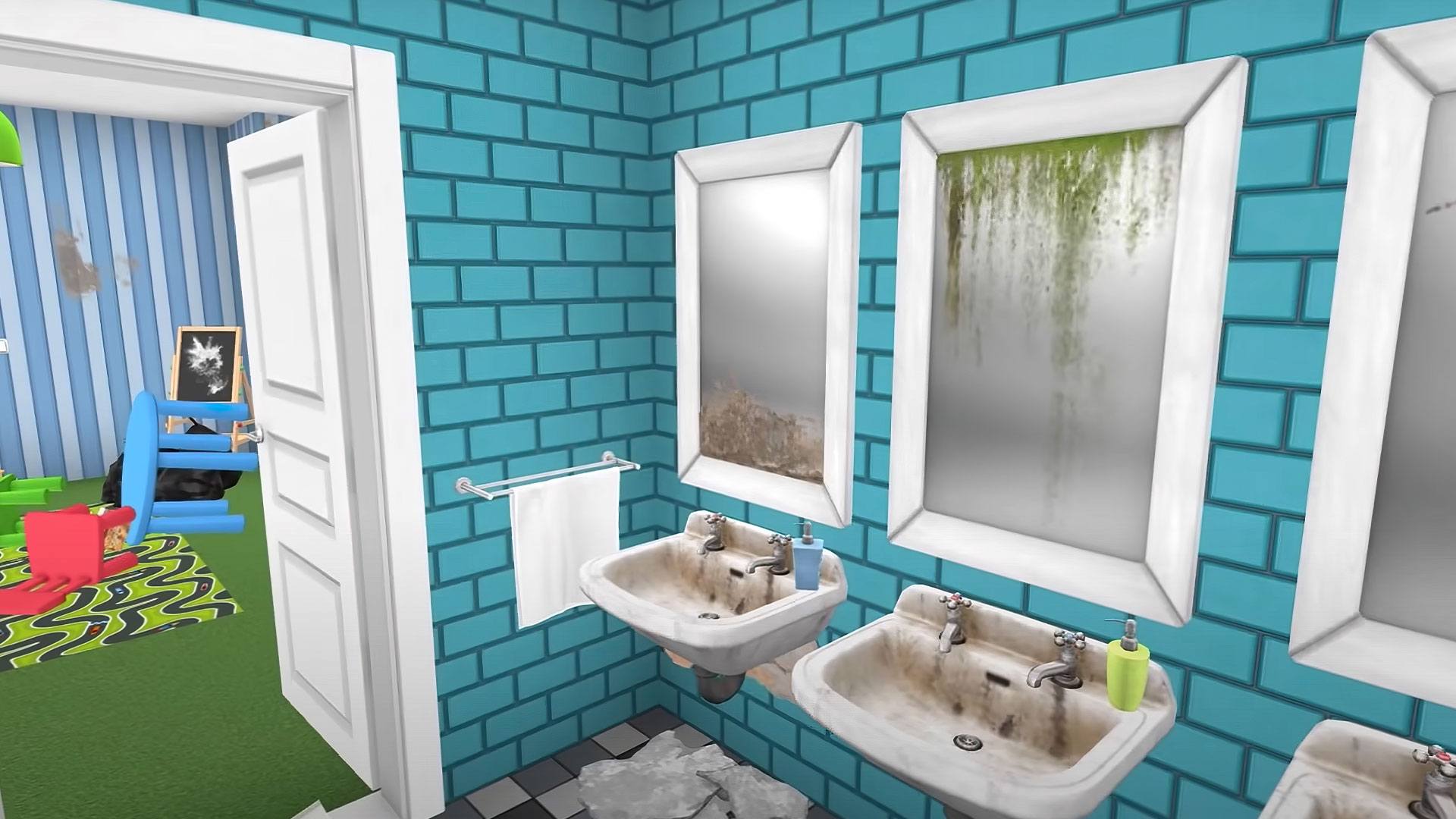
House Flipper: Home Design turns your fixer-upper fantasies into a hands-on Simulation about growing a renovation business from the ground up. Clean up wrecks, patch and paint, furnish every corner, then flip the place for a tidy profit—or keep it as your stylish HQ. Prefer a bigger canvas and mouse control? It plays comfortably on BlueStacks too.

Game Features

  • Build a renovation business: Start with small gigs, complete quirky orders, and earn cash and reputation as you transform one property after another.
  • Buy, fix, and sell houses: Scout promising listings, repair and remodel, stage with the right pieces, then sell—or convert your favorite into an office.
  • Play with 3D detail: Walk through spaces, place items with precision, and enjoy realistic visuals that make every makeover feel tactile.
  • Hundreds of items to unlock: Browse 500+ furnishings and decor—from sofas to TV cabinets—each offering multiple variants to match your style.
  • Tools that get better as you do: Level up to upgrade gear and perks, speeding up cleaning, demolition, tiling, painting, and more.
  • Personality-packed jobs: Meet eccentric clients and tackle story-driven tasks, from museum touch-ups to cleaning after mischievous pets.
  • Stories hidden in the catalog: Read fun blurbs on many items and discover odd trivia and running jokes as you expand your collection.
  • Freedom to design your space: Turn your office into anything you want—sleek and professional or delightfully weird (cat tree centerpiece, anyone?).
  • Satisfying controls and flow: Snappy interactions and smooth performance keep the work relaxing, even when the job site looks hopeless.
  • Locations with character: Renovate across varied neighborhoods and interiors, each with distinctive layouts, needs, and challenges.
  • Smart selling and negotiation: Stage rooms, compare offers, and negotiate at the agency to squeeze out a little extra profit on every flip.

Get ready for a buttery smooth, high-performance gaming action only on BlueStacks.

Game Features

Enhancements

  • Macros
  • Multi Instance
  • Multi Instance Sync
  • Script
  • Enhancements
Macros

Macros

Automate the predictable in House Flipper: Home Design and transform your gameplay with Macros. Get access to inventive Macros in the BlueStacks Macro Community
Multi Instance

Multi Instance

Play House Flipper: Home Design on one window. And chat with your friend on the other. Press CTRL + Shift + 8 to open the Multi-Instance Manager. And start creating fresh instances or clone an existing one.
Multi Instance Sync

Multi Instance Sync

Play House Flipper: Home Design with the power of Multi-Instance Sync. Replicate what you are doing on the main instance on all other instances. Level up faster, play more.
Script

Script

Script your way to gaming glory in House Flipper: Home Design with BlueStacks Script. Write and run a set of commands to automate repeated tasks. Trigger the command by assigning it to any key.
Read More

How to Download and Play House Flipper: Home Design on PC or Mac

  • Download and install BlueStacks on your PC or Mac

  • Complete Google sign-in to access the Play Store, or do it later

  • Look for House Flipper: Home Design in the search bar at the top right corner

  • Click to install House Flipper: Home Design from the search results

  • Complete Google sign-in (if you skipped step 2) to install House Flipper: Home Design

  • Click the House Flipper: Home Design icon on the home screen to start playing

video
Watch Video

Minimum System Requirements

With BlueStacks 5, you can get started on a PC that fulfills the following requirements.

  • Operating System

    Microsoft Windows 7 or above, macOS 11 (Big Sur) or above

  • Processor

    Intel, AMD or Apple Silicon Processor

  • RAM

    at least 4GB

  • HDD

    10GB Free Disk Space

Note:

* You must be an Administrator on your PC. Up to date graphics drivers from Microsoft or the chipset vendor.

House Flipper: Home Design - FAQs

  • How to play House Flipper: Home Design on Windows PC & Mac?

    Play House Flipper: Home Design on your PC or Mac by following these simple steps.

    • Click on 'Play House Flipper: Home Design on PC’ to download BlueStacks
    • Install it and log-in to Google Play Store
    • Launch and play the game.
  • Why is BlueStacks the fastest and safest platform to play games on PC?

    BlueStacks respects your privacy and is always safe and secure to use. It does not carry any malware, spyware, or any sort of additional software that could harm your PC.

    It is engineered to optimize speed and performance for a seamless gaming experience.

  • What are House Flipper: Home Design PC requirements?

    Minimum requirement to run House Flipper: Home Design on your PC

    • OS: Microsoft Windows 7 or above MacOS 11 (Big Sur) or above
    • Processor: Intel, AMD or Apple Silicon Processor
    • RAM: Your PC must have at least 4GB of RAM. (Note that having 4GB or more disk space is not a substitute for RAM)
    • HDD: 10GB Free Disk Space.
    • You must be an Administrator on your PC.