Jurassic World™: The Game

Jurassic World™: The Game

Simulation

| Ludia Inc.

Play on PC with BlueStacks or from our cloud

  • Overview
  • Tips & Tricks
  • Game Features
  • How to Play

Page Modified On: November 25, 2025

Play Jurassic World™: The Game on PC or Mac

Join millions to experience Jurassic World™: The Game, an exciting Simulation game from Ludia Inc.. With BlueStacks App Player, you are always a step ahead of your opponent, ready to outplay them with faster gameplay and better control with the mouse and keyboard on your PC or Mac.

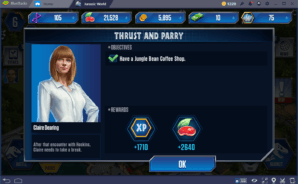
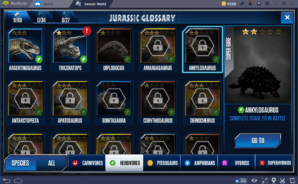
Jurassic World: The Game feels like a park builder glued to a dinosaur battler, and the two halves feed each other in a nice loop. You lay out Isla Nublar with enclosures, roads, power, decorations, and all the little buildings that keep coins and food rolling in. The stars are the dinosaurs, obviously. You hatch them from packs, feed them up, fuse DNA to evolve, then send them into simple turn based arena fights that have a clean risk and reward rhythm. Choosing when to block or go all in actually matters, and a good herbivore can ruin a smug carnivore if the matchup fits. Building a smart park matters too, since better layouts mean faster resources and stronger teams. There is a light story push with Owen, Claire, and daily missions, so there is always a reason to check back. The roster gets big, more than 300 species if you keep at it, and the game keeps tossing limited events and rewards at you.

On PC through BlueStacks, the bigger screen makes dragging buildings around and tapping battle commands feel less fussy, which suits this game well. It does use card packs, premium currency, and even an optional membership, so patience helps if you would rather not spend. If collecting creatures, evolving them, and then watching the park grow sounds fun, this settles into a relaxing build, hatch, fight rhythm that is easy to pick up and hard to quit.

Start your journey now. Download the game on BlueStacks, invite your friends, and march on a new adventure.

Game Features

Enhancements

  • Macros
  • Multi Instance
  • Multi Instance Sync
  • Script
  • Enhancements
Macros

Macros

Automate the predictable in Jurassic World™: The Game and transform your gameplay with Macros. Get access to inventive Macros in the BlueStacks Macro Community
Multi Instance

Multi Instance

Play Jurassic World™: The Game on one window. And chat with your friend on the other. Press CTRL + Shift + 8 to open the Multi-Instance Manager. And start creating fresh instances or clone an existing one.
Multi Instance Sync

Multi Instance Sync

Play Jurassic World™: The Game with the power of Multi-Instance Sync. Replicate what you are doing on the main instance on all other instances. Level up faster, play more.
Script

Script

Script your way to gaming glory in Jurassic World™: The Game with BlueStacks Script. Write and run a set of commands to automate repeated tasks. Trigger the command by assigning it to any key.
Read More

How to Download and Play Jurassic World™: The Game on PC or Mac

  • Download and install BlueStacks on your PC or Mac

  • Complete Google sign-in to access the Play Store, or do it later

  • Look for Jurassic World™: The Game in the search bar at the top right corner

  • Click to install Jurassic World™: The Game from the search results

  • Complete Google sign-in (if you skipped step 2) to install Jurassic World™: The Game

  • Click the Jurassic World™: The Game icon on the home screen to start playing

video
Watch Video

Minimum System Requirements

With BlueStacks 5, you can get started on a PC that fulfills the following requirements.

  • Operating System

    Microsoft Windows 7 or above, macOS 11 (Big Sur) or above

  • Processor

    Intel, AMD or Apple Silicon Processor

  • RAM

    at least 4GB

  • HDD

    10GB Free Disk Space

Note:

* You must be an Administrator on your PC. Up to date graphics drivers from Microsoft or the chipset vendor.

Jurassic World™: The Game - FAQs

  • How to play Jurassic World™: The Game on Windows PC & Mac?

    Play Jurassic World™: The Game on your PC or Mac by following these simple steps.

    • Click on 'Play Jurassic World™: The Game on PC’ to download BlueStacks
    • Install it and log-in to Google Play Store
    • Launch and play the game.
  • Why is BlueStacks the fastest and safest platform to play games on PC?

    BlueStacks respects your privacy and is always safe and secure to use. It does not carry any malware, spyware, or any sort of additional software that could harm your PC.

    It is engineered to optimize speed and performance for a seamless gaming experience.

  • What are Jurassic World™: The Game PC requirements?

    Minimum requirement to run Jurassic World™: The Game on your PC

    • OS: Microsoft Windows 7 or above MacOS 11 (Big Sur) or above
    • Processor: Intel, AMD or Apple Silicon Processor
    • RAM: Your PC must have at least 4GB of RAM. (Note that having 4GB or more disk space is not a substitute for RAM)
    • HDD: 10GB Free Disk Space.
    • You must be an Administrator on your PC.