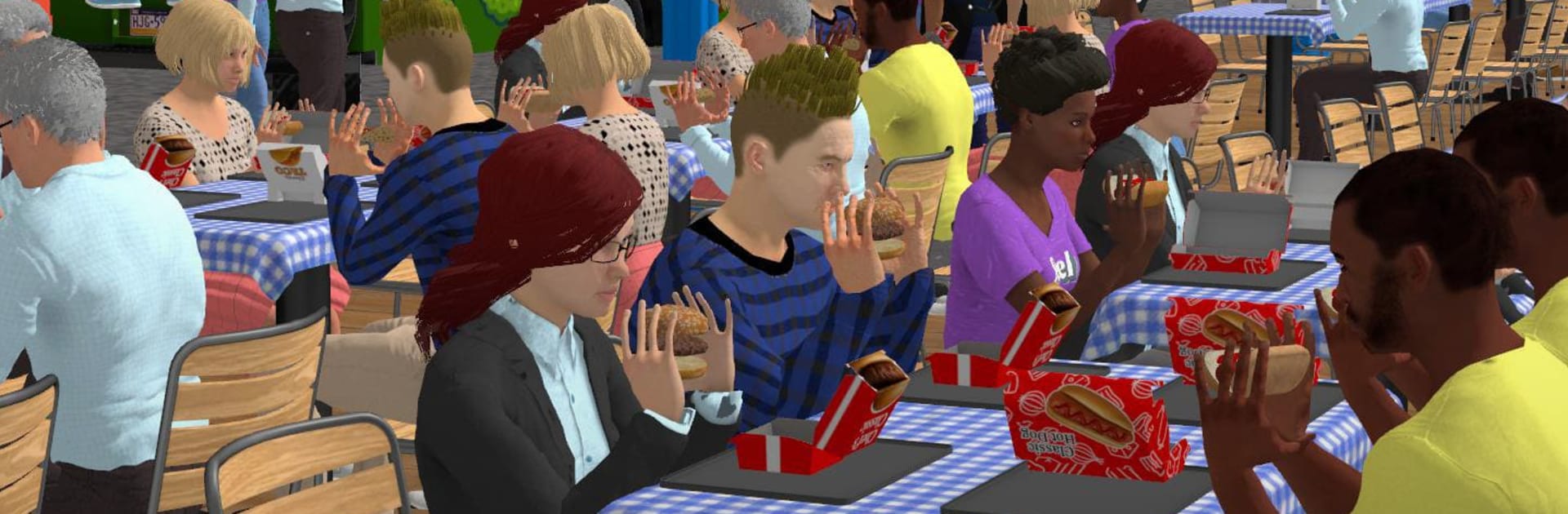
My Food Truck Simulator

My Food Truck Simulator

Simulation

| Yso Corp

Play on PC with BlueStacks or from our cloud

  • Overview
  • Game Features
  • How to Play

Page Modified On: June 09, 2026

Play My Food Truck Simulator on PC or Mac

Explore a whole new adventure with My Food Truck Simulator, a Simulation game created by Yso Corp. Experience great gameplay with BlueStacks, the most popular gaming platform to play Android games on your PC or Mac.

About the Game

My Food Truck Simulator is all about that street‑food hustle—quick hands, smart choices, and a growing line of hungry customers. You start with a modest truck and a simple menu, then build your way into a rolling fleet with signature bites and steady profits. It’s a comfy mix of time management and tycoon-style planning in the Simulation space, perfect for short sessions or long marathons. Prefer playing on a bigger screen? It runs smoothly on BlueStacks, too.

Game Features

  • Start Small, Grow Big: Kick off with one truck, tighten your workflow, and reinvest your cash to turn a single stand into a buzzing operation.
  • Fast, Tasty Service: Prep ingredients, assemble orders, and keep the queue moving—can you handle the lunchtime rush without burning a bun?
  • Smart Money Moves: Restock at the right time, set your prices, and watch your margins. A few good decisions can change your entire day’s take.
  • Trucks With Personality: Unlock specialized rides—burgers, tacos, hot dogs, and more—each bringing its own rhythm, upgrades, and customer cravings.
  • Build Your Crew: Hire cooks and cashiers, assign roles, and upgrade their skills to shave seconds off every order and boost earnings.
  • New Streets, New Crowds: Park in fresh neighborhoods, learn what locals love, and shape your menu to match demand as you expand across the map.
  • Play Your Way: Go chill and cozy or chase perfection with tight timing windows and optimized routes—the pace is yours to set.

BlueStacks gives you more room to focus on the game and less time adjusting around mobile limitations.


Game Features

Enhancements

  • Macros
  • Multi Instance
  • Multi Instance Sync
  • Script
  • Enhancements
Macros

Macros

Automate the predictable in My Food Truck Simulator and transform your gameplay with Macros. Get access to inventive Macros in the BlueStacks Macro Community
Multi Instance

Multi Instance

Play My Food Truck Simulator on one window. And chat with your friend on the other. Press CTRL + Shift + 8 to open the Multi-Instance Manager. And start creating fresh instances or clone an existing one.
Multi Instance Sync

Multi Instance Sync

Play My Food Truck Simulator with the power of Multi-Instance Sync. Replicate what you are doing on the main instance on all other instances. Level up faster, play more.
Script

Script

Script your way to gaming glory in My Food Truck Simulator with BlueStacks Script. Write and run a set of commands to automate repeated tasks. Trigger the command by assigning it to any key.
Read More

How to Download and Play My Food Truck Simulator on PC or Mac

  • Download and install BlueStacks on your PC or Mac

  • Complete Google sign-in to access the Play Store, or do it later

  • Look for My Food Truck Simulator in the search bar at the top right corner

  • Click to install My Food Truck Simulator from the search results

  • Complete Google sign-in (if you skipped step 2) to install My Food Truck Simulator

  • Click the My Food Truck Simulator icon on the home screen to start playing

video
Watch Video

Minimum System Requirements

With BlueStacks 5, you can get started on a PC that fulfills the following requirements.

  • Operating System

    Microsoft Windows 7 or above, macOS 11 (Big Sur) or above

  • Processor

    Intel, AMD or Apple Silicon Processor

  • RAM

    at least 4GB

  • HDD

    10GB Free Disk Space

Note:

* You must be an Administrator on your PC. Up to date graphics drivers from Microsoft or the chipset vendor.

My Food Truck Simulator - FAQs

  • How to play My Food Truck Simulator on Windows PC & Mac?

    Play My Food Truck Simulator on your PC or Mac by following these simple steps.

    • Click on 'Play My Food Truck Simulator on PC’ to download BlueStacks
    • Install it and log-in to Google Play Store
    • Launch and play the game.
  • Why is BlueStacks the fastest and safest platform to play games on PC?

    BlueStacks respects your privacy and is always safe and secure to use. It does not carry any malware, spyware, or any sort of additional software that could harm your PC.

    It is engineered to optimize speed and performance for a seamless gaming experience.

  • What are My Food Truck Simulator PC requirements?

    Minimum requirement to run My Food Truck Simulator on your PC

    • OS: Microsoft Windows 7 or above MacOS 11 (Big Sur) or above
    • Processor: Intel, AMD or Apple Silicon Processor
    • RAM: Your PC must have at least 4GB of RAM. (Note that having 4GB or more disk space is not a substitute for RAM)
    • HDD: 10GB Free Disk Space.
    • You must be an Administrator on your PC.