Noob Battle: War Sandbox

Noob Battle: War Sandbox

Simulation

| Q8Power

Play on PC with BlueStacks or from our cloud

  • Overview
  • Game Features
  • How to Play

Page Modified On: August 31, 2026

Play Noob Battle: War Sandbox on PC or Mac

Noob Battle: War Sandbox brings the Simulation genre to life, and throws up exciting challenges for gamers. Developed by Q8Power, this Android game is best experienced on BlueStacks, the World’s #1 app player for PC and Mac users.

About the Game

Noob Battle: War Sandbox turns your wildest war ideas into playable chaos. It’s a physics-first playground where you build the arena, pick the squads, and let the sparks fly as ragdolls tumble and strategies unexpectedly click. A Simulation take on build-it-yourself warfare, it’s easy to tinker with for minutes and just as easy to lose hours in—and it runs nicely on BlueStacks if you want to kick back on a bigger screen.

Game Features

  • Build-Your-Own Battlefields: Sketch custom arenas using walls, ramps, crates, and barricades to create open plains, tight choke points, or labyrinthine forts.
  • Mix-and-Match Armies: Combine noob grunts, heavy troops, vehicles, and more to craft asymmetric matchups and see which lineup actually works.
  • Physics-Driven Chaos: Explosions chain, debris flies, and ragdoll bodies react in wild, believable ways, making every clash feel unscripted.
  • Smart, Reactive Fights: Units navigate obstacles, shift targets, and adapt as lines break, so plans keep evolving once the first shot fires.
  • Forts, Traps, and Turrets: Drop sandbags, mines, auto-turrets, and other defenses to shape kill zones and stress-test your strongholds.
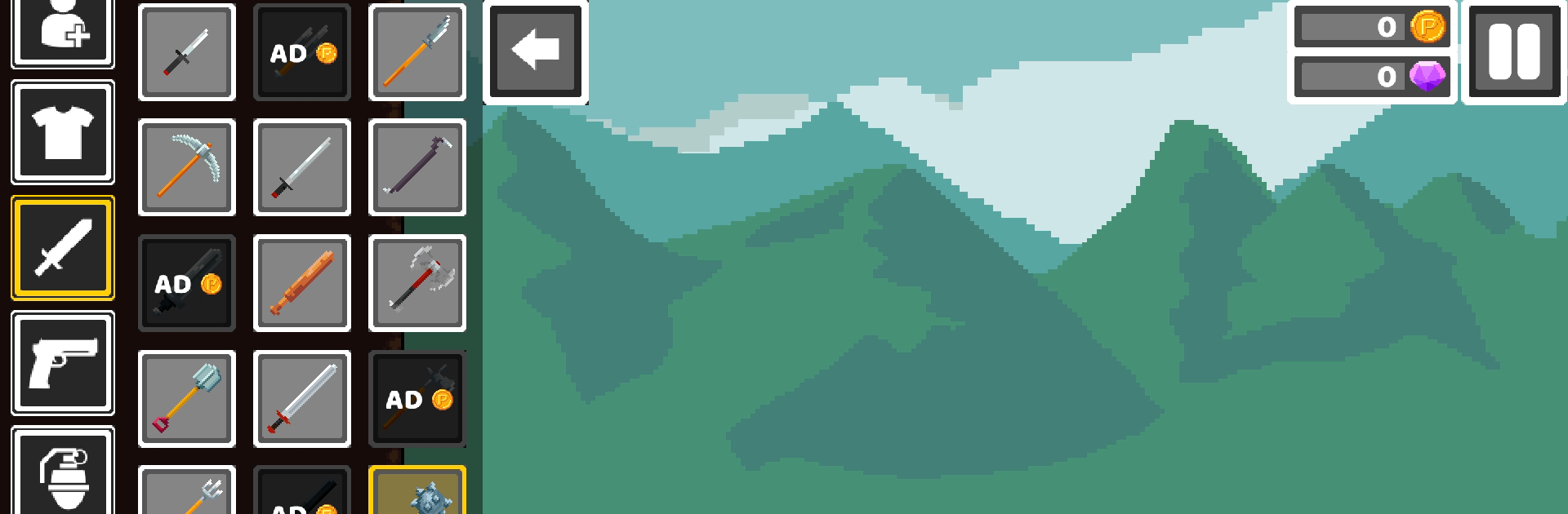
  • A Big Toy Box of Weapons: Outfit squads with rifles, rockets, grenades, and odd gadgets, then mix interactive props for extra mayhem.
  • Instant Testing Loop: Spawn, start, pause, and reset in seconds to tweak formations and try bold ideas without the wait.
  • Scale Up or Keep It Tight: Run quick skirmishes for fast results or stage sprawling battles that turn into cinematic set pieces.
  • Smooth, Hands-On Controls: Simple placement and fine-tuning tools keep the focus on building, experimenting, and watching outcomes.
  • Play Offline Anytime: Set up scenarios and run simulations wherever you are—no connection needed.

Ready to top the leaderboard? We bet you do. Let precise controls and sharp visuals optimized on BlueStacks lead you to victory.


Game Features

Enhancements

  • Macros
  • Multi Instance
  • Multi Instance Sync
  • Script
  • Enhancements
Macros

Macros

Automate the predictable in Noob Battle: War Sandbox and transform your gameplay with Macros. Get access to inventive Macros in the BlueStacks Macro Community
Multi Instance

Multi Instance

Play Noob Battle: War Sandbox on one window. And chat with your friend on the other. Press CTRL + Shift + 8 to open the Multi-Instance Manager. And start creating fresh instances or clone an existing one.
Multi Instance Sync

Multi Instance Sync

Play Noob Battle: War Sandbox with the power of Multi-Instance Sync. Replicate what you are doing on the main instance on all other instances. Level up faster, play more.
Script

Script

Script your way to gaming glory in Noob Battle: War Sandbox with BlueStacks Script. Write and run a set of commands to automate repeated tasks. Trigger the command by assigning it to any key.
Read More

How to Download and Play Noob Battle: War Sandbox on PC or Mac

  • Download and install BlueStacks on your PC or Mac

  • Complete Google sign-in to access the Play Store, or do it later

  • Look for Noob Battle: War Sandbox in the search bar at the top right corner

  • Click to install Noob Battle: War Sandbox from the search results

  • Complete Google sign-in (if you skipped step 2) to install Noob Battle: War Sandbox

  • Click the Noob Battle: War Sandbox icon on the home screen to start playing

video
Watch Video

Minimum System Requirements

With BlueStacks 5, you can get started on a PC that fulfills the following requirements.

  • Operating System

    Microsoft Windows 7 or above, macOS 11 (Big Sur) or above

  • Processor

    Intel, AMD or Apple Silicon Processor

  • RAM

    at least 4GB

  • HDD

    10GB Free Disk Space

Note:

* You must be an Administrator on your PC. Up to date graphics drivers from Microsoft or the chipset vendor.

Noob Battle: War Sandbox - FAQs

  • How to play Noob Battle: War Sandbox on Windows PC & Mac?

    Play Noob Battle: War Sandbox on your PC or Mac by following these simple steps.

    • Click on 'Play Noob Battle: War Sandbox on PC’ to download BlueStacks
    • Install it and log-in to Google Play Store
    • Launch and play the game.
  • Why is BlueStacks the fastest and safest platform to play games on PC?

    BlueStacks respects your privacy and is always safe and secure to use. It does not carry any malware, spyware, or any sort of additional software that could harm your PC.

    It is engineered to optimize speed and performance for a seamless gaming experience.

  • What are Noob Battle: War Sandbox PC requirements?

    Minimum requirement to run Noob Battle: War Sandbox on your PC

    • OS: Microsoft Windows 7 or above MacOS 11 (Big Sur) or above
    • Processor: Intel, AMD or Apple Silicon Processor
    • RAM: Your PC must have at least 4GB of RAM. (Note that having 4GB or more disk space is not a substitute for RAM)
    • HDD: 10GB Free Disk Space.
    • You must be an Administrator on your PC.