Bus Simulator : Ultimate

Bus Simulator : Ultimate

Simulation

| Zuuks Games

Play on PC with BlueStacks or from our cloud

  • Overview
  • Game Features
  • How to Play

Page Modified On: April 09, 2026

Play Bus Simulator : Ultimate on PC or Mac

Step into the World of Bus Simulator : Ultimate, a thrilling Simulation game from the house of Zuuks Games. Play this Android game on BlueStacks App Player and experience immersive gaming on PC or Mac.

About the Game

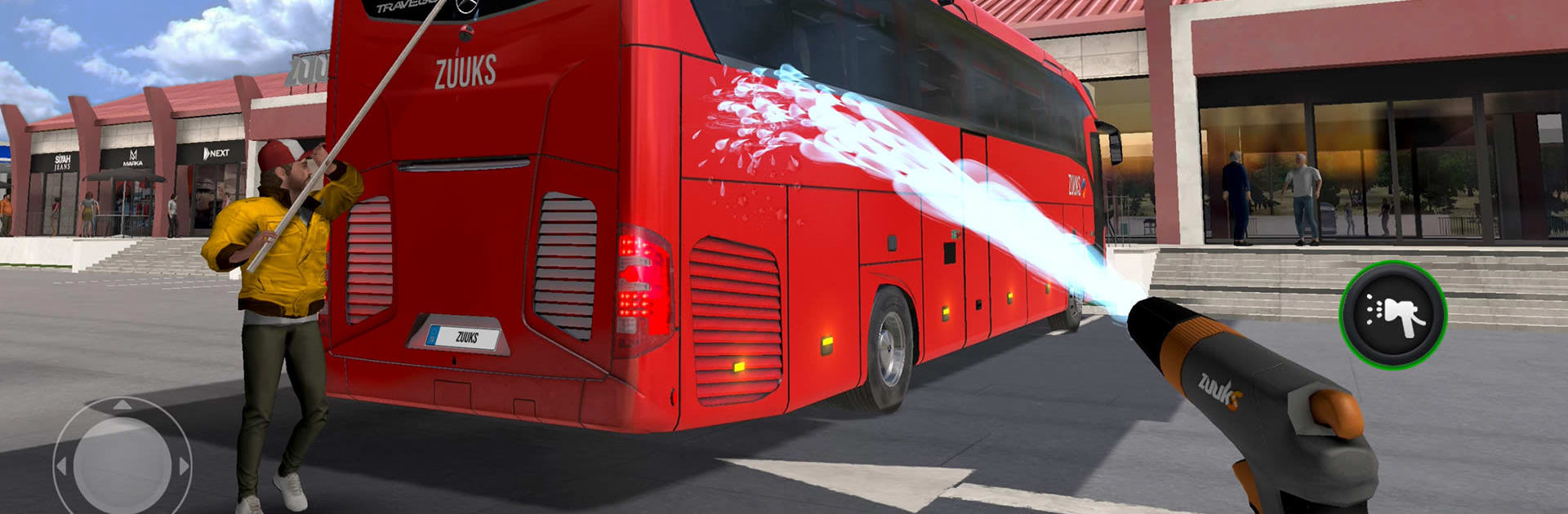
Bus Simulator : Ultimate drops you into the driver’s seat of a long-distance coach and hands you the keys to your own company. It’s a Simulation game from Zuuks Games that blends careful driving with smart business moves—plan routes, keep passengers happy, and grow a fleet that can handle any road or weather. Want a bigger screen and smoother steering? It plays great on BlueStacks too.

Game Features

  • Build a Bus Empire: Open offices around the world, set up profitable routes, and hire the right people to keep the wheels turning and the money flowing.
  • Real, Licensed Coaches: Take the helm of famous brands—Mercedes-Benz, Setra, Temsa, Scania, and Marcopolo—each with detailed cockpits and authentic engine sounds.
  • A World of Roads: Drive across thousands of cities and counties with realistic maps, true-to-life bus stations, and highway toll roads that make every trip feel legit.
  • Weather, Day, and Night: Rain, snow, or a late-night run—conditions change how you drive and how your passengers feel about the ride.
  • Passengers with Opinions: Riders react to your driving and service, leaving reviews that shape your reputation and your payouts.
  • Ultimate League Multiplayer: Compete in a free multiplayer mode, compare your company’s performance, and see how you stack up.
  • Easy, Flexible Controls: Go with tilt, on-screen buttons, or a steering wheel setup. Start/Stop, shift to D, hit the gas—nice and simple.
  • Big Garage, Smart Spending: Expand with new or used buses to match your budget and grow faster.
  • Onboard Vibes: Tune in to 250+ radio stations and offer realistic host service for that long-haul comfort.
  • Languages for the Road: Play with support for more than 25 languages, so managing your company feels natural wherever you drive.

Slay your opponents with your epic moves. Play it your way on BlueStacks and dominate the battlefield.

Game Features

Enhancements

  • Macros
  • Multi Instance
  • Multi Instance Sync
  • Script
  • Enhancements
Macros

Macros

Automate the predictable in Bus Simulator : Ultimate and transform your gameplay with Macros. Get access to inventive Macros in the BlueStacks Macro Community
Multi Instance

Multi Instance

Play Bus Simulator : Ultimate on one window. And chat with your friend on the other. Press CTRL + Shift + 8 to open the Multi-Instance Manager. And start creating fresh instances or clone an existing one.
Multi Instance Sync

Multi Instance Sync

Play Bus Simulator : Ultimate with the power of Multi-Instance Sync. Replicate what you are doing on the main instance on all other instances. Level up faster, play more.
Script

Script

Script your way to gaming glory in Bus Simulator : Ultimate with BlueStacks Script. Write and run a set of commands to automate repeated tasks. Trigger the command by assigning it to any key.
Read More

How to Download and Play Bus Simulator : Ultimate on PC or Mac

  • Download and install BlueStacks on your PC or Mac

  • Complete Google sign-in to access the Play Store, or do it later

  • Look for Bus Simulator : Ultimate in the search bar at the top right corner

  • Click to install Bus Simulator : Ultimate from the search results

  • Complete Google sign-in (if you skipped step 2) to install Bus Simulator : Ultimate

  • Click the Bus Simulator : Ultimate icon on the home screen to start playing

video
Watch Video

Minimum System Requirements

With BlueStacks 5, you can get started on a PC that fulfills the following requirements.

  • Operating System

    Microsoft Windows 7 or above, macOS 11 (Big Sur) or above

  • Processor

    Intel, AMD or Apple Silicon Processor

  • RAM

    at least 4GB

  • HDD

    10GB Free Disk Space

Note:

* You must be an Administrator on your PC. Up to date graphics drivers from Microsoft or the chipset vendor.

Bus Simulator : Ultimate - FAQs

  • How to play Bus Simulator : Ultimate on Windows PC & Mac?

    Play Bus Simulator : Ultimate on your PC or Mac by following these simple steps.

    • Click on 'Play Bus Simulator : Ultimate on PC’ to download BlueStacks
    • Install it and log-in to Google Play Store
    • Launch and play the game.
  • Why is BlueStacks the fastest and safest platform to play games on PC?

    BlueStacks respects your privacy and is always safe and secure to use. It does not carry any malware, spyware, or any sort of additional software that could harm your PC.

    It is engineered to optimize speed and performance for a seamless gaming experience.

  • What are Bus Simulator : Ultimate PC requirements?

    Minimum requirement to run Bus Simulator : Ultimate on your PC

    • OS: Microsoft Windows 7 or above MacOS 11 (Big Sur) or above
    • Processor: Intel, AMD or Apple Silicon Processor
    • RAM: Your PC must have at least 4GB of RAM. (Note that having 4GB or more disk space is not a substitute for RAM)
    • HDD: 10GB Free Disk Space.
    • You must be an Administrator on your PC.