Plane Builder: Fly Master

Plane Builder: Fly Master

Simulation

| HLD team

Play on PC with BlueStacks or from our cloud

  • Overview
  • Game Features
  • How to Play

Page Modified On: July 27, 2026

Play Plane Builder: Fly Master on PC or Mac

Bring your A-game to Plane Builder: Fly Master, the Simulation game sensation from HLD team. Give your gameplay the much-needed boost with precise game controls, high FPS graphics, and top-tier features on your PC or Mac with BlueStacks.

About the Game

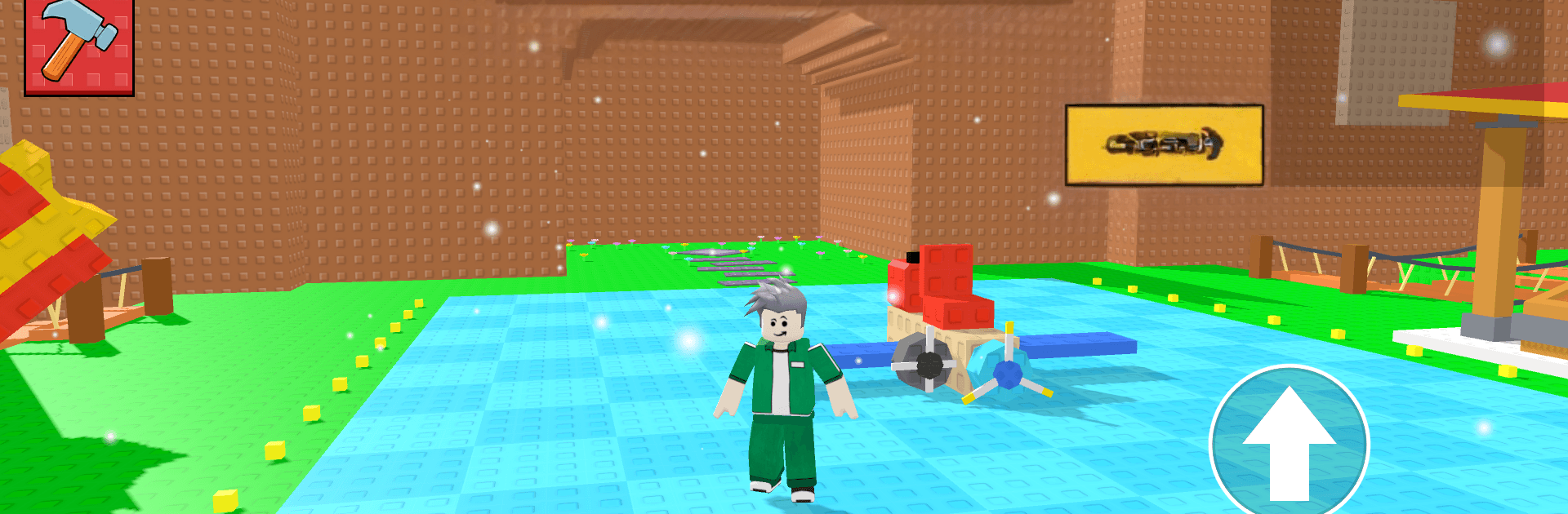
Plane Builder: Fly Master is a hands-on Simulation sandbox where you design aircraft from scratch and then see if your ideas actually fly. Tinker with real parts, test in the skies, and tweak until your build handles just right. It’s easy to pick up, surprisingly deep, and feels great on a bigger screen with BlueStacks if you want extra room for the workshop.

Game Features

  • Build it your way: Snap together wings, engines, cockpits, and more to create anything from a feather-light stunt flyer to a thunderous jet. Every piece you add changes how the plane behaves.
  • Intuitive workshop: Drag, rotate, and align parts with simple tools that make experimenting fast. Small tweaks matter—adjust ailerons, shift weight, or try a new engine placement to feel the difference.
  • Fly and prove it: Take your custom machine into the air for skill-based missions. Thread through obstacles, chase checkpoints, or run clean lines in time trials to see what your design can handle.
  • Meaningful progression: Complete challenges to earn rewards, unlock new components, and upgrade what you’ve already built. Push for more thrust, tighter control, or clever boosters and gadgets.
  • True sandbox freedom: No fixed blueprints. Test wild ideas, fail fast, and iterate until your creation nails the landing.
  • Thrilling challenges: Race head-to-head, perform daring aerobatics, and tackle tricky routes that reward precision and guts.
  • Immersive presentation: Detailed aircraft models, dynamic weather, and punchy audio make every takeoff, roll, and touchdown feel satisfying.

Start your journey now. Download the game on BlueStacks, invite your friends, and march on a new adventure.


Game Features

Enhancements

  • Macros
  • Multi Instance
  • Multi Instance Sync
  • Script
  • Enhancements
Macros

Macros

Automate the predictable in Plane Builder: Fly Master and transform your gameplay with Macros. Get access to inventive Macros in the BlueStacks Macro Community
Multi Instance

Multi Instance

Play Plane Builder: Fly Master on one window. And chat with your friend on the other. Press CTRL + Shift + 8 to open the Multi-Instance Manager. And start creating fresh instances or clone an existing one.
Multi Instance Sync

Multi Instance Sync

Play Plane Builder: Fly Master with the power of Multi-Instance Sync. Replicate what you are doing on the main instance on all other instances. Level up faster, play more.
Script

Script

Script your way to gaming glory in Plane Builder: Fly Master with BlueStacks Script. Write and run a set of commands to automate repeated tasks. Trigger the command by assigning it to any key.
Read More

How to Download and Play Plane Builder: Fly Master on PC or Mac

  • Download and install BlueStacks on your PC or Mac

  • Complete Google sign-in to access the Play Store, or do it later

  • Look for Plane Builder: Fly Master in the search bar at the top right corner

  • Click to install Plane Builder: Fly Master from the search results

  • Complete Google sign-in (if you skipped step 2) to install Plane Builder: Fly Master

  • Click the Plane Builder: Fly Master icon on the home screen to start playing

video
Watch Video

Minimum System Requirements

With BlueStacks 5, you can get started on a PC that fulfills the following requirements.

  • Operating System

    Microsoft Windows 7 or above, macOS 11 (Big Sur) or above

  • Processor

    Intel, AMD or Apple Silicon Processor

  • RAM

    at least 4GB

  • HDD

    10GB Free Disk Space

Note:

* You must be an Administrator on your PC. Up to date graphics drivers from Microsoft or the chipset vendor.

Plane Builder: Fly Master - FAQs

  • How to play Plane Builder: Fly Master on Windows PC & Mac?

    Play Plane Builder: Fly Master on your PC or Mac by following these simple steps.

    • Click on 'Play Plane Builder: Fly Master on PC’ to download BlueStacks
    • Install it and log-in to Google Play Store
    • Launch and play the game.
  • Why is BlueStacks the fastest and safest platform to play games on PC?

    BlueStacks respects your privacy and is always safe and secure to use. It does not carry any malware, spyware, or any sort of additional software that could harm your PC.

    It is engineered to optimize speed and performance for a seamless gaming experience.

  • What are Plane Builder: Fly Master PC requirements?

    Minimum requirement to run Plane Builder: Fly Master on your PC

    • OS: Microsoft Windows 7 or above MacOS 11 (Big Sur) or above
    • Processor: Intel, AMD or Apple Silicon Processor
    • RAM: Your PC must have at least 4GB of RAM. (Note that having 4GB or more disk space is not a substitute for RAM)
    • HDD: 10GB Free Disk Space.
    • You must be an Administrator on your PC.