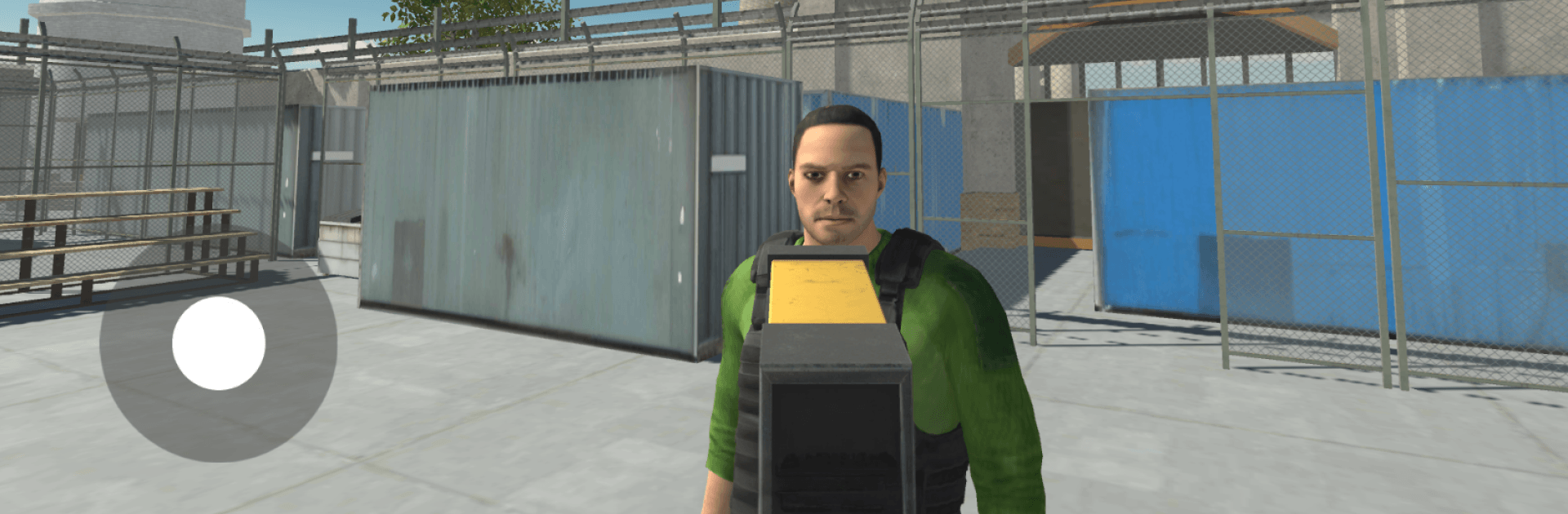
Quarantine Check Zombie Zone

Quarantine Check Zombie Zone

Simulation

| Nicko Games

Play on PC with BlueStacks or from our cloud

  • Overview
  • Game Features
  • How to Play

Page Modified On: August 17, 2026

Play Quarantine Check Zombie Zone on PC or Mac

Bring your A-game to Quarantine Check Zombie Zone, the Simulation game sensation from Nicko Games. Give your gameplay the much-needed boost with precise game controls, high FPS graphics, and top-tier features on your PC or Mac with BlueStacks.

About the Game

The border gate is barely holding. In Quarantine Check Zombie Zone, you’re the last checkpoint standing between a raging outbreak and what’s left of civilization. This Simulation blends tense gate inspections, wave-based combat, and smart resource management as you stabilize a collapsing city under quarantine. Scan for infection, contain flare-ups, and poke around ruined blocks to uncover how it all went so wrong. Prefer playing on a bigger screen with crisp controls? It feels right at home on PC with BlueStacks.

Game Features

  • Gatekeeper Under Pressure: Work the quarantine gate, scan for traces of the virus, verify IDs, and make split-second calls when the line turns panicked and the infected rush the perimeter.
  • Evolving Enemy Waves: Face a shifting roster—from armored brutes that soak damage to sprinters that swarm fast—each demanding a different plan and loadout.
  • Boss Encounters: Tangle with special infected packing nasty abilities that force you to adapt, reposition, and rethink your approach mid-fight.
  • Containment Duties: It’s not just shooting—disinfect hot zones, repair barricades, rescue trapped survivors, and collect samples for ongoing research.
  • Craft, Upgrade, Customize: Salvage parts to improve weapons and defenses, then enhance your scanning gear to spot mutations before they hit you.
  • Use the City to Survive: Tight alleys, rooftops, chokepoints, and environmental hazards can turn a losing fight into a narrow win if you play the terrain right.
  • Flexible Loadouts: Mix tools and skills to suit your style—controlled crowd management, aggressive last-stand builds, or something in between.
  • Meaningful Progress: Gather resources, unlock blueprints, and open safer routes through districts as you push the quarantine line outward.
  • Story Threads & Factions: Meet survivors, scientists, and competing groups with motives that aren’t always aligned with yours, and piece together the outbreak’s origin.

Ready to top the leaderboard? We bet you do. Let precise controls and sharp visuals optimized on BlueStacks lead you to victory.


Game Features

Enhancements

  • Macros
  • Multi Instance
  • Multi Instance Sync
  • Script
  • Enhancements
Macros

Macros

Automate the predictable in Quarantine Check Zombie Zone and transform your gameplay with Macros. Get access to inventive Macros in the BlueStacks Macro Community
Multi Instance

Multi Instance

Play Quarantine Check Zombie Zone on one window. And chat with your friend on the other. Press CTRL + Shift + 8 to open the Multi-Instance Manager. And start creating fresh instances or clone an existing one.
Multi Instance Sync

Multi Instance Sync

Play Quarantine Check Zombie Zone with the power of Multi-Instance Sync. Replicate what you are doing on the main instance on all other instances. Level up faster, play more.
Script

Script

Script your way to gaming glory in Quarantine Check Zombie Zone with BlueStacks Script. Write and run a set of commands to automate repeated tasks. Trigger the command by assigning it to any key.
Read More

How to Download and Play Quarantine Check Zombie Zone on PC or Mac

  • Download and install BlueStacks on your PC or Mac

  • Complete Google sign-in to access the Play Store, or do it later

  • Look for Quarantine Check Zombie Zone in the search bar at the top right corner

  • Click to install Quarantine Check Zombie Zone from the search results

  • Complete Google sign-in (if you skipped step 2) to install Quarantine Check Zombie Zone

  • Click the Quarantine Check Zombie Zone icon on the home screen to start playing

video
Watch Video

Minimum System Requirements

With BlueStacks 5, you can get started on a PC that fulfills the following requirements.

  • Operating System

    Microsoft Windows 7 or above, macOS 11 (Big Sur) or above

  • Processor

    Intel, AMD or Apple Silicon Processor

  • RAM

    at least 4GB

  • HDD

    10GB Free Disk Space

Note:

* You must be an Administrator on your PC. Up to date graphics drivers from Microsoft or the chipset vendor.

Quarantine Check Zombie Zone - FAQs

  • How to play Quarantine Check Zombie Zone on Windows PC & Mac?

    Play Quarantine Check Zombie Zone on your PC or Mac by following these simple steps.

    • Click on 'Play Quarantine Check Zombie Zone on PC’ to download BlueStacks
    • Install it and log-in to Google Play Store
    • Launch and play the game.
  • Why is BlueStacks the fastest and safest platform to play games on PC?

    BlueStacks respects your privacy and is always safe and secure to use. It does not carry any malware, spyware, or any sort of additional software that could harm your PC.

    It is engineered to optimize speed and performance for a seamless gaming experience.

  • What are Quarantine Check Zombie Zone PC requirements?

    Minimum requirement to run Quarantine Check Zombie Zone on your PC

    • OS: Microsoft Windows 7 or above MacOS 11 (Big Sur) or above
    • Processor: Intel, AMD or Apple Silicon Processor
    • RAM: Your PC must have at least 4GB of RAM. (Note that having 4GB or more disk space is not a substitute for RAM)
    • HDD: 10GB Free Disk Space.
    • You must be an Administrator on your PC.