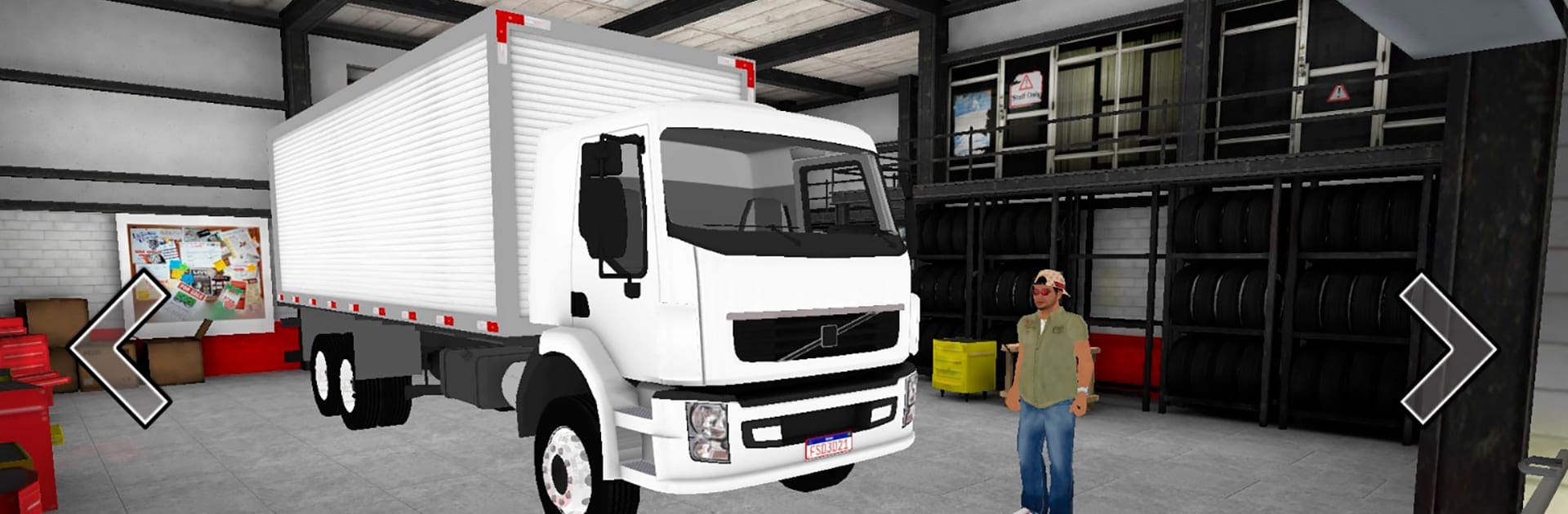
SIMULATOR TRUCK BRASIL

SIMULATOR TRUCK BRASIL

Simulation

| Incompatíveis Games

Play on PC with BlueStacks or from our cloud

  • Overview
  • Game Features
  • How to Play

Page Modified On: August 10, 2026

Play SIMULATOR TRUCK BRASIL on PC or Mac

Step into the World of SIMULATOR TRUCK BRASIL, a thrilling Simulation game from the house of Incompatíveis Games. Play this Android game on BlueStacks App Player and experience immersive gaming on PC or Mac.

About the Game

SIMULATOR TRUCK BRASIL puts you behind the wheel of light-duty trucks and sends you crisscrossing real Brazilian roads. It’s a Simulation that’s all about the everyday grind—finding loads, planning routes, keeping your tank topped off, and tricking out your ride until it feels just right. Want to chill with a short run or chase bigger payouts across the map? Your call. It also plays great on BlueStacks if you prefer a bigger screen and steady controls.

Game Features

  • Big Brazilian map: Travel through multiple cities connected by long stretches of road, with jobs that send you to different places for different pay.
  • Fleet of light trucks: Start small and work your way up, buying trucks with various bodies—from box-style setups to open beds—so you can match the job.
  • Flexible controls: Drive the way you like with on-screen buttons, a steering wheel option, or tilt (accelerometer) controls.
  • Built-in GPS routing: Use the in-game navigator to chart clean routes and keep your deliveries on schedule without guesswork.
  • Deep truck customization: Adjust suspension and paint, tweak interior colors, and style your trailer and wheels to make your rig your own.
  • Bolt-on accessories: Add bumpers, different wheels, windshields, mudguards, antennas, deflectors, and more to dial in the look and feel.
  • Driver personalization: Create and customize your driver so your road persona matches your truck.
  • Real fuel system: Keep an eye on the gauge and stop at stations scattered across the map to refuel.
  • Handy map icons: Spot services at a glance—fuel stops, workshops for tuning and paint, and companies where you pick up cargo.
  • Earn and expand: Grab loads from freight companies, haul them to the right city, get paid, and reinvest in your next truck or upgrade.

Get ready for a buttery smooth, high-performance gaming action only on BlueStacks.

Game Features

Enhancements

  • Macros
  • Multi Instance
  • Multi Instance Sync
  • Script
  • Enhancements
Macros

Macros

Automate the predictable in SIMULATOR TRUCK BRASIL and transform your gameplay with Macros. Get access to inventive Macros in the BlueStacks Macro Community
Multi Instance

Multi Instance

Play SIMULATOR TRUCK BRASIL on one window. And chat with your friend on the other. Press CTRL + Shift + 8 to open the Multi-Instance Manager. And start creating fresh instances or clone an existing one.
Multi Instance Sync

Multi Instance Sync

Play SIMULATOR TRUCK BRASIL with the power of Multi-Instance Sync. Replicate what you are doing on the main instance on all other instances. Level up faster, play more.
Script

Script

Script your way to gaming glory in SIMULATOR TRUCK BRASIL with BlueStacks Script. Write and run a set of commands to automate repeated tasks. Trigger the command by assigning it to any key.
Read More

How to Download and Play SIMULATOR TRUCK BRASIL on PC or Mac

  • Download and install BlueStacks on your PC or Mac

  • Complete Google sign-in to access the Play Store, or do it later

  • Look for SIMULATOR TRUCK BRASIL in the search bar at the top right corner

  • Click to install SIMULATOR TRUCK BRASIL from the search results

  • Complete Google sign-in (if you skipped step 2) to install SIMULATOR TRUCK BRASIL

  • Click the SIMULATOR TRUCK BRASIL icon on the home screen to start playing

video
Watch Video

Minimum System Requirements

With BlueStacks 5, you can get started on a PC that fulfills the following requirements.

  • Operating System

    Microsoft Windows 7 or above, macOS 11 (Big Sur) or above

  • Processor

    Intel, AMD or Apple Silicon Processor

  • RAM

    at least 4GB

  • HDD

    10GB Free Disk Space

Note:

* You must be an Administrator on your PC. Up to date graphics drivers from Microsoft or the chipset vendor.

SIMULATOR TRUCK BRASIL - FAQs

  • How to play SIMULATOR TRUCK BRASIL on Windows PC & Mac?

    Play SIMULATOR TRUCK BRASIL on your PC or Mac by following these simple steps.

    • Click on 'Play SIMULATOR TRUCK BRASIL on PC’ to download BlueStacks
    • Install it and log-in to Google Play Store
    • Launch and play the game.
  • Why is BlueStacks the fastest and safest platform to play games on PC?

    BlueStacks respects your privacy and is always safe and secure to use. It does not carry any malware, spyware, or any sort of additional software that could harm your PC.

    It is engineered to optimize speed and performance for a seamless gaming experience.

  • What are SIMULATOR TRUCK BRASIL PC requirements?

    Minimum requirement to run SIMULATOR TRUCK BRASIL on your PC

    • OS: Microsoft Windows 7 or above MacOS 11 (Big Sur) or above
    • Processor: Intel, AMD or Apple Silicon Processor
    • RAM: Your PC must have at least 4GB of RAM. (Note that having 4GB or more disk space is not a substitute for RAM)
    • HDD: 10GB Free Disk Space.
    • You must be an Administrator on your PC.