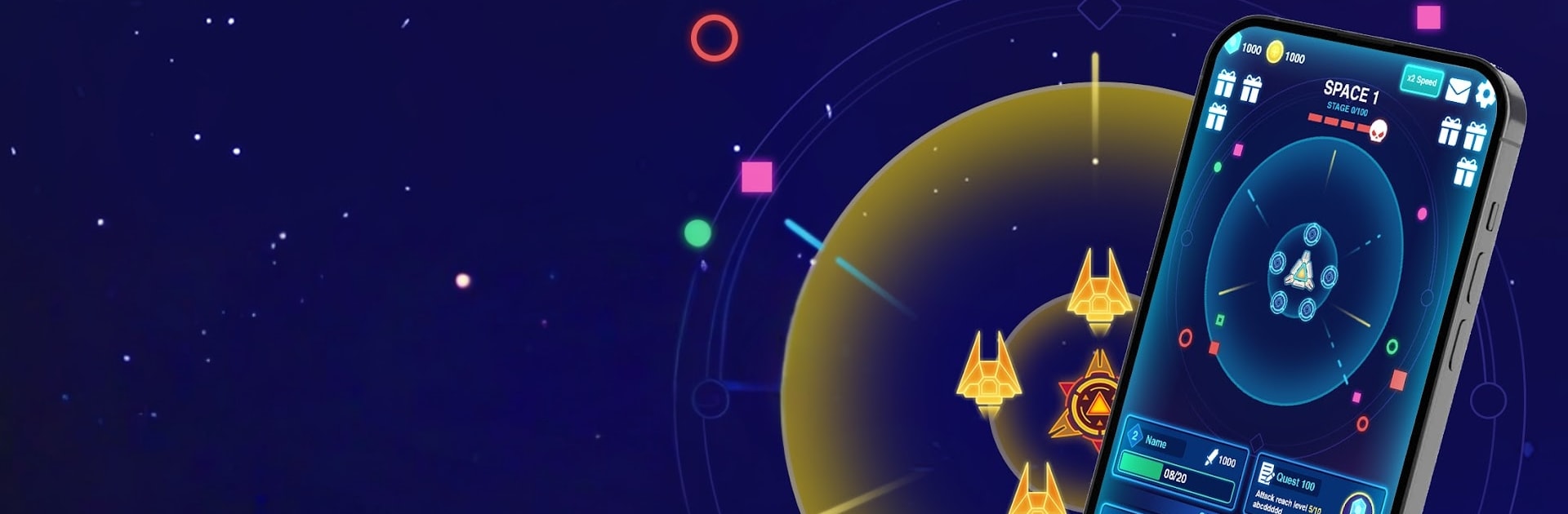
Space War: Idle RPG Defense

Space War: Idle RPG Defense

Simulation

| ZITGA

Play on PC with BlueStacks or from our cloud

  • Overview
  • Game Features
  • How to Play

Page Modified On: August 20, 2026

Play Space War: Idle RPG Defense on PC or Mac

Space War: Idle RPG Defense by ZITGA has plenty to keep you busy. BlueStacks lets you play it on PC or Mac with more screen space, better control, and fewer mobile limits.

About the Game

Space War: Idle RPG Defense is a Simulation that hands you the captain’s chair and a warship built for trouble. You’ll cruise through starfields, poke around strange worlds, and face off against alien threats that don’t exactly roll out a welcome mat. Expect a steady loop of upgrading, blasting through waves, and cracking open new regions of space—great on the go or kicked back on BlueStacks.

Game Features

  • Command the flagship: Outfit your ship with heavy cannons, precision lasers, missile racks, drones, and sturdy shields, then tune it all to match your playstyle.
  • Tactical space battles: Square up against swarms of hostile fleets and screen-filling bosses where timing, target priority, and skill use decide who’s left floating.
  • Explore strange worlds: Chart new sectors, land on curious planets, and sift through anomalies to uncover secrets, rare materials, and story breadcrumbs.
  • Deep upgrade paths: Collect resources to enhance hull integrity, boost weapon output, unlock new systems, and push your tech far beyond standard-issue gear.
  • Flexible loadouts: Mix weapon types and ship modules to create nasty combos—burn through armor, stagger enemy lines, or set up long-range volleys.
  • Galaxy-spanning progression: Open routes to tougher regions and new dimensions, each with unique hazards, smarter foes, and better spoils.
  • Boss encounters that test you: Learn attack patterns, manage cooldowns, and make clutch calls when a massive dreadnought turns the stars red.
  • Quick sessions, big payoffs: Jump in for a few skirmishes or settle in for a longer run; every battle moves your ship toward the next big milestone.

Ready to top the leaderboard? We bet you do. Let precise controls and sharp visuals optimized on BlueStacks lead you to victory.


Game Features

Enhancements

  • Macros
  • Multi Instance
  • Multi Instance Sync
  • Script
  • Enhancements
Macros

Macros

Automate the predictable in Space War: Idle RPG Defense and transform your gameplay with Macros. Get access to inventive Macros in the BlueStacks Macro Community
Multi Instance

Multi Instance

Play Space War: Idle RPG Defense on one window. And chat with your friend on the other. Press CTRL + Shift + 8 to open the Multi-Instance Manager. And start creating fresh instances or clone an existing one.
Multi Instance Sync

Multi Instance Sync

Play Space War: Idle RPG Defense with the power of Multi-Instance Sync. Replicate what you are doing on the main instance on all other instances. Level up faster, play more.
Script

Script

Script your way to gaming glory in Space War: Idle RPG Defense with BlueStacks Script. Write and run a set of commands to automate repeated tasks. Trigger the command by assigning it to any key.
Read More

How to Download and Play Space War: Idle RPG Defense on PC or Mac

  • Download and install BlueStacks on your PC or Mac

  • Complete Google sign-in to access the Play Store, or do it later

  • Look for Space War: Idle RPG Defense in the search bar at the top right corner

  • Click to install Space War: Idle RPG Defense from the search results

  • Complete Google sign-in (if you skipped step 2) to install Space War: Idle RPG Defense

  • Click the Space War: Idle RPG Defense icon on the home screen to start playing

video
Watch Video

Minimum System Requirements

With BlueStacks 5, you can get started on a PC that fulfills the following requirements.

  • Operating System

    Microsoft Windows 7 or above, macOS 11 (Big Sur) or above

  • Processor

    Intel, AMD or Apple Silicon Processor

  • RAM

    at least 4GB

  • HDD

    10GB Free Disk Space

Note:

* You must be an Administrator on your PC. Up to date graphics drivers from Microsoft or the chipset vendor.

Space War: Idle RPG Defense - FAQs

  • How to play Space War: Idle RPG Defense on Windows PC & Mac?

    Play Space War: Idle RPG Defense on your PC or Mac by following these simple steps.

    • Click on 'Play Space War: Idle RPG Defense on PC’ to download BlueStacks
    • Install it and log-in to Google Play Store
    • Launch and play the game.
  • Why is BlueStacks the fastest and safest platform to play games on PC?

    BlueStacks respects your privacy and is always safe and secure to use. It does not carry any malware, spyware, or any sort of additional software that could harm your PC.

    It is engineered to optimize speed and performance for a seamless gaming experience.

  • What are Space War: Idle RPG Defense PC requirements?

    Minimum requirement to run Space War: Idle RPG Defense on your PC

    • OS: Microsoft Windows 7 or above MacOS 11 (Big Sur) or above
    • Processor: Intel, AMD or Apple Silicon Processor
    • RAM: Your PC must have at least 4GB of RAM. (Note that having 4GB or more disk space is not a substitute for RAM)
    • HDD: 10GB Free Disk Space.
    • You must be an Administrator on your PC.