WildCraft: Animal Sim Online

WildCraft: Animal Sim Online

Simulation

| Turbo Rocket Games

Play on PC with BlueStacks or from our cloud

  • Overview
  • Game Features
  • How to Play

Page Modified On: April 09, 2026

Play WildCraft: Animal Sim Online on PC or Mac

Explore a whole new adventure with WildCraft: Animal Sim Online, a Simulation game created by Turbo Rocket Games. Experience great gameplay with BlueStacks, the most popular gaming platform to play Android games on your PC or Mac.

About the Game

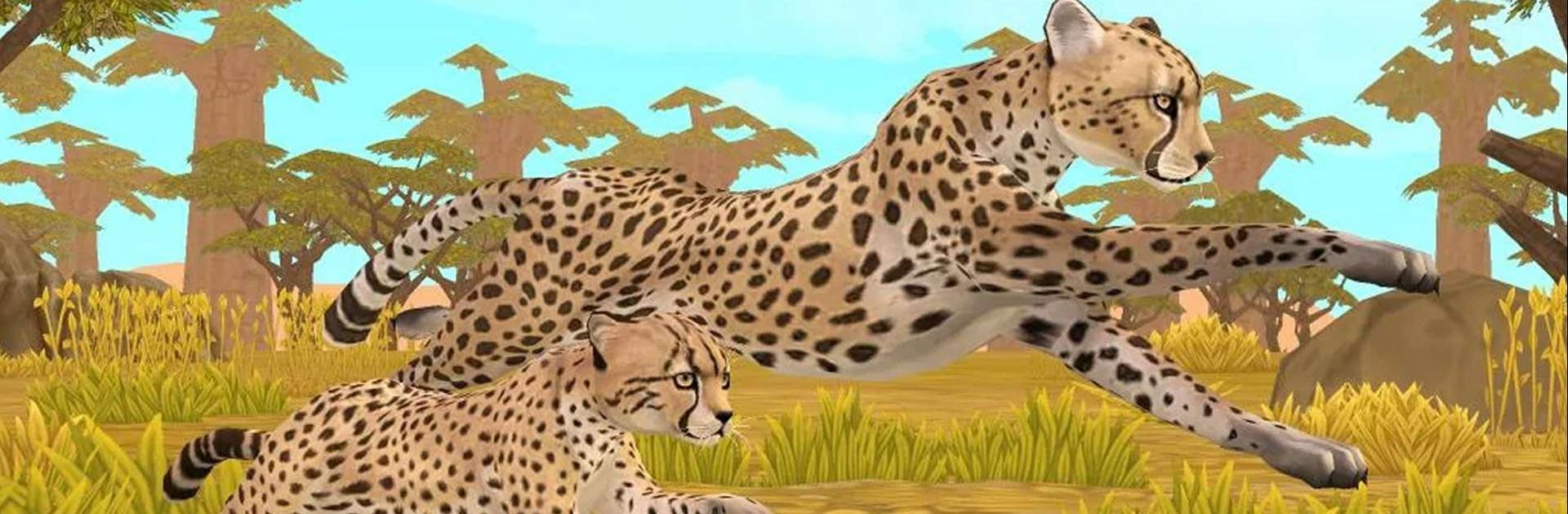
WildCraft: Animal Sim Online lets you step into the wild and live out life as a wolf, fox, lynx, and other creatures trying to survive—and thrive. Roam open environments, find a mate, raise cubs, and keep your clan safe as the seasons change. It’s a chill-meets-challenging Simulation from Turbo Rocket Games where exploration, family building, and a little teamwork all matter. Prefer a bigger screen? It plays nicely on PC with BlueStacks too.

Game Features

  • Play Your Way: Start as a wolf, fox, lynx, or another wild animal and unlock more as you go. Try different playstyles with each species.
  • Build a Family: Find a partner, have up to six cubs, and watch your pack grow. Teach the little ones to hunt and stick close when danger shows up.
  • Deep Customization: Name every family member and tweak details like gender, coat color, eye style, body size, and even their voice so each one feels unique.
  • Living World: Wander forests, cliffs, and clearings while the world shifts through spring, summer, fall, and winter. Weather and time of year change how you move and survive.
  • Protect and Prevail: Face down rival predators and other threats. Win tough fights to earn special achievements and keep your family safe.
  • Go Solo or With Friends: Explore at your own pace or hop into online play to team up, cover more ground, and handle bigger battles together.
  • Grow Your Legacy: Ready for a fresh start? Leave one family to begin another and unlock new animal options as your lineage expands.

Start your journey now. Download the game on BlueStacks, invite your friends, and march on a new adventure.


Game Features

Enhancements

  • Macros
  • Multi Instance
  • Multi Instance Sync
  • Script
  • Enhancements
Macros

Macros

Automate the predictable in WildCraft: Animal Sim Online and transform your gameplay with Macros. Get access to inventive Macros in the BlueStacks Macro Community
Multi Instance

Multi Instance

Play WildCraft: Animal Sim Online on one window. And chat with your friend on the other. Press CTRL + Shift + 8 to open the Multi-Instance Manager. And start creating fresh instances or clone an existing one.
Multi Instance Sync

Multi Instance Sync

Play WildCraft: Animal Sim Online with the power of Multi-Instance Sync. Replicate what you are doing on the main instance on all other instances. Level up faster, play more.
Script

Script

Script your way to gaming glory in WildCraft: Animal Sim Online with BlueStacks Script. Write and run a set of commands to automate repeated tasks. Trigger the command by assigning it to any key.
Read More

How to Download and Play WildCraft: Animal Sim Online on PC or Mac

  • Download and install BlueStacks on your PC or Mac

  • Complete Google sign-in to access the Play Store, or do it later

  • Look for WildCraft: Animal Sim Online in the search bar at the top right corner

  • Click to install WildCraft: Animal Sim Online from the search results

  • Complete Google sign-in (if you skipped step 2) to install WildCraft: Animal Sim Online

  • Click the WildCraft: Animal Sim Online icon on the home screen to start playing

video
Watch Video

Minimum System Requirements

With BlueStacks 5, you can get started on a PC that fulfills the following requirements.

  • Operating System

    Microsoft Windows 7 or above, macOS 11 (Big Sur) or above

  • Processor

    Intel, AMD or Apple Silicon Processor

  • RAM

    at least 4GB

  • HDD

    10GB Free Disk Space

Note:

* You must be an Administrator on your PC. Up to date graphics drivers from Microsoft or the chipset vendor.

WildCraft: Animal Sim Online - FAQs

  • How to play WildCraft: Animal Sim Online on Windows PC & Mac?

    Play WildCraft: Animal Sim Online on your PC or Mac by following these simple steps.

    • Click on 'Play WildCraft: Animal Sim Online on PC’ to download BlueStacks
    • Install it and log-in to Google Play Store
    • Launch and play the game.
  • Why is BlueStacks the fastest and safest platform to play games on PC?

    BlueStacks respects your privacy and is always safe and secure to use. It does not carry any malware, spyware, or any sort of additional software that could harm your PC.

    It is engineered to optimize speed and performance for a seamless gaming experience.

  • What are WildCraft: Animal Sim Online PC requirements?

    Minimum requirement to run WildCraft: Animal Sim Online on your PC

    • OS: Microsoft Windows 7 or above MacOS 11 (Big Sur) or above
    • Processor: Intel, AMD or Apple Silicon Processor
    • RAM: Your PC must have at least 4GB of RAM. (Note that having 4GB or more disk space is not a substitute for RAM)
    • HDD: 10GB Free Disk Space.
    • You must be an Administrator on your PC.