WWE 2K25: Netflix Edition

WWE 2K25: Netflix Edition

Sports

| Netflix, Inc.

Play on PC with BlueStacks or from our cloud

  • Overview
  • Game Features
  • How to Play

Page Modified On: June 10, 2026

Play WWE 2K25: Netflix Edition on PC or Mac

Step into the World of WWE 2K25: Netflix Edition, a thrilling Sports game from the house of Netflix, Inc.. Play this Android game on BlueStacks App Player and experience immersive gaming on PC or Mac.

About the Game

WWE 2K25: Netflix Edition brings the feel of live WWE action to your phone in a slick, Sports-focused wrestling sim. Pick your favorite Superstar or Legend, hit the ramp with a full entrance, and work the crowd while you chase championship gold. It’s fast, flashy, and built for quick sessions or all-night grinds—your call. Prefer a bigger screen? It plays smoothly on BlueStacks, too.

Game Features

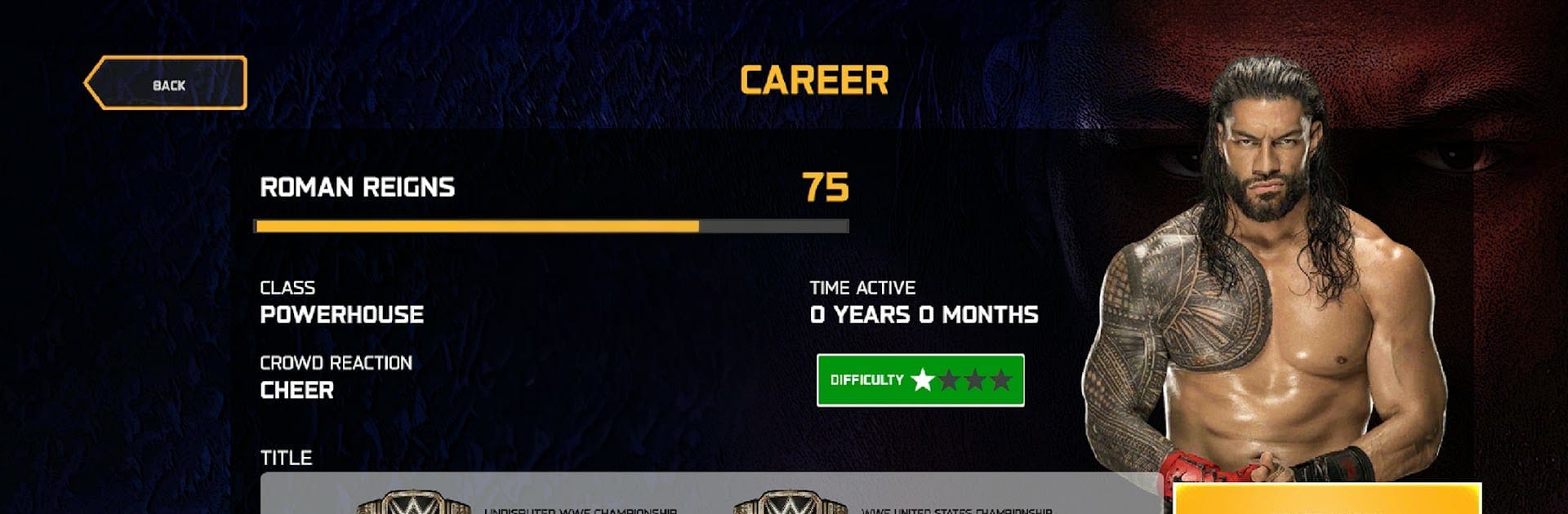
  • Star-Studded Roster: Throw down with a stacked list of RAW and SmackDown standouts plus Legends. Yes—Roman Reigns, Rhea Ripley, The Rock, and “Stone Cold” are here, along with plenty more.
  • Broadcast Presentation: From arena lighting to walkouts and ringside chatter, the show looks and sounds like a televised event—complete with energetic commentary.
  • Career Climb: Take one Superstar on a long-term run. Level their stats, collect wins, and push through title matches as your record (and reputation) grows.
  • Online Showdowns: Queue up for real-time 1v1 or 2v2 PvP bouts. Test your timing, counter big moves, and see how your skills stack up against other players.
  • Quick Play, Your Way: Want something immediate? Jump into single-player matches with adjustable difficulty for a solid offline challenge in classic WWE formats.
  • Signature Moves That Matter: Land combos, set up momentum, and unleash those finishers that flip a match in seconds. It’s all about timing and ring IQ.
  • Goals and Bragging Rights: Unlock achievements across modes—clear tough difficulty settings, grab titles, and climb multiplayer ranks to prove who runs the ring.

Start playing WWE 2K25: Netflix Edition on BlueStacks and get a smoother, more comfortable PC or Mac setup.


Game Features

Enhancements

  • Macros
  • Multi Instance
  • Multi Instance Sync
  • Script
  • Enhancements
Macros

Macros

Automate the predictable in WWE 2K25: Netflix Edition and transform your gameplay with Macros. Get access to inventive Macros in the BlueStacks Macro Community
Multi Instance

Multi Instance

Play WWE 2K25: Netflix Edition on one window. And chat with your friend on the other. Press CTRL + Shift + 8 to open the Multi-Instance Manager. And start creating fresh instances or clone an existing one.
Multi Instance Sync

Multi Instance Sync

Play WWE 2K25: Netflix Edition with the power of Multi-Instance Sync. Replicate what you are doing on the main instance on all other instances. Level up faster, play more.
Script

Script

Script your way to gaming glory in WWE 2K25: Netflix Edition with BlueStacks Script. Write and run a set of commands to automate repeated tasks. Trigger the command by assigning it to any key.
Read More

How to Download and Play WWE 2K25: Netflix Edition on PC or Mac

  • Download and install BlueStacks on your PC or Mac

  • Complete Google sign-in to access the Play Store, or do it later

  • Look for WWE 2K25: Netflix Edition in the search bar at the top right corner

  • Click to install WWE 2K25: Netflix Edition from the search results

  • Complete Google sign-in (if you skipped step 2) to install WWE 2K25: Netflix Edition

  • Click the WWE 2K25: Netflix Edition icon on the home screen to start playing

video
Watch Video

Minimum System Requirements

With BlueStacks 5, you can get started on a PC that fulfills the following requirements.

  • Operating System

    Microsoft Windows 7 or above, macOS 11 (Big Sur) or above

  • Processor

    Intel, AMD or Apple Silicon Processor

  • RAM

    at least 4GB

  • HDD

    10GB Free Disk Space

Note:

* You must be an Administrator on your PC. Up to date graphics drivers from Microsoft or the chipset vendor.

WWE 2K25: Netflix Edition - FAQs

  • How to play WWE 2K25: Netflix Edition on Windows PC & Mac?

    Play WWE 2K25: Netflix Edition on your PC or Mac by following these simple steps.

    • Click on 'Play WWE 2K25: Netflix Edition on PC’ to download BlueStacks
    • Install it and log-in to Google Play Store
    • Launch and play the game.
  • Why is BlueStacks the fastest and safest platform to play games on PC?

    BlueStacks respects your privacy and is always safe and secure to use. It does not carry any malware, spyware, or any sort of additional software that could harm your PC.

    It is engineered to optimize speed and performance for a seamless gaming experience.

  • What are WWE 2K25: Netflix Edition PC requirements?

    Minimum requirement to run WWE 2K25: Netflix Edition on your PC

    • OS: Microsoft Windows 7 or above MacOS 11 (Big Sur) or above
    • Processor: Intel, AMD or Apple Silicon Processor
    • RAM: Your PC must have at least 4GB of RAM. (Note that having 4GB or more disk space is not a substitute for RAM)
    • HDD: 10GB Free Disk Space.
    • You must be an Administrator on your PC.