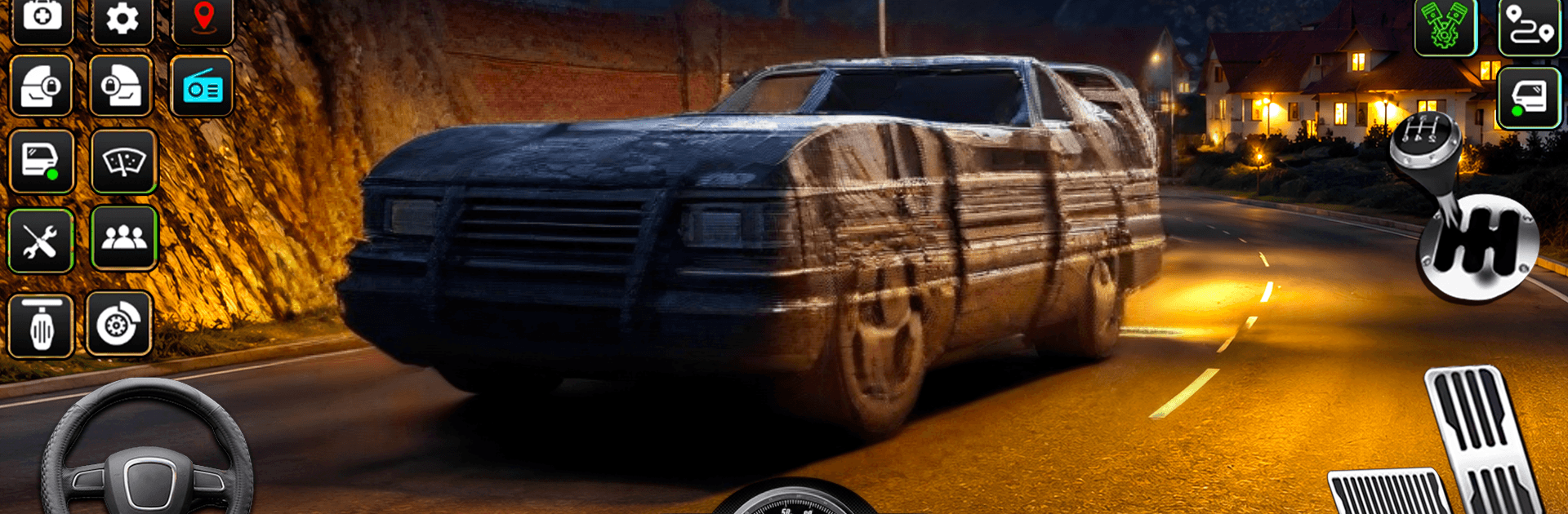
Bus Driving Simulator Bus Game

Bus Driving Simulator Bus Game

Strategy

| Bit Solution

Play on PC with BlueStacks or from our cloud

  • Overview
  • Game Features
  • How to Play

Page Modified On: October 22, 2026

Play Bus Driving Simulator Bus Game on PC or Mac

Step into the World of Bus Driving Simulator Bus Game, a thrilling Strategy game from the house of Bit Solution. Play this Android game on BlueStacks App Player and experience immersive gaming on PC or Mac.

About the Game

Bus Driving Simulator Bus Game puts you in the driver’s seat and asks you to think like a pro. It’s a Strategy spin on bus driving where timing, planning routes, and reading traffic matter just as much as smooth steering. You’ll swap between busy city streets, long highways, and rough off-road paths—playable on BlueStacks if you’d like to cruise from your PC—while tackling missions that feel satisfying to complete.

Game Features

  • Three distinct driving styles: Jump into City, Highway, or Offroad mode and adapt to totally different road conditions, rules, and pacing.
  • A garage with variety: Drive six unique vehicles—from nimble city buses to long-haul coaches—each with its own feel on the road.
  • City traffic that keeps you alert: Navigate tight turns, signals, and rush-hour lanes while picking up passengers and staying on schedule.
  • Highway runs with momentum: Hold a steady speed, manage lane changes, and complete longer routes without slipping up.
  • Off-road routes with bite: Tackle hills, dirt tracks, and uneven terrain where careful throttle and braking make all the difference.
  • Smooth, intuitive controls: Steer with precision using responsive acceleration and braking designed for easy learning and dependable handling.
  • Mission-focused progression: Complete objectives, master new routes, and unlock tougher challenges as your skills grow.
  • Detailed 3D environments: Drive through believable cities, multi-lane highways, and rugged backroads that look and feel alive.
  • Passenger pickup and drop-off: Plan stops, park accurately, and keep your riders happy while meeting route requirements.
  • Challenge-packed gameplay: From time-sensitive tasks to careful maneuvering, there’s always a new scenario testing your driving instincts.

Start your journey now. Download the game on BlueStacks, invite your friends, and march on a new adventure.


Game Features

Enhancements

  • Macros
  • Multi Instance
  • Multi Instance Sync
  • Eco Mode
  • Enhancements
Macros

Macros

Skip the boring parts of a game. Play Bus Driving Simulator Bus Game with Macros and get the edge. Simply record a sequence of commands and execute them at any moment.
Multi Instance

Multi Instance

Why limit to one game on your phone when you can play many on your PC? Open multiple instances of Bus Driving Simulator Bus Game at once with Multi-Instance. Leverage the power of different accounts by doing more.
Multi Instance Sync

Multi Instance Sync

Get the best out of Bus Driving Simulator Bus Game with Multi-Instance Sync. Play the game from different accounts and build your own empire. Use Multi-instance sync to repeat the action in the main BlueStacks instance on all other instances.
Eco Mode

Eco Mode

Find the rarest heroes by making multiple summons in Bus Driving Simulator Bus Game. And while you are at it, reduce your PC’s resource consumption with the Eco Mode. Farm efficiently. Get the best results.
Read More

How to Download and Play Bus Driving Simulator Bus Game on PC or Mac

  • Download and install BlueStacks on your PC or Mac

  • Complete Google sign-in to access the Play Store, or do it later

  • Look for Bus Driving Simulator Bus Game in the search bar at the top right corner

  • Click to install Bus Driving Simulator Bus Game from the search results

  • Complete Google sign-in (if you skipped step 2) to install Bus Driving Simulator Bus Game

  • Click the Bus Driving Simulator Bus Game icon on the home screen to start playing

video
Watch Video

Minimum System Requirements

With BlueStacks 5, you can get started on a PC that fulfills the following requirements.

  • Operating System

    Microsoft Windows 7 or above, macOS 11 (Big Sur) or above

  • Processor

    Intel, AMD or Apple Silicon Processor

  • RAM

    at least 4GB

  • HDD

    10GB Free Disk Space

Note:

* You must be an Administrator on your PC. Up to date graphics drivers from Microsoft or the chipset vendor.

Bus Driving Simulator Bus Game - FAQs

  • How to play Bus Driving Simulator Bus Game on Windows PC & Mac?

    Play Bus Driving Simulator Bus Game on your PC or Mac by following these simple steps.

    • Click on 'Play Bus Driving Simulator Bus Game on PC’ to download BlueStacks
    • Install it and log-in to Google Play Store
    • Launch and play the game.
  • Why is BlueStacks the fastest and safest platform to play games on PC?

    BlueStacks respects your privacy and is always safe and secure to use. It does not carry any malware, spyware, or any sort of additional software that could harm your PC.

    It is engineered to optimize speed and performance for a seamless gaming experience.

  • What are Bus Driving Simulator Bus Game PC requirements?

    Minimum requirement to run Bus Driving Simulator Bus Game on your PC

    • OS: Microsoft Windows 7 or above MacOS 11 (Big Sur) or above
    • Processor: Intel, AMD or Apple Silicon Processor
    • RAM: Your PC must have at least 4GB of RAM. (Note that having 4GB or more disk space is not a substitute for RAM)
    • HDD: 10GB Free Disk Space.
    • You must be an Administrator on your PC.