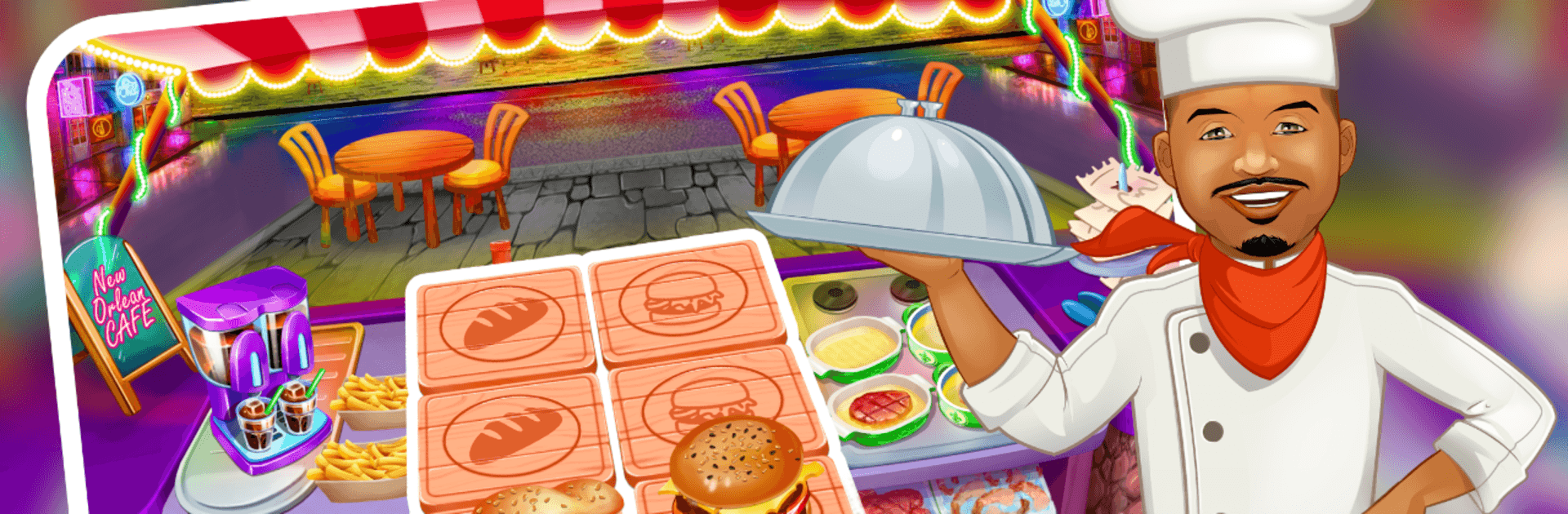
Cooking Game: Be a Famous Chef

Cooking Game: Be a Famous Chef

Strategy

| Tymedia

Play on PC with BlueStacks or from our cloud

  • Overview
  • Game Features
  • How to Play

Page Modified On: August 10, 2026

Play Cooking Game: Be a Famous Chef on PC or Mac

Cooking Game: Be a Famous Chef by Tymedia has plenty to keep you busy. BlueStacks lets you play it on PC or Mac with more screen space, better control, and fewer mobile limits.

About the Game

Cooking Game: Be a Famous Chef is a fast, feel-good kitchen rush where timing and planning make all the difference. You’ll juggle sizzling grills, busy ovens, and a line of hungry customers while growing a tiny eatery into a globe-trotting food sensation. It’s snappy, colorful, and surprisingly strategic—perfect for quick sessions or long marathons.

Game Features

  • Genre: Strategy — Every second counts. Queue tasks, plan upgrades, and balance speed with smart choices to keep the kitchen humming.
  • Tap-to-cook controls — Grill, bake, and plate with quick taps that make multitasking feel natural, even when the tickets stack up.
  • World food tour — Open restaurants across different cities and adapt your menu to local tastes as new ingredients and recipes roll in.
  • 100+ quick-fire levels — Short, timed challenges keep you on your toes, with escalating difficulty and fresh twists.
  • Smart upgrades that matter — Invest in faster stoves, extra prep stations, décor that boosts tips, and heat-proof pans that help prevent burnt dishes.
  • Serve every meal of the day — From fluffy breakfasts to cheesy pizzas and decadent desserts, switch gears as the day goes on.
  • Tips and reviews system — Keep guests happy with speedy service and accurate orders to rack up glowing feedback and bigger payouts.
  • Play comfortably with BlueStacks — Prefer a bigger screen and crisp clicks? BlueStacks makes those tight, timed rounds feel extra smooth without getting in the way.

BlueStacks gives you more room to focus on the game and less time adjusting around mobile limitations.


Game Features

Enhancements

  • Macros
  • Multi Instance
  • Multi Instance Sync
  • Eco Mode
  • Enhancements
Macros

Macros

Skip the boring parts of a game. Play Cooking Game: Be a Famous Chef with Macros and get the edge. Simply record a sequence of commands and execute them at any moment.
Multi Instance

Multi Instance

Why limit to one game on your phone when you can play many on your PC? Open multiple instances of Cooking Game: Be a Famous Chef at once with Multi-Instance. Leverage the power of different accounts by doing more.
Multi Instance Sync

Multi Instance Sync

Get the best out of Cooking Game: Be a Famous Chef with Multi-Instance Sync. Play the game from different accounts and build your own empire. Use Multi-instance sync to repeat the action in the main BlueStacks instance on all other instances.
Eco Mode

Eco Mode

Find the rarest heroes by making multiple summons in Cooking Game: Be a Famous Chef. And while you are at it, reduce your PC’s resource consumption with the Eco Mode. Farm efficiently. Get the best results.
Read More

How to Download and Play Cooking Game: Be a Famous Chef on PC or Mac

  • Download and install BlueStacks on your PC or Mac

  • Complete Google sign-in to access the Play Store, or do it later

  • Look for Cooking Game: Be a Famous Chef in the search bar at the top right corner

  • Click to install Cooking Game: Be a Famous Chef from the search results

  • Complete Google sign-in (if you skipped step 2) to install Cooking Game: Be a Famous Chef

  • Click the Cooking Game: Be a Famous Chef icon on the home screen to start playing

video
Watch Video

Minimum System Requirements

With BlueStacks 5, you can get started on a PC that fulfills the following requirements.

  • Operating System

    Microsoft Windows 7 or above, macOS 11 (Big Sur) or above

  • Processor

    Intel, AMD or Apple Silicon Processor

  • RAM

    at least 4GB

  • HDD

    10GB Free Disk Space

Note:

* You must be an Administrator on your PC. Up to date graphics drivers from Microsoft or the chipset vendor.

Cooking Game: Be a Famous Chef - FAQs

  • How to play Cooking Game: Be a Famous Chef on Windows PC & Mac?

    Play Cooking Game: Be a Famous Chef on your PC or Mac by following these simple steps.

    • Click on 'Play Cooking Game: Be a Famous Chef on PC’ to download BlueStacks
    • Install it and log-in to Google Play Store
    • Launch and play the game.
  • Why is BlueStacks the fastest and safest platform to play games on PC?

    BlueStacks respects your privacy and is always safe and secure to use. It does not carry any malware, spyware, or any sort of additional software that could harm your PC.

    It is engineered to optimize speed and performance for a seamless gaming experience.

  • What are Cooking Game: Be a Famous Chef PC requirements?

    Minimum requirement to run Cooking Game: Be a Famous Chef on your PC

    • OS: Microsoft Windows 7 or above MacOS 11 (Big Sur) or above
    • Processor: Intel, AMD or Apple Silicon Processor
    • RAM: Your PC must have at least 4GB of RAM. (Note that having 4GB or more disk space is not a substitute for RAM)
    • HDD: 10GB Free Disk Space.
    • You must be an Administrator on your PC.