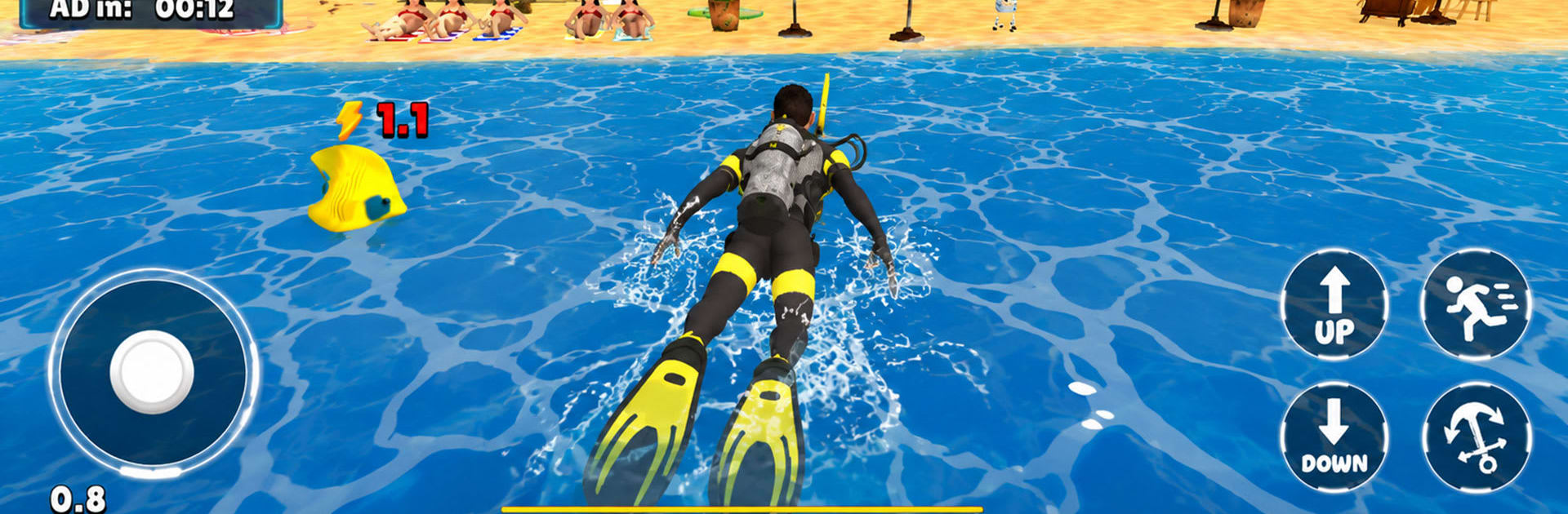
Driftbound Open Ocean Survival

Driftbound Open Ocean Survival

Strategy

| Capricorn Studioz

Play on PC with BlueStacks or from our cloud

  • Overview
  • Game Features
  • How to Play

Page Modified On: July 20, 2026

Play Driftbound Open Ocean Survival on PC or Mac

Explore a whole new adventure with Driftbound Open Ocean Survival, a Strategy game created by Capricorn Studioz. Experience great gameplay with BlueStacks, the most popular gaming platform to play Android games on your PC or Mac.

About the Game

Driftbound Open Ocean Survival drops you onto a tiny floating platform in the middle of nowhere and just lets the sea test you. It’s a survival sandbox with a Strategy mindset: plan your builds, manage scarce supplies, and make every trip across the waves count. Go it alone or team up, then turn a pile of scraps into a floating home worth defending.

Game Features

  • Start on scraps, build a home: Begin with basic tools and a small platform, then expand piece by piece into a sturdy, customizable ocean base.
  • A true open ocean: Sail across a massive world filled with shifting weather, scattered islands, eerie ruins, and distinct biomes to discover.
  • Survival that pushes back: Juggle hunger, thirst, storms, and hazards at sea—every choice affects your odds of making it to the next sunrise.
  • Deep crafting and upgrades: Turn flotsam into tools, gear, and stations that unlock new routes, better defenses, and smarter workflows.
  • Floating base engineering: Snap together modules, reinforce weak points, and design a raft that fits your playstyle—from cozy decks to sprawling sea fortresses.
  • Seamanship matters: Fish for food, chart the winds, and trim your sails to reach distant horizons without wasting precious resources.
  • Co-op or solo: Tackle the ocean’s PvE challenges with friends or test your mettle alone; either way, teamwork and timing pay off.
  • Smart resource strategy: Balance storage, crafting queues, and exploration runs—it’s survival with a Strategy brain, not just fast reflexes.
  • Procedural surprises: Island placements and finds shift between runs, keeping exploration fresh and routes unpredictable.
  • First-person immersion: Feel the roll of the waves and the sting of rain as you scan the horizon for the next landmark—or threat.
  • Play your way: Prefer keyboard and mouse? It plays great on PC with BlueStacks, so you can manage your raft and inventory with extra comfort.

Start playing Driftbound Open Ocean Survival on BlueStacks and get a smoother, more comfortable PC or Mac setup.


Game Features

Enhancements

  • Macros
  • Multi Instance
  • Multi Instance Sync
  • Eco Mode
  • Enhancements
Macros

Macros

Skip the boring parts of a game. Play Driftbound Open Ocean Survival with Macros and get the edge. Simply record a sequence of commands and execute them at any moment.
Multi Instance

Multi Instance

Why limit to one game on your phone when you can play many on your PC? Open multiple instances of Driftbound Open Ocean Survival at once with Multi-Instance. Leverage the power of different accounts by doing more.
Multi Instance Sync

Multi Instance Sync

Get the best out of Driftbound Open Ocean Survival with Multi-Instance Sync. Play the game from different accounts and build your own empire. Use Multi-instance sync to repeat the action in the main BlueStacks instance on all other instances.
Eco Mode

Eco Mode

Find the rarest heroes by making multiple summons in Driftbound Open Ocean Survival. And while you are at it, reduce your PC’s resource consumption with the Eco Mode. Farm efficiently. Get the best results.
Read More

How to Download and Play Driftbound Open Ocean Survival on PC or Mac

  • Download and install BlueStacks on your PC or Mac

  • Complete Google sign-in to access the Play Store, or do it later

  • Look for Driftbound Open Ocean Survival in the search bar at the top right corner

  • Click to install Driftbound Open Ocean Survival from the search results

  • Complete Google sign-in (if you skipped step 2) to install Driftbound Open Ocean Survival

  • Click the Driftbound Open Ocean Survival icon on the home screen to start playing

video
Watch Video

Minimum System Requirements

With BlueStacks 5, you can get started on a PC that fulfills the following requirements.

  • Operating System

    Microsoft Windows 7 or above, macOS 11 (Big Sur) or above

  • Processor

    Intel, AMD or Apple Silicon Processor

  • RAM

    at least 4GB

  • HDD

    10GB Free Disk Space

Note:

* You must be an Administrator on your PC. Up to date graphics drivers from Microsoft or the chipset vendor.

Driftbound Open Ocean Survival - FAQs

  • How to play Driftbound Open Ocean Survival on Windows PC & Mac?

    Play Driftbound Open Ocean Survival on your PC or Mac by following these simple steps.

    • Click on 'Play Driftbound Open Ocean Survival on PC’ to download BlueStacks
    • Install it and log-in to Google Play Store
    • Launch and play the game.
  • Why is BlueStacks the fastest and safest platform to play games on PC?

    BlueStacks respects your privacy and is always safe and secure to use. It does not carry any malware, spyware, or any sort of additional software that could harm your PC.

    It is engineered to optimize speed and performance for a seamless gaming experience.

  • What are Driftbound Open Ocean Survival PC requirements?

    Minimum requirement to run Driftbound Open Ocean Survival on your PC

    • OS: Microsoft Windows 7 or above MacOS 11 (Big Sur) or above
    • Processor: Intel, AMD or Apple Silicon Processor
    • RAM: Your PC must have at least 4GB of RAM. (Note that having 4GB or more disk space is not a substitute for RAM)
    • HDD: 10GB Free Disk Space.
    • You must be an Administrator on your PC.