Dead Ahead: Zombie Warfare

Dead Ahead: Zombie Warfare

Strategy

| Mobirate

Play on PC with BlueStacks or from our cloud

  • Overview
  • Game Features
  • How to Play

Page Modified On: September 07, 2026

Play Dead Ahead: Zombie Warfare on PC or Mac

Dead Ahead: Zombie Warfare brings the Strategy genre to life, and throws up exciting challenges for gamers. Developed by Mobirate, this Android game is best experienced on BlueStacks, the World’s #1 app player for PC and Mac users.

About the Game

Dead Ahead: Zombie Warfare throws you into a scrappy road trip through the apocalypse where every scrap of fuel, every survivor, and every second counts. It’s a gritty, tongue‑in‑cheek Strategy experience built around smart squad calls, tight resource management, and chaotic skirmishes against the hungry horde. Prefer playing with a keyboard and a bigger display? It runs nicely on BlueStacks, too.

Game Features

  • Defend the bus: Your rusted ride is home base and last hope—hold the line while waves of undead crash in from every lane.
  • Smart squad tactics: Mix melee brawlers, shooters, and support units, then time your deployments to crack tough waves and push through blockades.
  • Tools of destruction: Light up crowds with Molotovs, pop grenades at chokepoints, or bait zombies into explosive barrels—go loud or pick cleaner shots when it counts.
  • Risk-and-reward scavenging: Snag supplies mid-fight, rescue stragglers, and keep your economy flowing without getting your team chewed up.
  • Meaningful upgrades: Earn XP, loot parts, and complete side objectives to boost fighters and vehicles—tune builds to your playstyle.
  • Big apocalyptic road trip: Battle across varied maps and biomes with branching stages, environmental hazards, and optional challenges to chase.
  • Nasty enemy variety: From shamblers to sprinters and brutish specials, each type forces different counters and unit combos.
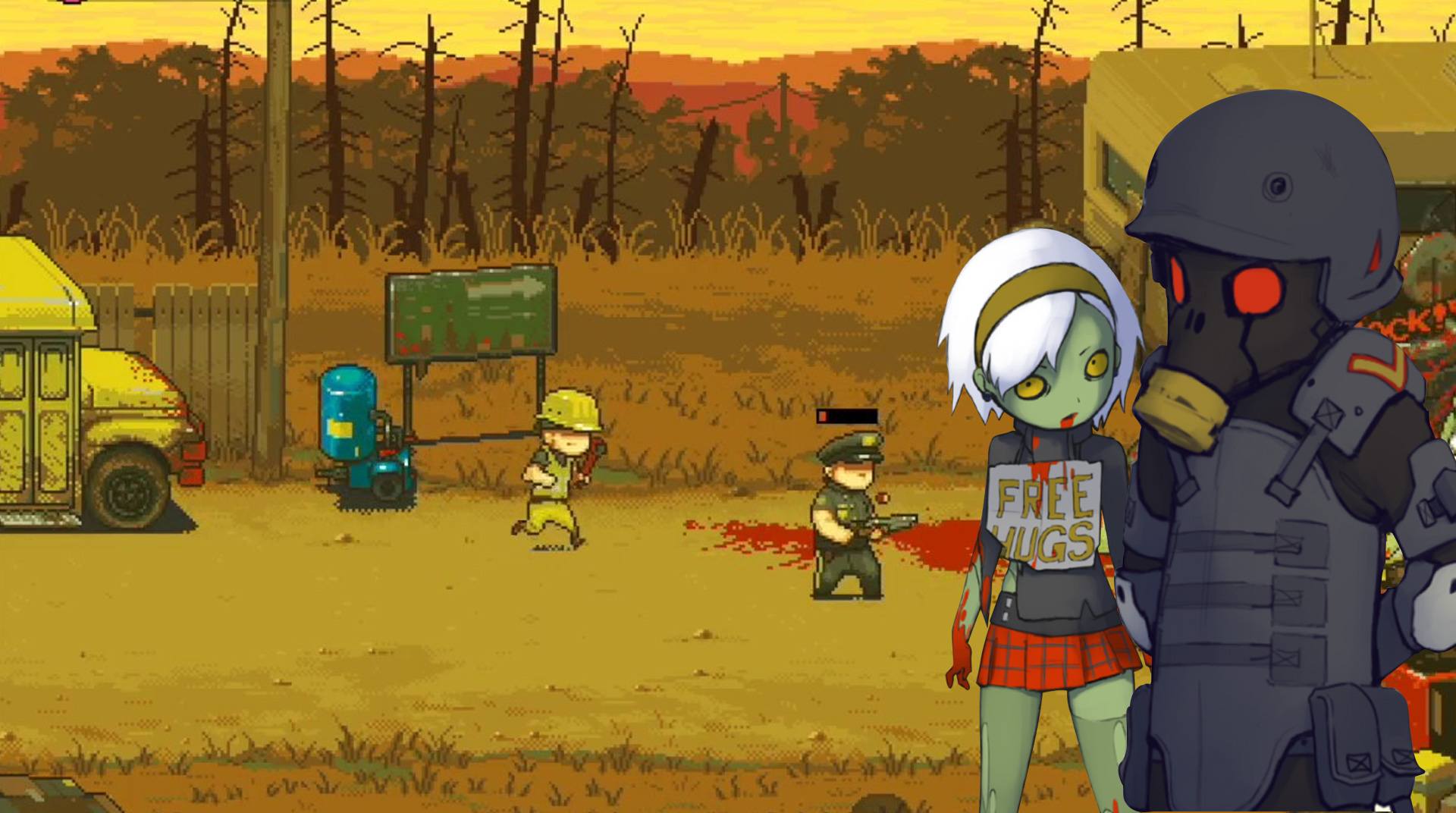
  • Dark humor with splatter: Pixel-art gore and cheeky moments keep things lively even when the odds (and bodies) pile up.
  • Score chasers welcome: Hunt high scores, refine strategies, and replay missions to master tighter runs and tougher modifiers.

Ready to top the leaderboard? We bet you do. Let precise controls and sharp visuals optimized on BlueStacks lead you to victory.


Game Features

Enhancements

  • Macros
  • Multi Instance
  • Multi Instance Sync
  • Eco Mode
  • Enhancements
Macros

Macros

Skip the boring parts of a game. Play Dead Ahead: Zombie Warfare with Macros and get the edge. Simply record a sequence of commands and execute them at any moment.
Multi Instance

Multi Instance

Why limit to one game on your phone when you can play many on your PC? Open multiple instances of Dead Ahead: Zombie Warfare at once with Multi-Instance. Leverage the power of different accounts by doing more.
Multi Instance Sync

Multi Instance Sync

Get the best out of Dead Ahead: Zombie Warfare with Multi-Instance Sync. Play the game from different accounts and build your own empire. Use Multi-instance sync to repeat the action in the main BlueStacks instance on all other instances.
Eco Mode

Eco Mode

Find the rarest heroes by making multiple summons in Dead Ahead: Zombie Warfare. And while you are at it, reduce your PC’s resource consumption with the Eco Mode. Farm efficiently. Get the best results.
Read More

How to Download and Play Dead Ahead: Zombie Warfare on PC or Mac

  • Download and install BlueStacks on your PC or Mac

  • Complete Google sign-in to access the Play Store, or do it later

  • Look for Dead Ahead: Zombie Warfare in the search bar at the top right corner

  • Click to install Dead Ahead: Zombie Warfare from the search results

  • Complete Google sign-in (if you skipped step 2) to install Dead Ahead: Zombie Warfare

  • Click the Dead Ahead: Zombie Warfare icon on the home screen to start playing

video
Watch Video

Minimum System Requirements

With BlueStacks 5, you can get started on a PC that fulfills the following requirements.

  • Operating System

    Microsoft Windows 7 or above, macOS 11 (Big Sur) or above

  • Processor

    Intel, AMD or Apple Silicon Processor

  • RAM

    at least 4GB

  • HDD

    10GB Free Disk Space

Note:

* You must be an Administrator on your PC. Up to date graphics drivers from Microsoft or the chipset vendor.

Dead Ahead: Zombie Warfare - FAQs

  • How to play Dead Ahead: Zombie Warfare on Windows PC & Mac?

    Play Dead Ahead: Zombie Warfare on your PC or Mac by following these simple steps.

    • Click on 'Play Dead Ahead: Zombie Warfare on PC’ to download BlueStacks
    • Install it and log-in to Google Play Store
    • Launch and play the game.
  • Why is BlueStacks the fastest and safest platform to play games on PC?

    BlueStacks respects your privacy and is always safe and secure to use. It does not carry any malware, spyware, or any sort of additional software that could harm your PC.

    It is engineered to optimize speed and performance for a seamless gaming experience.

  • What are Dead Ahead: Zombie Warfare PC requirements?

    Minimum requirement to run Dead Ahead: Zombie Warfare on your PC

    • OS: Microsoft Windows 7 or above MacOS 11 (Big Sur) or above
    • Processor: Intel, AMD or Apple Silicon Processor
    • RAM: Your PC must have at least 4GB of RAM. (Note that having 4GB or more disk space is not a substitute for RAM)
    • HDD: 10GB Free Disk Space.
    • You must be an Administrator on your PC.