Deep Corp
Deep Corp

Deep Corp

Strategy

| KM Projects LLC

Play on PC with BlueStacks or from our cloud

  • Overview
  • Game Features
  • How to Play

Page Modified On: August 10, 2026

Play Deep Corp on PC or Mac

Deep Corp by KM Projects LLC has plenty to keep you busy. BlueStacks lets you play it on PC or Mac with more screen space, better control, and fewer mobile limits.

About the Game

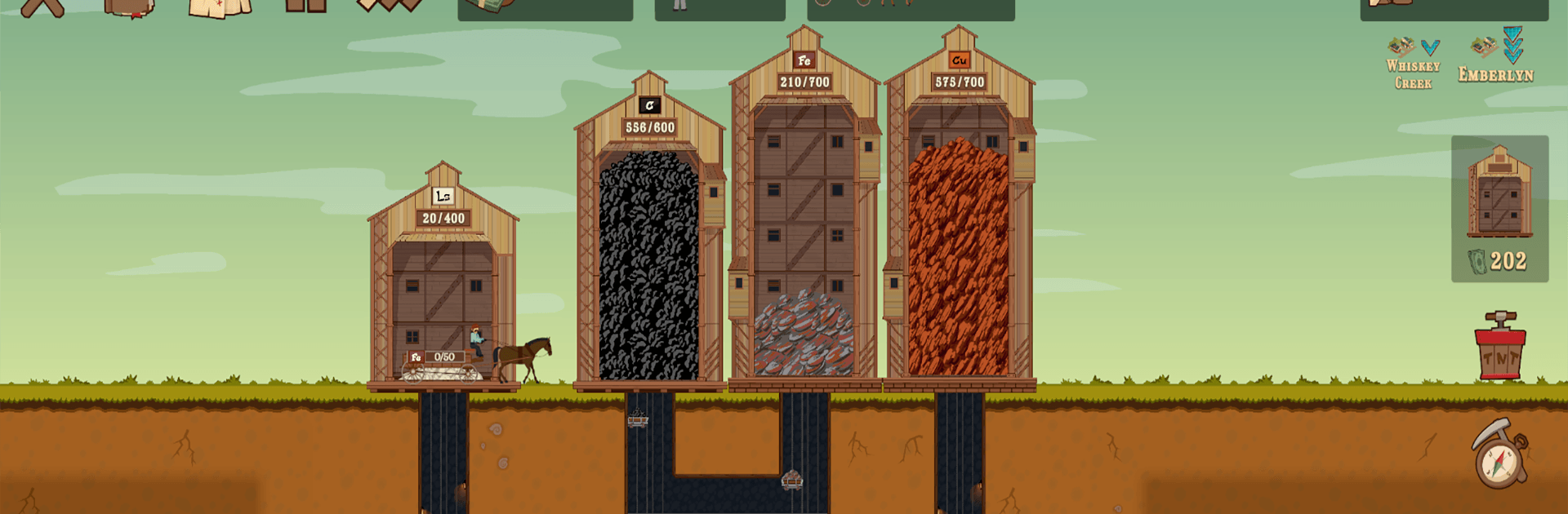
Deep Corp is a Strategy builder where you turn raw earth into a thriving supply network. You’ll start small—digging into rich seams and hiring a few hands—then scale up into a full-on industrial web with factories, routes, and bustling cities. It’s approachable at first, then delightfully brainy once you begin optimizing every cart and conveyor.

Game Features

  • Hands-On Mining: Send crews underground, expand tunnels, and keep ore flowing. Watch your operation grow from a modest shaft to a layered system of resource-rich veins.
  • Smart Logistics: Set up routes between mines, factories, and cities. Assign carts and carriages, fine-tune paths, and keep goods moving without bottlenecks.
  • Expanding Industry: Unlock new factories and craft increasingly complex products. Recipes stack on each other, so planning ahead really pays off.
  • City Building With Purpose: Rebuild and expand towns by supplying the exact goods they need. Meet their demands to earn more workers, cash, and momentum.
  • Role of a Governor: Balance the state’s big picture—production, delivery, and urban growth—while keeping everything stable and profitable.
  • Satisfying Automation: Upgrade warehouses, vehicles, and production lines to smooth out the workflow. Fewer delays, more output, happier ledger.
  • Strategic Choices: Go chill and incremental or push for tight, efficient networks. There’s room for tinkering and long-game planning.
  • Plays Great on PC: Prefer a bigger screen and precise clicks? Deep Corp feels right at home on BlueStacks without getting in your way.

Ready to top the leaderboard? We bet you do. Let precise controls and sharp visuals optimized on BlueStacks lead you to victory.


Game Features

Enhancements

  • Macros
  • Multi Instance
  • Multi Instance Sync
  • Eco Mode
  • Enhancements
Macros

Macros

Skip the boring parts of a game. Play Deep Corp with Macros and get the edge. Simply record a sequence of commands and execute them at any moment.
Multi Instance

Multi Instance

Why limit to one game on your phone when you can play many on your PC? Open multiple instances of Deep Corp at once with Multi-Instance. Leverage the power of different accounts by doing more.
Multi Instance Sync

Multi Instance Sync

Get the best out of Deep Corp with Multi-Instance Sync. Play the game from different accounts and build your own empire. Use Multi-instance sync to repeat the action in the main BlueStacks instance on all other instances.
Eco Mode

Eco Mode

Find the rarest heroes by making multiple summons in Deep Corp. And while you are at it, reduce your PC’s resource consumption with the Eco Mode. Farm efficiently. Get the best results.
Read More

How to Download and Play Deep Corp on PC or Mac

  • Download and install BlueStacks on your PC or Mac

  • Complete Google sign-in to access the Play Store, or do it later

  • Look for Deep Corp in the search bar at the top right corner

  • Click to install Deep Corp from the search results

  • Complete Google sign-in (if you skipped step 2) to install Deep Corp

  • Click the Deep Corp icon on the home screen to start playing

video
Watch Video

Minimum System Requirements

With BlueStacks 5, you can get started on a PC that fulfills the following requirements.

  • Operating System

    Microsoft Windows 7 or above, macOS 11 (Big Sur) or above

  • Processor

    Intel, AMD or Apple Silicon Processor

  • RAM

    at least 4GB

  • HDD

    10GB Free Disk Space

Note:

* You must be an Administrator on your PC. Up to date graphics drivers from Microsoft or the chipset vendor.

Deep Corp - FAQs

  • How to play Deep Corp on Windows PC & Mac?

    Play Deep Corp on your PC or Mac by following these simple steps.

    • Click on 'Play Deep Corp on PC’ to download BlueStacks
    • Install it and log-in to Google Play Store
    • Launch and play the game.
  • Why is BlueStacks the fastest and safest platform to play games on PC?

    BlueStacks respects your privacy and is always safe and secure to use. It does not carry any malware, spyware, or any sort of additional software that could harm your PC.

    It is engineered to optimize speed and performance for a seamless gaming experience.

  • What are Deep Corp PC requirements?

    Minimum requirement to run Deep Corp on your PC

    • OS: Microsoft Windows 7 or above MacOS 11 (Big Sur) or above
    • Processor: Intel, AMD or Apple Silicon Processor
    • RAM: Your PC must have at least 4GB of RAM. (Note that having 4GB or more disk space is not a substitute for RAM)
    • HDD: 10GB Free Disk Space.
    • You must be an Administrator on your PC.