

Play Kingdom Rush 6: Genesis TD by Ironhide Games on PC or Mac with BlueStacks. Use a bigger screen, mouse and keyboard controls, and smoother performance while you play.
About the Game
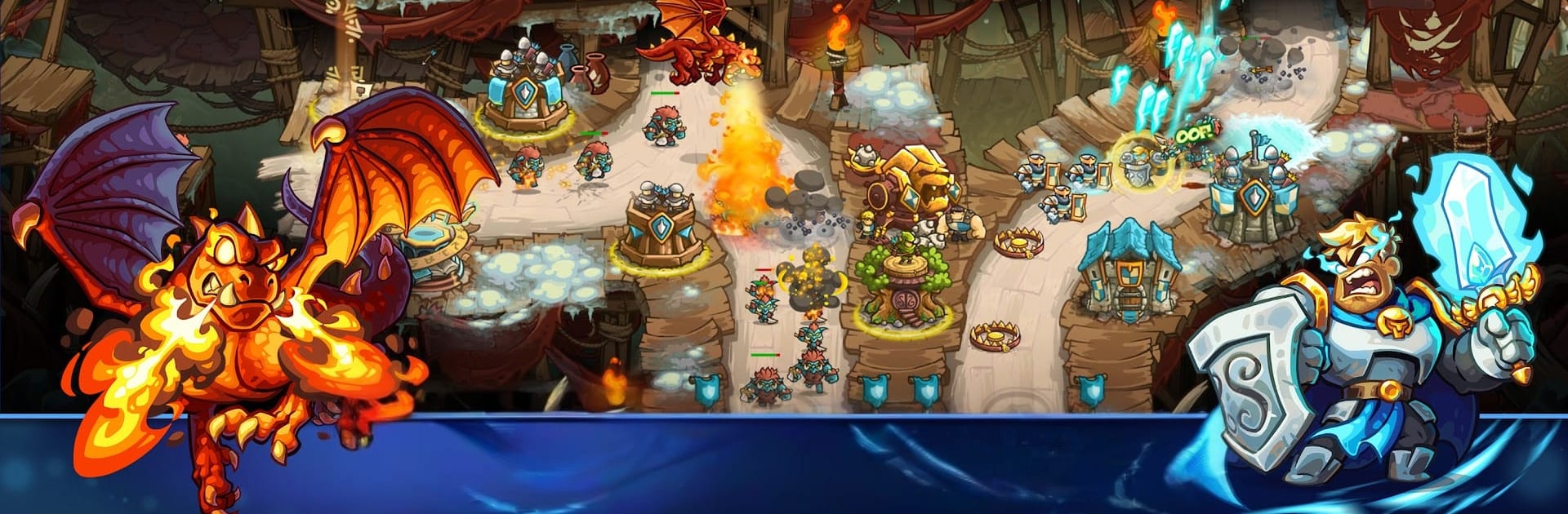
Kingdom Rush 6: Genesis TD is a Strategy tower defense adventure set at the very start of Linirea’s history. You’re trying to shut down a rising menace before it becomes a legend, juggling sharp tower placement, hero timing, and a bag of tricky spells to hold the line. It’s that classic Kingdom Rush feel—fast, punchy, and tactical—with fresh systems that keep every stage interesting.
Game Features
- Origins of a saga: Travel back to where it all began, meet early versions of familiar allies, and witness the choices that set a certain young sorcerer on a dangerous path.
- 15 distinct towers: Archers, mages, barracks, artillery—each brings a specialty, and the real fun is in how you layer them to shut down lanes and crack tough waves.
- Two-hero squads: Take two heroes into battle, pair their skills, and swap focus on the fly to plug leaks or burst bosses.
- Nine clutch spells: Build a custom loadout and time your big moments—meteor storms, instant reinforcements, crowd control—exactly when the pressure spikes.
- Flexible upgrade trees: Every tower, hero, and spell has its own progression. Respec between stages, try wild builds, and settle on what clicks for your playstyle.
- 18 handcrafted stages: Fight across the Citadel, the stormy depths, and distant Arcania. Expect 40+ enemy types across five factions and six screen-filling bosses.
- Lore and laughs: More story threads, playful callbacks, and that tongue-in-cheek tone the series is known for.
- Extra challenge: Tougher modes for veterans, 50+ achievements to chase, and sneaky easter eggs tucked around the map.
- Offline anywhere: No connection needed—great for quick runs on the go or long sessions.
- Optional PC play: Prefer a bigger screen and precise clicks? It runs smoothly on BlueStacks.
Ready to top the leaderboard? We bet you do. Let precise controls and sharp visuals optimized on BlueStacks lead you to victory.