Stick War: Legacy
Stick War: Legacy

Stick War: Legacy

Strategy

| Max Games Studios

Play on PC with BlueStacks or from our cloud

  • Overview
  • Game Features
  • How to Play

Page Modified On: November 25, 2025

Play Stick War: Legacy on PC or Mac

From the innovators and creators at Max Games Studios, Stick War: Legacy is another fun addition to the World of Strategy games. Go beyond your mobile screen and play it bigger and better on your PC or Mac. An immersive experience awaits you.

About the Game

Stick War: Legacy is a fast, punchy Strategy game where stick-figure armies clash over brains, brawn, and big ideas. You command the nation of Order, juggling resources, formations, and unit micromanagement to break enemy statues and claim new lands. It’s quick to learn, surprisingly deep, and great whether you’re swiping on your phone or playing on PC with BlueStacks.

Game Features

  • Hands-on command: Swap between full-army formations and direct control of individual units. Want to kite with an archer or lead a swordsman charge yourself? Go for it.

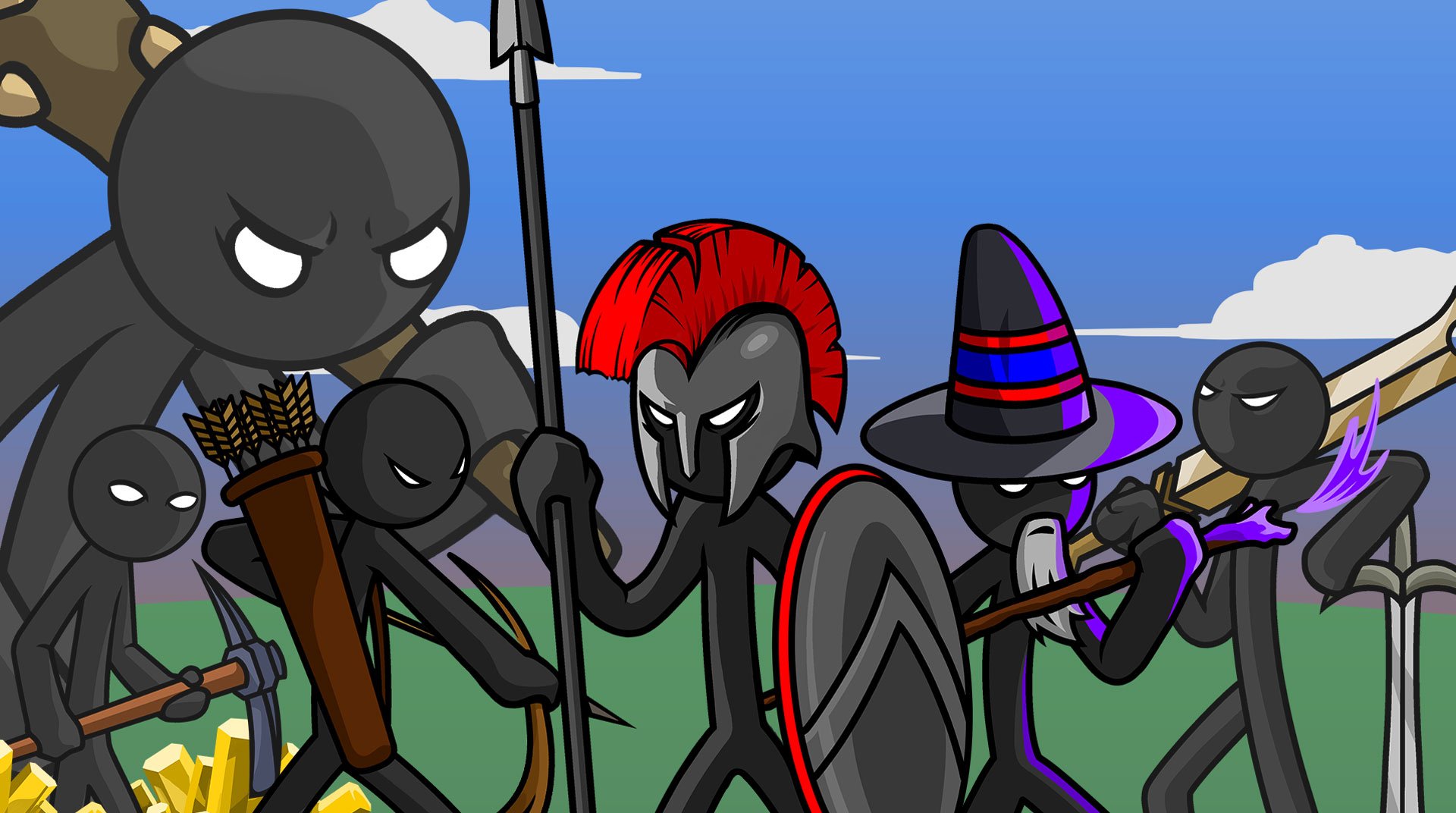
  • Build and battle: Mine gold, train Sword, Spear, Archer, Mage, and Giant units, then smash the enemy statue to end the match. Simple goal, plenty of ways to get there.

  • Classic Campaign: Follow The Order Empire is Born storyline, now expanded with bonus levels. Learn rival techs from factions like Archidons, Swordwrath, Magikill, and Speartons as you push across Inamorta.

  • Missions Mode (fresh challenges): New levels roll out every Friday, with rotating twists like Win Before Sunset, Triple Barricaded Gold, Deathmatch, Forward Statue, and mini-boss encounters.

  • Difficulty crowns: Earn Crowns on Normal, Hard, and Insane difficulties. Bragging rights included.

  • Saga-style map: Tackle stages on a branching map and scoop up multiple rewards as you go.

  • Survival, if you dare: Endless Deads pits you against waves of zombies. Last as many nights as you can.

  • Tournament play: Climb through AI opponents and claim the Crown of Inamorta in a gauntlet built for try-hards and tinkerers.

  • Skins with perks: Unlock character skins that don’t just look cool—they come with unique bonuses.

  • Sharper combat feel: Arrows stick into units, damage animations hit harder, and formations and Archidon bow aiming are more precise.

  • Made by the folks at Max Games Studios: A staple for fans who want Strategy that’s easy to pick up and hard to put down.

Slay your opponents with your epic moves. Play it your way on BlueStacks and dominate the battlefield.

Game Features

Enhancements

  • Macros
  • Multi Instance
  • Multi Instance Sync
  • Eco Mode
  • Enhancements
Macros

Macros

Skip the boring parts of a game. Play Stick War: Legacy with Macros and get the edge. Simply record a sequence of commands and execute them at any moment.
Multi Instance

Multi Instance

Why limit to one game on your phone when you can play many on your PC? Open multiple instances of Stick War: Legacy at once with Multi-Instance. Leverage the power of different accounts by doing more.
Multi Instance Sync

Multi Instance Sync

Get the best out of Stick War: Legacy with Multi-Instance Sync. Play the game from different accounts and build your own empire. Use Multi-instance sync to repeat the action in the main BlueStacks instance on all other instances.
Eco Mode

Eco Mode

Find the rarest heroes by making multiple summons in Stick War: Legacy. And while you are at it, reduce your PC’s resource consumption with the Eco Mode. Farm efficiently. Get the best results.
Read More

How to Download and Play Stick War: Legacy on PC or Mac

  • Download and install BlueStacks on your PC or Mac

  • Complete Google sign-in to access the Play Store, or do it later

  • Look for Stick War: Legacy in the search bar at the top right corner

  • Click to install Stick War: Legacy from the search results

  • Complete Google sign-in (if you skipped step 2) to install Stick War: Legacy

  • Click the Stick War: Legacy icon on the home screen to start playing

video
Watch Video

Minimum System Requirements

With BlueStacks 5, you can get started on a PC that fulfills the following requirements.

  • Operating System

    Microsoft Windows 7 or above, macOS 11 (Big Sur) or above

  • Processor

    Intel, AMD or Apple Silicon Processor

  • RAM

    at least 4GB

  • HDD

    10GB Free Disk Space

Note:

* You must be an Administrator on your PC. Up to date graphics drivers from Microsoft or the chipset vendor.

Stick War: Legacy - FAQs

  • How to play Stick War: Legacy on Windows PC & Mac?

    Play Stick War: Legacy on your PC or Mac by following these simple steps.

    • Click on 'Play Stick War: Legacy on PC’ to download BlueStacks
    • Install it and log-in to Google Play Store
    • Launch and play the game.
  • Why is BlueStacks the fastest and safest platform to play games on PC?

    BlueStacks respects your privacy and is always safe and secure to use. It does not carry any malware, spyware, or any sort of additional software that could harm your PC.

    It is engineered to optimize speed and performance for a seamless gaming experience.

  • What are Stick War: Legacy PC requirements?

    Minimum requirement to run Stick War: Legacy on your PC

    • OS: Microsoft Windows 7 or above MacOS 11 (Big Sur) or above
    • Processor: Intel, AMD or Apple Silicon Processor
    • RAM: Your PC must have at least 4GB of RAM. (Note that having 4GB or more disk space is not a substitute for RAM)
    • HDD: 10GB Free Disk Space.
    • You must be an Administrator on your PC.