Total Battle: War Strategy

Total Battle: War Strategy

Strategy

| Scorewarrior

Play on PC with BlueStacks or from our cloud

  • Overview
  • Tips & Tricks
  • Game Features
  • How to Play

Page Modified On: January 14, 2026

Play Total Battle: War Strategy on PC or Mac

From the innovators and creators at Scorewarrior, Total Battle: War Strategy is another fun addition to the World of Strategy games. Go beyond your mobile screen and play it bigger and better on your PC or Mac. An immersive experience awaits you.

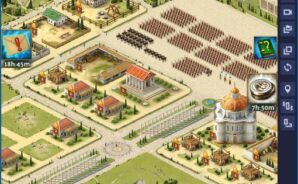
Total Battle feels like a big shared-world war game where city building meets monster hunting. It starts with a small castle and a few guards, then pushes into serious empire stuff as more buildings unlock, research gets deeper, and armies shift from basic troops to titans, elementals, and a dragon that can be named. The map is the star. There are deserts, forests, and mountain ranges dotted with forts, gold mines, arenas, and crypts to clear. Marching to capture a point or defend a border actually matters because neighbors are real players, not just filler.

Combat is about picking the right mix of units and a hero who buffs what the army is trying to do. Heroes and captains gain experience, learn skills, and wear crafted gear, so a weak army with the right leader can punch up. There are monsters, barbarians, elves, wizards, and all kinds of magic enemies to farm between player fights, which keeps the pace busy without constant pressure. Joining a clan is basically required once raids and territory wars begin, since rally attacks, defenses, and event goals need bodies. Expect timers, careful resource balance, and those “do this now or lose the window” competitions.

On PC with BlueStacks it plays smooth and tidy. The mouse makes map scouting and troop splits way easier, and the bigger screen helps when juggling a few marches at once. If someone likes long-term planning, alliance chat, and the occasional risky siege, this scratches that itch without feeling grind-only.

Get ready for a buttery smooth, high-performance gaming action only on BlueStacks.
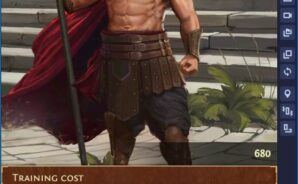
Game Features

Enhancements

  • Macros
  • Multi Instance
  • Multi Instance Sync
  • Eco Mode
  • Enhancements
Macros

Macros

Skip the boring parts of a game. Play Total Battle: War Strategy with Macros and get the edge. Simply record a sequence of commands and execute them at any moment.
Multi Instance

Multi Instance

Why limit to one game on your phone when you can play many on your PC? Open multiple instances of Total Battle: War Strategy at once with Multi-Instance. Leverage the power of different accounts by doing more.
Multi Instance Sync

Multi Instance Sync

Get the best out of Total Battle: War Strategy with Multi-Instance Sync. Play the game from different accounts and build your own empire. Use Multi-instance sync to repeat the action in the main BlueStacks instance on all other instances.
Eco Mode

Eco Mode

Find the rarest heroes by making multiple summons in Total Battle: War Strategy. And while you are at it, reduce your PC’s resource consumption with the Eco Mode. Farm efficiently. Get the best results.
Read More

How to Download and Play Total Battle: War Strategy on PC or Mac

  • Download and install BlueStacks on your PC or Mac

  • Complete Google sign-in to access the Play Store, or do it later

  • Look for Total Battle: War Strategy in the search bar at the top right corner

  • Click to install Total Battle: War Strategy from the search results

  • Complete Google sign-in (if you skipped step 2) to install Total Battle: War Strategy

  • Click the Total Battle: War Strategy icon on the home screen to start playing

video
Watch Video

Minimum System Requirements

With BlueStacks 5, you can get started on a PC that fulfills the following requirements.

  • Operating System

    Microsoft Windows 7 or above, macOS 11 (Big Sur) or above

  • Processor

    Intel, AMD or Apple Silicon Processor

  • RAM

    at least 4GB

  • HDD

    10GB Free Disk Space

Note:

* You must be an Administrator on your PC. Up to date graphics drivers from Microsoft or the chipset vendor.

Total Battle: War Strategy - FAQs

  • How to play Total Battle: War Strategy on Windows PC & Mac?

    Play Total Battle: War Strategy on your PC or Mac by following these simple steps.

    • Click on 'Play Total Battle: War Strategy on PC’ to download BlueStacks
    • Install it and log-in to Google Play Store
    • Launch and play the game.
  • Why is BlueStacks the fastest and safest platform to play games on PC?

    BlueStacks respects your privacy and is always safe and secure to use. It does not carry any malware, spyware, or any sort of additional software that could harm your PC.

    It is engineered to optimize speed and performance for a seamless gaming experience.

  • What are Total Battle: War Strategy PC requirements?

    Minimum requirement to run Total Battle: War Strategy on your PC

    • OS: Microsoft Windows 7 or above MacOS 11 (Big Sur) or above
    • Processor: Intel, AMD or Apple Silicon Processor
    • RAM: Your PC must have at least 4GB of RAM. (Note that having 4GB or more disk space is not a substitute for RAM)
    • HDD: 10GB Free Disk Space.
    • You must be an Administrator on your PC.