

Why limit yourself to your small screen on the phone? Run CapCut – Video Editor, an app by Bytedance Pte. Ltd., best experienced on your PC or Mac with BlueStacks, the world’s #1 Android emulator.
About the App
CapCut – Video Editor makes creating scroll-stopping clips feel easy, whether you’re crafting a vlog, a reel, or something totally offbeat. As a Video Players & Editors app, it packs beginner-friendly tools and pro-level controls into one clean workspace, so you can cut, animate, and polish without jumping between different editors. Want extra room to work? You can also run it on BlueStacks for a bigger canvas and smoother control.
App Features
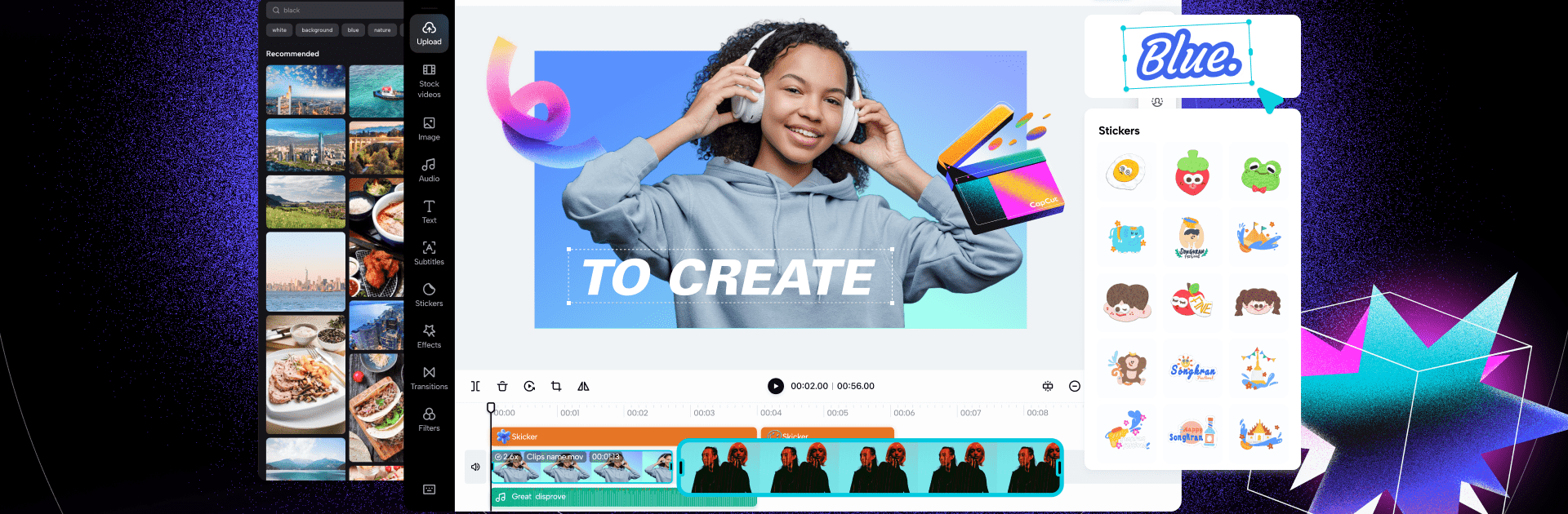
- Clean timeline editing: Trim, split, merge, and reorder clips on a multi-track timeline that keeps everything tidy and simple to navigate.
- Speed control & curves: Ramp speed from super slow to hyper fast, then shape smooth speed changes with flexible curve controls.
- Silky slow motion: Get buttery slow-mo powered by optical-flow processing for motion that looks natural, not choppy.
- Keyframes everywhere: Animate anything—position, scale, opacity, effects—and build precise motion with keyframes.
- Chroma key & cutouts: Knock out green screens or remove busy backgrounds automatically to place your subject anywhere.
- Stabilization that works: Tame shaky footage with built-in stabilization for a more professional, steady look.
- Transitions & stylish effects: Add trending looks, from glitch and blur to 3D vibes, plus seamless transitions between scenes.
- Cinematic color & filters: Drop in movie-style filters or fine-tune brightness, contrast, and more for the exact mood you want.
- Auto captions & subtitles: Generate captions in a tap, edit them on the timeline, and keep everything perfectly in sync.
- Text-to-speech in multiple voices: Turn on-screen text into spoken audio with natural-sounding voices in different languages.
- Fonts, templates & stickers: Customize titles with importable fonts, ready-made templates, and playful stickers that match your style.
- Motion tracking made simple: Pin text, stickers, or graphics to moving subjects so they follow along flawlessly.
- Zooms, freezes & highlights: Punch in with dynamic zooms or freeze a frame to spotlight the exact moment that matters.
- Music, SFX & audio tools: Add tracks and sound effects, or extract audio from any clip to remix your story your way.
- High-quality exports: Choose custom resolutions and formats, including crisp 4K at 60fps with smart HDR, then share wherever you post.
BlueStacks brings your apps to life on a bigger screen—seamless and straightforward.