
I Am Chaotic Eagle
I Am Chaotic Eagle

I Am Chaotic Eagle

Action

| Gigantic Games Studio

Play on PC with BlueStacks or from our cloud

  • Overview
  • Game Features
  • How to Play

Page Modified On: April 24, 2026

Play I Am Chaotic Eagle on PC or Mac

From the innovators and creators at Gigantic Games Studio, I Am Chaotic Eagle is another fun addition to the World of Action games. Go beyond your mobile screen and play it bigger and better on your PC or Mac. An immersive experience awaits you.

About the Game

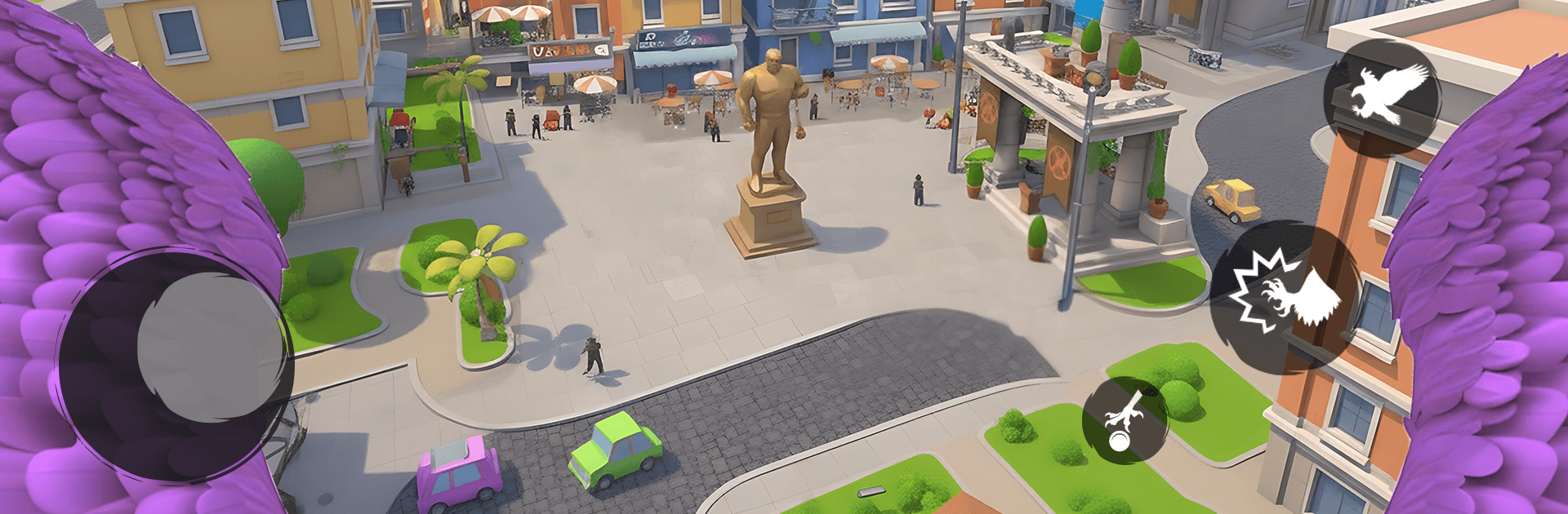
I Am Chaotic Eagle is an Action game that hands you the skies and says, “Handle it.” You’re a massive, no-nonsense raptor patrolling a bustling city that never sits still—fires flare up, people need help, and troublemakers test your reflexes. Built by Gigantic Games Studio, it’s all about fast decisions, clean flying, and pulling off clutch saves when things get messy. Prefer a bigger view? You can play it on PC using BlueStacks, too.

Game Features

  • Big-City Airspace: Roam a fully 3D urban playground—skirt past rooftops, thread tight alleyways, and bank around towers as traffic and chaos churn below.
  • High-Stakes Missions: Snatch civilians out of danger, contain spreading fires, and chase down threats before the timer runs dry. Every objective asks for sharp instincts.
  • Precision Flight Controls: Smooth, responsive handling keeps turns crisp and dives steady. When streets narrow or smoke rolls in, control is your safety net.
  • Smart Progression: Earn rewards from completed runs to tune your bird—boost speed and stamina, sharpen handling, and unlock abilities that make daring routes actually doable.
  • Reactive Challenges: Expect shifting hazards like crowded intersections, blazing hotspots, and moving obstacles that force you to rethink your line on the fly.
  • Cinematic 3D Moments: Crisp cityscapes, glowing embers, and sweeping aerial views sell the sense of speed and altitude without getting in the way of gameplay.
  • Learnable, Not Easy: The basics click fast, but mastering tight turns, clean rescues, and fire containment under pressure takes practice—and feels great when it clicks.

Slay your opponents with your epic moves. Play it your way on BlueStacks and dominate the battlefield.


Game Features

Enhancements

  • Macros
  • Multi Instance
  • Multi Instance Sync
  • Eco Mode
  • Enhancements
Macros

Macros

Skip the boring parts of a game. Play I Am Chaotic Eagle with Macros and get the edge. Simply record a sequence of commands and execute them at any moment.
Multi Instance

Multi Instance

Why limit to one game on your phone when you can play many on your PC? Open multiple instances of I Am Chaotic Eagle at once with Multi-Instance. Leverage the power of different accounts by doing more.
Multi Instance Sync

Multi Instance Sync

Get the best out of I Am Chaotic Eagle with Multi-Instance Sync. Play the game from different accounts and build your own empire. Use Multi-instance sync to repeat the action in the main BlueStacks instance on all other instances.
Eco Mode

Eco Mode

Find the rarest heroes by making multiple summons in I Am Chaotic Eagle. And while you are at it, reduce your PC’s resource consumption with the Eco Mode. Farm efficiently. Get the best results.
Read More

How to Download and Play I Am Chaotic Eagle on PC or Mac

  • Download and install BlueStacks on your PC or Mac

  • Complete Google sign-in to access the Play Store, or do it later

  • Look for I Am Chaotic Eagle in the search bar at the top right corner

  • Click to install I Am Chaotic Eagle from the search results

  • Complete Google sign-in (if you skipped step 2) to install I Am Chaotic Eagle

  • Click the I Am Chaotic Eagle icon on the home screen to start playing

video
Watch Video

Minimum System Requirements

With BlueStacks 5, you can get started on a PC that fulfills the following requirements.

  • Operating System

    Microsoft Windows 7 or above, macOS 11 (Big Sur) or above

  • Processor

    Intel, AMD or Apple Silicon Processor

  • RAM

    at least 4GB

  • HDD

    10GB Free Disk Space

Note:

* You must be an Administrator on your PC. Up to date graphics drivers from Microsoft or the chipset vendor.

I Am Chaotic Eagle - FAQs

  • How to play I Am Chaotic Eagle on Windows PC & Mac?

    Play I Am Chaotic Eagle on your PC or Mac by following these simple steps.

    • Click on 'Play I Am Chaotic Eagle on PC’ to download BlueStacks
    • Install it and log-in to Google Play Store
    • Launch and play the game.
  • Why is BlueStacks the fastest and safest platform to play games on PC?

    BlueStacks respects your privacy and is always safe and secure to use. It does not carry any malware, spyware, or any sort of additional software that could harm your PC.

    It is engineered to optimize speed and performance for a seamless gaming experience.

  • What are I Am Chaotic Eagle PC requirements?

    Minimum requirement to run I Am Chaotic Eagle on your PC

    • OS: Microsoft Windows 7 or above MacOS 11 (Big Sur) or above
    • Processor: Intel, AMD or Apple Silicon Processor
    • RAM: Your PC must have at least 4GB of RAM. (Note that having 4GB or more disk space is not a substitute for RAM)
    • HDD: 10GB Free Disk Space.
    • You must be an Administrator on your PC.







