Ninjas - STOLEN SCROLLS

Ninjas - STOLEN SCROLLS

Action

| Falsehood Mask

Play on PC with BlueStacks or from our cloud

  • Overview
  • Game Features
  • How to Play

Page Modified On: September 12, 2025

Play Ninjas - STOLEN SCROLLS on PC or Mac

Ninjas – STOLEN SCROLLS brings the Action genre to life, and throws up exciting challenges for gamers. Developed by Falsehood Mask, this Android game is best experienced on BlueStacks, the World’s #1 app player for PC and Mac users.

About the Game

Someone’s swiped the village’s sacred scroll, and it’s on you to slash a path through traps, dungeons, and every sneaky assassin standing in the way. Ninjas – STOLEN SCROLLS is an Action sidescroller from Falsehood Mask that blends quick, satisfying combat with light RPG growth and a wide map stuffed with secrets. Prefer a bigger screen and crisp controls? It runs smoothly on BlueStacks, too.

Game Features

  • Four elemental ninjas: Pick a hero of fire, water, thunder, or wind, each with a distinct feel and combat style right from the first swing.
  • Hidden recruits: Meet certain milestones and you’ll unlock secret characters. Some are a challenge to find—worth it when you do.
  • Scroll-powered ninjutsu: Gather scrolls to learn new techniques, from flashy evasions to devastating finishers. Chase the ultimate, legendary art if you dare.
  • Legendary blades: It’s not just about jutsu. Track down powerful swords that change your reach, speed, and damage in meaningful ways.
  • Flexible growth: Level up and spend points across Power, Strength, and Ninriki to shape how you fight—harder hits, sturdier stance, or sharper ninja arts.
  • Skill loadouts and combos: Equip up to three skills and weave them into attack strings for stylish, practical combos that feel great to pull off.
  • Pick your challenge: Tackle Easy, Normal, or Hard. Clear tougher modes for bigger scores and bragging rights.
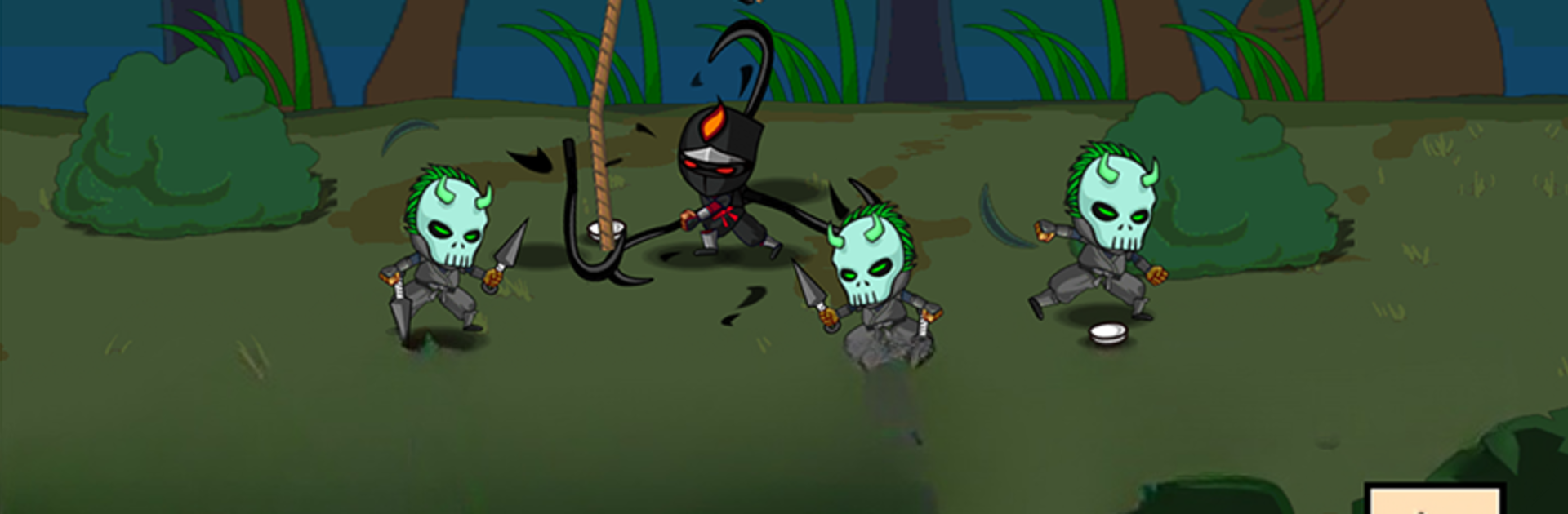
  • Big map, nasty foes: Cross a sprawling overworld into castles and tight dungeons filled with evil ninjas, ninja dogs, monsters, demi-humans, zombies, and plenty of nasty traps.
  • Smooth 2D with flair: Clean 2D presentation enhanced by slick effects and modern animation tricks, so jutsu, blades, and enemies all pop on screen.

Ready to top the leaderboard? We bet you do. Let precise controls and sharp visuals optimized on BlueStacks lead you to victory.


Game Features

Enhancements

  • Macros
  • Multi Instance
  • Multi Instance Sync
  • Eco Mode
  • Enhancements
Macros

Macros

Skip the boring parts of a game. Play Ninjas - STOLEN SCROLLS with Macros and get the edge. Simply record a sequence of commands and execute them at any moment.
Multi Instance

Multi Instance

Why limit to one game on your phone when you can play many on your PC? Open multiple instances of Ninjas - STOLEN SCROLLS at once with Multi-Instance. Leverage the power of different accounts by doing more.
Multi Instance Sync

Multi Instance Sync

Get the best out of Ninjas - STOLEN SCROLLS with Multi-Instance Sync. Play the game from different accounts and build your own empire. Use Multi-instance sync to repeat the action in the main BlueStacks instance on all other instances.
Eco Mode

Eco Mode

Find the rarest heroes by making multiple summons in Ninjas - STOLEN SCROLLS. And while you are at it, reduce your PC’s resource consumption with the Eco Mode. Farm efficiently. Get the best results.
Read More

How to Download and Play Ninjas - STOLEN SCROLLS on PC or Mac

  • Download and install BlueStacks on your PC or Mac

  • Complete Google sign-in to access the Play Store, or do it later

  • Look for Ninjas - STOLEN SCROLLS in the search bar at the top right corner

  • Click to install Ninjas - STOLEN SCROLLS from the search results

  • Complete Google sign-in (if you skipped step 2) to install Ninjas - STOLEN SCROLLS

  • Click the Ninjas - STOLEN SCROLLS icon on the home screen to start playing

video
Watch Video

Minimum System Requirements

With BlueStacks 5, you can get started on a PC that fulfills the following requirements.

  • Operating System

    Microsoft Windows 7 or above, macOS 11 (Big Sur) or above

  • Processor

    Intel, AMD or Apple Silicon Processor

  • RAM

    at least 4GB

  • HDD

    10GB Free Disk Space

Note:

* You must be an Administrator on your PC. Up to date graphics drivers from Microsoft or the chipset vendor.

Ninjas - STOLEN SCROLLS - FAQs

  • How to play Ninjas - STOLEN SCROLLS on Windows PC & Mac?

    Play Ninjas - STOLEN SCROLLS on your PC or Mac by following these simple steps.

    • Click on 'Play Ninjas - STOLEN SCROLLS on PC’ to download BlueStacks
    • Install it and log-in to Google Play Store
    • Launch and play the game.
  • Why is BlueStacks the fastest and safest platform to play games on PC?

    BlueStacks respects your privacy and is always safe and secure to use. It does not carry any malware, spyware, or any sort of additional software that could harm your PC.

    It is engineered to optimize speed and performance for a seamless gaming experience.

  • What are Ninjas - STOLEN SCROLLS PC requirements?

    Minimum requirement to run Ninjas - STOLEN SCROLLS on your PC

    • OS: Microsoft Windows 7 or above MacOS 11 (Big Sur) or above
    • Processor: Intel, AMD or Apple Silicon Processor
    • RAM: Your PC must have at least 4GB of RAM. (Note that having 4GB or more disk space is not a substitute for RAM)
    • HDD: 10GB Free Disk Space.
    • You must be an Administrator on your PC.