Payback 2 - The Battle Sandbox

Payback 2 - The Battle Sandbox

Action

| Apex Designs Games LLP

Play on PC with BlueStacks or from our cloud

  • Overview
  • Game Features
  • How to Play

Page Modified On: April 07, 2026

Play Payback 2 - The Battle Sandbox on PC or Mac

Join millions to experience Payback 2 – The Battle Sandbox, an exciting Arcade game from Apex Designs Games LLP. With BlueStacks App Player, you are always a step ahead of your opponent, ready to outplay them with faster gameplay and better control with the mouse and keyboard on your PC or Mac.

About the Game

Payback 2 – The Battle Sandbox is all about over-the-top chaos, quick thrills, and “did that just happen?” moments. One match might have you tearing through traffic in a rocket-powered ride; the next, you’re piloting a chopper or rolling out in heavy armor for a street-sized showdown. It’s an Arcade playground that’s easy to jump into and hard to put down. Prefer a bigger screen? It also plays nicely on BlueStacks.

Game Features

  • Big Mix of Mayhem: From armored showdowns and chopper sprints to all-out street rumbles, every match throws a new kind of madness your way.
  • Packed Campaign: Tackle fifty hand-built scenarios that swing from scrappy brawls to ridiculous, high-speed races and explosive set pieces.
  • Online Throwdowns: Squad up with friends or jump into global matchups, then climb leaderboards and see how your best runs stack up.
  • Fresh Events All the Time: Time-based challenges rotate every hour, day, and week, so there’s always something new to chase.
  • Build Your Own Chaos: Custom mode lets you craft matches your way—pick from seven cities, nine rule sets, tons of gear, and a garage full of vehicles.
  • Fast, Punchy Arcade Feel: Short bursts of action, snappy controls, and plenty of ways to cause trouble—perfect for a quick session or an all-night binge.
  • Developer Cred: Made by Apex Designs Games LLP, this Arcade romp packs a surprising amount of variety without taking itself too seriously.

Slay your opponents with your epic moves. Play it your way on BlueStacks and dominate the battlefield.

Game Features

Enhancements

  • Macros
  • MOBA Mode
  • Multi Instance Sync
  • Script
  • Enhancements
Macros

Macros

More Gaming, less effort Level up faster in Payback 2 - The Battle Sandbox with BlueStacks Macros. Bind a sequence of recorded actions with one button and skip the predictable.
MOBA Mode

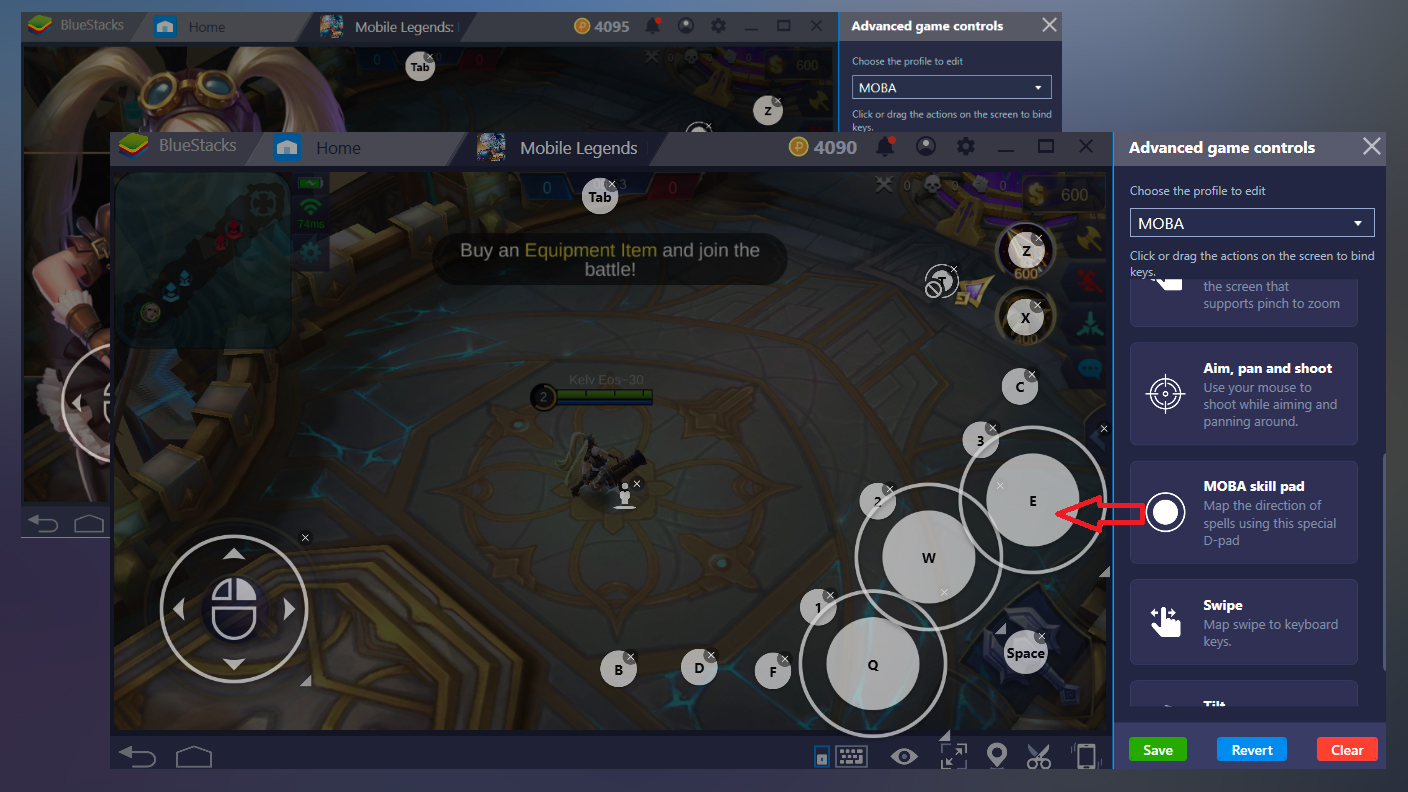
MOBA Mode

Play Payback 2 - The Battle Sandbox like any PC MOBA, with your keyboard and mouse and get the desired and precise controls. Crush your opponents with superior hand-eye coordination and faster response time with MOBA movements and skill cast modes.
Multi Instance Sync

Multi Instance Sync

Your strategy. Our tools. Play Payback 2 - The Battle Sandbox from multiple accounts. Sync the main instance to replicate an action on all other instances.
Script

Script

Play Payback 2 - The Battle Sandbox with the cutting-edge Script feature. Automate moves that require repetition. To create and run a Script, click on 'Script' in ‘Advance Game Controls’.
Read More

How to Download and Play Payback 2 - The Battle Sandbox on PC or Mac

  • Download and install BlueStacks on your PC or Mac

  • Complete Google sign-in to access the Play Store, or do it later

  • Look for Payback 2 - The Battle Sandbox in the search bar at the top right corner

  • Click to install Payback 2 - The Battle Sandbox from the search results

  • Complete Google sign-in (if you skipped step 2) to install Payback 2 - The Battle Sandbox

  • Click the Payback 2 - The Battle Sandbox icon on the home screen to start playing

video
Watch Video

Minimum System Requirements

With BlueStacks 5, you can get started on a PC that fulfills the following requirements.

  • Operating System

    Microsoft Windows 7 or above, macOS 11 (Big Sur) or above

  • Processor

    Intel, AMD or Apple Silicon Processor

  • RAM

    at least 4GB

  • HDD

    10GB Free Disk Space

Note:

* You must be an Administrator on your PC. Up to date graphics drivers from Microsoft or the chipset vendor.

Payback 2 - The Battle Sandbox - FAQs

  • How to play Payback 2 - The Battle Sandbox on Windows PC & Mac?

    Play Payback 2 - The Battle Sandbox on your PC or Mac by following these simple steps.

    • Click on 'Play Payback 2 - The Battle Sandbox on PC’ to download BlueStacks
    • Install it and log-in to Google Play Store
    • Launch and play the game.
  • Why is BlueStacks the fastest and safest platform to play games on PC?

    BlueStacks respects your privacy and is always safe and secure to use. It does not carry any malware, spyware, or any sort of additional software that could harm your PC.

    It is engineered to optimize speed and performance for a seamless gaming experience.

  • What are Payback 2 - The Battle Sandbox PC requirements?

    Minimum requirement to run Payback 2 - The Battle Sandbox on your PC

    • OS: Microsoft Windows 7 or above MacOS 11 (Big Sur) or above
    • Processor: Intel, AMD or Apple Silicon Processor
    • RAM: Your PC must have at least 4GB of RAM. (Note that having 4GB or more disk space is not a substitute for RAM)
    • HDD: 10GB Free Disk Space.
    • You must be an Administrator on your PC.