Red Dead Redemption
Red Dead Redemption

Red Dead Redemption

Action

| Rockstar Games

Play on PC with BlueStacks or from our cloud

  • Overview
  • Game Features
  • How to Play

Page Modified On: September 10, 2026

Play Red Dead Redemption on PC or Mac

Red Dead Redemption by Rockstar Games has plenty to keep you busy. BlueStacks lets you play it on PC or Mac with more screen space, better control, and fewer mobile limits.

About the Game

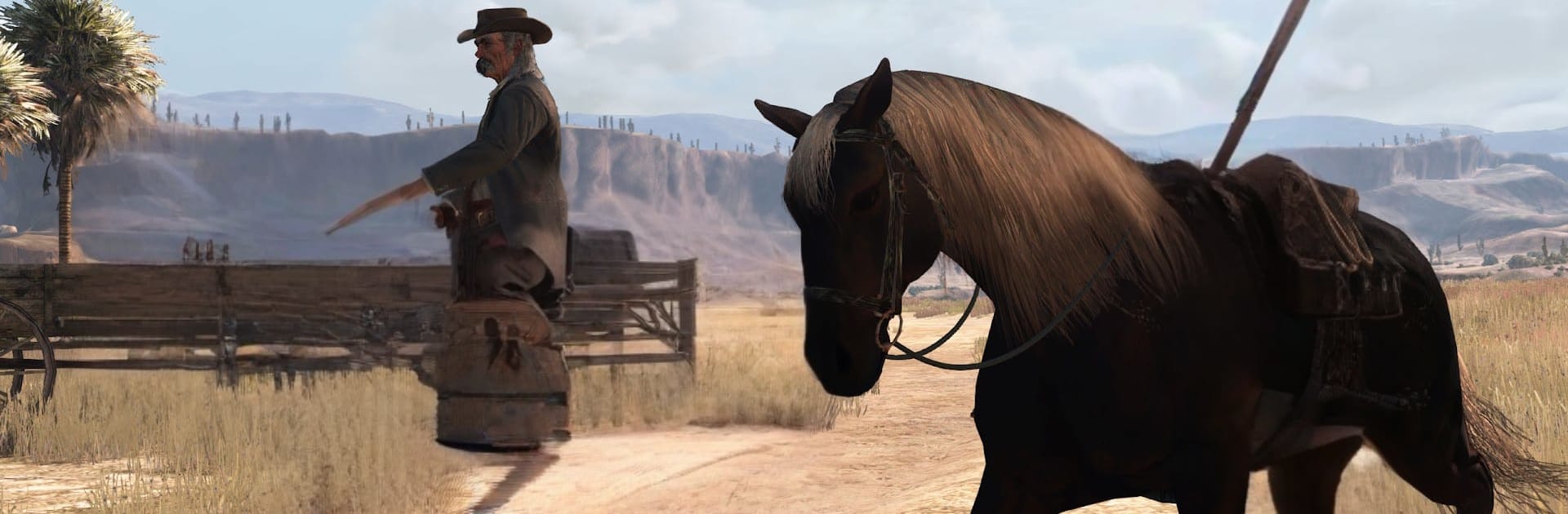
Red Dead Redemption is an Action epic about hard choices at the edge of a changing frontier. As former outlaw John Marston, you’re pushed by federal agents to track down the gang you once called family, riding across harsh deserts, sleepy border towns, and the stark beauty of Mexico. It’s the landmark predecessor to Red Dead Redemption 2, bundled with the complete single‑player story and the cult‑favorite Undead Nightmare. Prefer a bigger screen? It also plays nicely on BlueStacks.

Game Features

  • Gripping Story of Redemption: Federal pressure forces John Marston to hunt his former partners, pulling you into a grounded tale about loyalty, consequences, and the cost of a second chance.
  • A Living Frontier: Roam sweeping plains, rocky canyons, and dusty towns across the American West and northern Mexico, filled with dynamic weather, wildlife, and characters with something to say.
  • Signature Gunplay: Use cover smartly, slow time with Dead Eye for pinpoint shots, and stare down tense duels that reward patience and steady hands.
  • Undead Nightmare Included: Jump into a full horror spin where the frontier is overrun by zombies, bringing new weapons, eerie encounters, and desperate, night‑by‑night survival.
  • Complete Single‑Player Package: Play the full campaign plus extra content from the Game of the Year Edition—focused entirely on solo adventures, with no multiplayer.
  • Frontier Pastimes: Hunt big game, tame wild horses, collect bounties, play cards in smoky saloons, and take odd jobs that make the world feel lived‑in.
  • Memorable Characters and Atmosphere: Sharp writing, standout voice work, and a haunting score capture a frontier on the brink of modernity.
  • Play on PC with BlueStacks: Want the frontier on a larger display with keyboard and mouse? Run it through BlueStacks and settle in.
  • Built for Play Anywhere: This version brings the full journey with responsive controls and smooth performance that feels great on the go.

BlueStacks gives you more room to focus on the game and less time adjusting around mobile limitations.


Game Features

Enhancements

  • Macros
  • Multi Instance
  • Multi Instance Sync
  • Eco Mode
  • Enhancements
Macros

Macros

Skip the boring parts of a game. Play Red Dead Redemption with Macros and get the edge. Simply record a sequence of commands and execute them at any moment.
Multi Instance

Multi Instance

Why limit to one game on your phone when you can play many on your PC? Open multiple instances of Red Dead Redemption at once with Multi-Instance. Leverage the power of different accounts by doing more.
Multi Instance Sync

Multi Instance Sync

Get the best out of Red Dead Redemption with Multi-Instance Sync. Play the game from different accounts and build your own empire. Use Multi-instance sync to repeat the action in the main BlueStacks instance on all other instances.
Eco Mode

Eco Mode

Find the rarest heroes by making multiple summons in Red Dead Redemption. And while you are at it, reduce your PC’s resource consumption with the Eco Mode. Farm efficiently. Get the best results.
Read More

How to Download and Play Red Dead Redemption on PC or Mac

  • Download and install BlueStacks on your PC or Mac

  • Complete Google sign-in to access the Play Store, or do it later

  • Look for Red Dead Redemption in the search bar at the top right corner

  • Click to install Red Dead Redemption from the search results

  • Complete Google sign-in (if you skipped step 2) to install Red Dead Redemption

  • Click the Red Dead Redemption icon on the home screen to start playing

video
Watch Video

Minimum System Requirements

With BlueStacks 5, you can get started on a PC that fulfills the following requirements.

  • Operating System

    Microsoft Windows 7 or above, macOS 11 (Big Sur) or above

  • Processor

    Intel, AMD or Apple Silicon Processor

  • RAM

    at least 4GB

  • HDD

    10GB Free Disk Space

Note:

* You must be an Administrator on your PC. Up to date graphics drivers from Microsoft or the chipset vendor.

Red Dead Redemption - FAQs

  • How to play Red Dead Redemption on Windows PC & Mac?

    Play Red Dead Redemption on your PC or Mac by following these simple steps.

    • Click on 'Play Red Dead Redemption on PC’ to download BlueStacks
    • Install it and log-in to Google Play Store
    • Launch and play the game.
  • Why is BlueStacks the fastest and safest platform to play games on PC?

    BlueStacks respects your privacy and is always safe and secure to use. It does not carry any malware, spyware, or any sort of additional software that could harm your PC.

    It is engineered to optimize speed and performance for a seamless gaming experience.

  • What are Red Dead Redemption PC requirements?

    Minimum requirement to run Red Dead Redemption on your PC

    • OS: Microsoft Windows 7 or above MacOS 11 (Big Sur) or above
    • Processor: Intel, AMD or Apple Silicon Processor
    • RAM: Your PC must have at least 4GB of RAM. (Note that having 4GB or more disk space is not a substitute for RAM)
    • HDD: 10GB Free Disk Space.
    • You must be an Administrator on your PC.