ReDrawn: The Tower
ReDrawn: The Tower

ReDrawn: The Tower

Adventure

| Friendly Fox Games

Play on PC with BlueStacks or from our cloud

  • Overview
  • Game Features
  • How to Play

Page Modified On: July 14, 2026

Play ReDrawn: The Tower on PC or Mac

Step into the World of ReDrawn: The Tower, a thrilling Adventure game from the house of Friendly Fox Games. Play this Android game on BlueStacks App Player and experience immersive gaming on PC or Mac.

About the Game

ReDrawn: The Tower is an Adventure hidden-object mystery where paintings aren’t just pretty—they’re portals. A young artist named Iris can bring her art to life, but a looming force locks her away in a strange tower. Your job? Step through her canvases, piece together clues, and outsmart whatever’s pulling the strings before time runs out. It’s story-first, puzzle-heavy, and surprisingly cozy for a game about dark magic and a kidnapped prodigy. Prefer a bigger screen and mouse precision? It plays smoothly on BlueStacks, too.

Game Features

  • Living paintings: Enter Iris’s artwork and explore distinct worlds, each with its own rules, tone, and challenges.
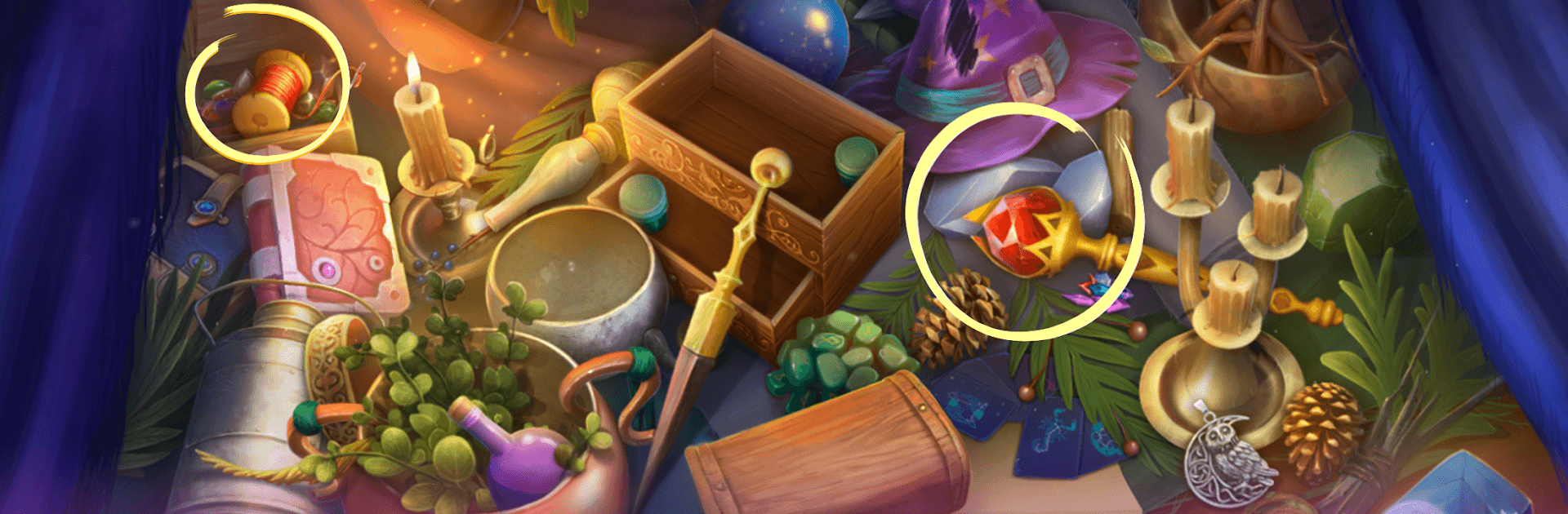
  • Hidden-object hunts: Search layered, hand-crafted scenes for cleverly tucked-away items that push the story forward.
  • Clever puzzles & mini-games: Tackle logic locks, pattern problems, and mechanical contraptions that feel fair and satisfying.
  • Big, story-rich journey: Travel across 40+ locations—from eerie studios to clockwork halls—as you track the source of the tower’s power.
  • Bonus chapter: Finish the main case, then dig into an extra chapter that adds fresh areas, puzzles, and answers.
  • Collectibles and morphing objects: Keep your eyes peeled for shifting items and sets to complete—great for completionists.
  • Built-in strategy guide: Stuck on a riddle or can’t spot that last trinket? Use the in-game guidance to nudge you in the right direction.
  • Striking presentation: Moody music, hand-drawn art, and atmospheric effects make every scene feel alive and a little magical.

Start your journey now. Download the game on BlueStacks, invite your friends, and march on a new adventure.


Game Features

Enhancements

  • Macros
  • Multi Instance
  • Multi Instance Sync
  • Script
  • Enhancements
Macros

Macros

Automate the predictable in ReDrawn: The Tower and transform your gameplay with Macros. Get access to inventive Macros in the BlueStacks Macro Community
Multi Instance

Multi Instance

Play ReDrawn: The Tower on one window. And chat with your friend on the other. Press CTRL + Shift + 8 to open the Multi-Instance Manager. And start creating fresh instances or clone an existing one.
Multi Instance Sync

Multi Instance Sync

Play ReDrawn: The Tower with the power of Multi-Instance Sync. Replicate what you are doing on the main instance on all other instances. Level up faster, play more.
Script

Script

Script your way to gaming glory in ReDrawn: The Tower with BlueStacks Script. Write and run a set of commands to automate repeated tasks. Trigger the command by assigning it to any key.
Read More

How to Download and Play ReDrawn: The Tower on PC or Mac

  • Download and install BlueStacks on your PC or Mac

  • Complete Google sign-in to access the Play Store, or do it later

  • Look for ReDrawn: The Tower in the search bar at the top right corner

  • Click to install ReDrawn: The Tower from the search results

  • Complete Google sign-in (if you skipped step 2) to install ReDrawn: The Tower

  • Click the ReDrawn: The Tower icon on the home screen to start playing

video
Watch Video

Minimum System Requirements

With BlueStacks 5, you can get started on a PC that fulfills the following requirements.

  • Operating System

    Microsoft Windows 7 or above, macOS 11 (Big Sur) or above

  • Processor

    Intel, AMD or Apple Silicon Processor

  • RAM

    at least 4GB

  • HDD

    10GB Free Disk Space

Note:

* You must be an Administrator on your PC. Up to date graphics drivers from Microsoft or the chipset vendor.

ReDrawn: The Tower - FAQs

  • How to play ReDrawn: The Tower on Windows PC & Mac?

    Play ReDrawn: The Tower on your PC or Mac by following these simple steps.

    • Click on 'Play ReDrawn: The Tower on PC’ to download BlueStacks
    • Install it and log-in to Google Play Store
    • Launch and play the game.
  • Why is BlueStacks the fastest and safest platform to play games on PC?

    BlueStacks respects your privacy and is always safe and secure to use. It does not carry any malware, spyware, or any sort of additional software that could harm your PC.

    It is engineered to optimize speed and performance for a seamless gaming experience.

  • What are ReDrawn: The Tower PC requirements?

    Minimum requirement to run ReDrawn: The Tower on your PC

    • OS: Microsoft Windows 7 or above MacOS 11 (Big Sur) or above
    • Processor: Intel, AMD or Apple Silicon Processor
    • RAM: Your PC must have at least 4GB of RAM. (Note that having 4GB or more disk space is not a substitute for RAM)
    • HDD: 10GB Free Disk Space.
    • You must be an Administrator on your PC.