Granny: Chapter Two
Granny: Chapter Two

Granny: Chapter Two

Arcade

| DVloper

Play on PC with BlueStacks or from our cloud

  • Overview
  • Game Features
  • How to Play

Page Modified On: June 10, 2026

Play Granny: Chapter Two on PC or Mac

Granny: Chapter Two by DVloper has plenty to keep you busy. BlueStacks lets you play it on PC or Mac with more screen space, better control, and fewer mobile limits.

About the Game

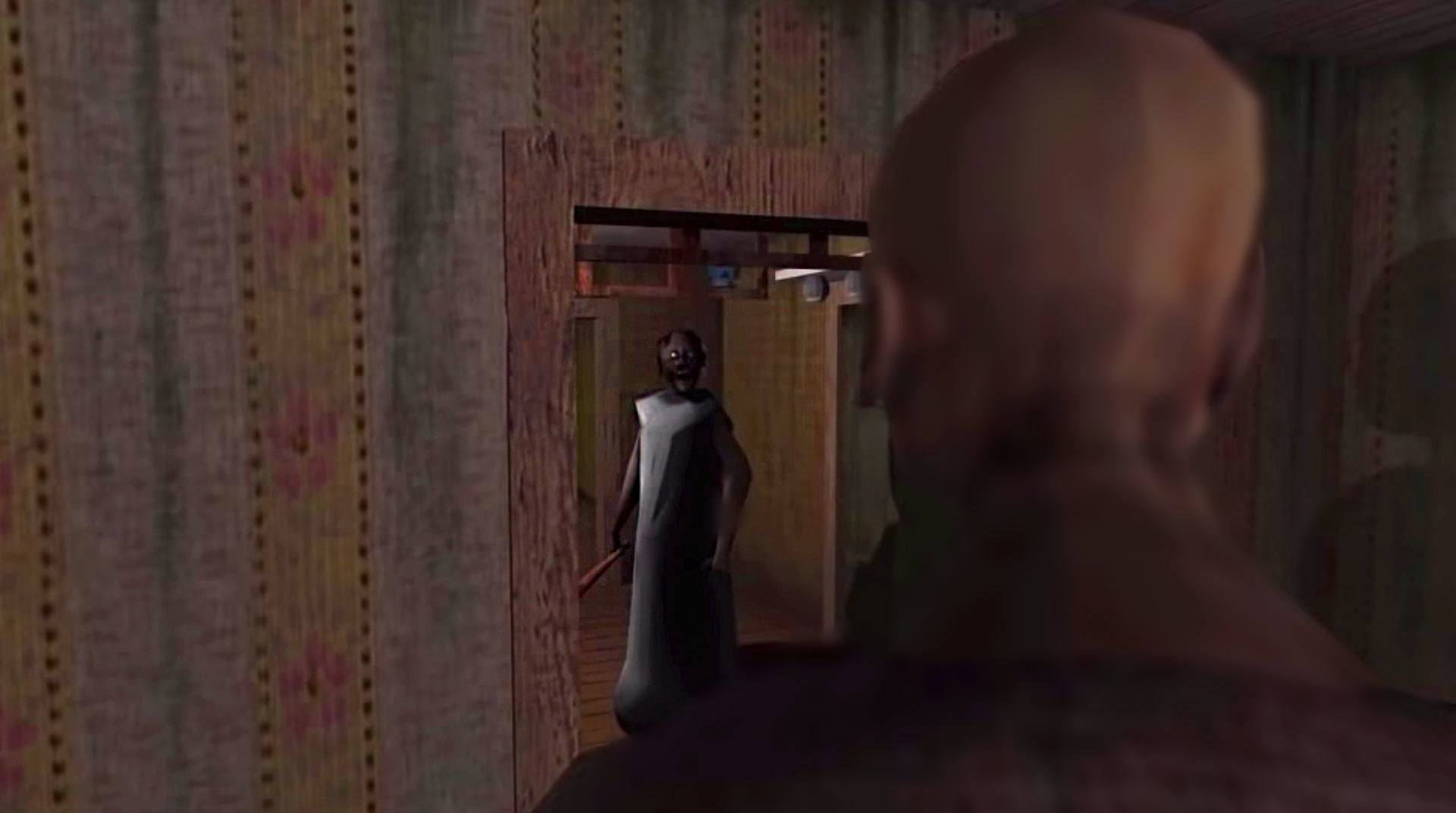
Granny: Chapter Two drops you into a creepy house where you’re not just hiding from one threat, but two. You’ve got five in-game days to figure out a way out, keep quiet, and not get whacked. It’s a tense, sneaky Arcade escape where every noise you make could be the one that gives you away.

Game Features

  • Two terrifying caretakers: Granny hears almost everything. Grandpa doesn’t catch every sound, but when he finds you, he hits hard. Both will patrol, investigate noises, and keep you on edge.
  • Sound is the enemy: Drop an item or step on a squeaky board and Granny will come running. Plan your moves, set distractions, and keep your footsteps light.
  • Hide to survive: Duck into wardrobes or slide under beds to break line of sight. Wait for the right moment, then slip out before they double back.
  • Five-day countdown: You only get a handful of chances. Each capture burns a day, so every mistake raises the pressure.
  • Explore and escape: Search rooms for tools and clues, figure out how pieces fit together, and work your way toward an exit without being heard.
  • Tight, bite-sized tension: Short runs make it easy to jump in, learn the layout, and try new routes without losing the suspense.
  • Subtle PC edge with BlueStacks: Prefer playing on a bigger screen with steady performance and crisp controls? BlueStacks handles that smoothly without getting in the way.
  • Pure Arcade thrills: Quick decisions, fast retries, and skill-based stealth keep the adrenaline high from start to finish.

Start playing Granny: Chapter Two on BlueStacks and get a smoother, more comfortable PC or Mac setup.


Game Features

Enhancements

  • Macros
  • Multi Instance
  • Multi Instance Sync
  • Script
  • Enhancements
Macros

Macros

Automate the predictable in Granny: Chapter Two and transform your gameplay with Macros. Get access to inventive Macros in the BlueStacks Macro Community
Multi Instance

Multi Instance

Play Granny: Chapter Two on one window. And chat with your friend on the other. Press CTRL + Shift + 8 to open the Multi-Instance Manager. And start creating fresh instances or clone an existing one.
Multi Instance Sync

Multi Instance Sync

Play Granny: Chapter Two with the power of Multi-Instance Sync. Replicate what you are doing on the main instance on all other instances. Level up faster, play more.
Script

Script

Script your way to gaming glory in Granny: Chapter Two with BlueStacks Script. Write and run a set of commands to automate repeated tasks. Trigger the command by assigning it to any key.
Read More

How to Download and Play Granny: Chapter Two on PC or Mac

  • Download and install BlueStacks on your PC or Mac

  • Complete Google sign-in to access the Play Store, or do it later

  • Look for Granny: Chapter Two in the search bar at the top right corner

  • Click to install Granny: Chapter Two from the search results

  • Complete Google sign-in (if you skipped step 2) to install Granny: Chapter Two

  • Click the Granny: Chapter Two icon on the home screen to start playing

video
Watch Video

Minimum System Requirements

With BlueStacks 5, you can get started on a PC that fulfills the following requirements.

  • Operating System

    Microsoft Windows 7 or above, macOS 11 (Big Sur) or above

  • Processor

    Intel, AMD or Apple Silicon Processor

  • RAM

    at least 4GB

  • HDD

    10GB Free Disk Space

Note:

* You must be an Administrator on your PC. Up to date graphics drivers from Microsoft or the chipset vendor.

Granny: Chapter Two - FAQs

  • How to play Granny: Chapter Two on Windows PC & Mac?

    Play Granny: Chapter Two on your PC or Mac by following these simple steps.

    • Click on 'Play Granny: Chapter Two on PC’ to download BlueStacks
    • Install it and log-in to Google Play Store
    • Launch and play the game.
  • Why is BlueStacks the fastest and safest platform to play games on PC?

    BlueStacks respects your privacy and is always safe and secure to use. It does not carry any malware, spyware, or any sort of additional software that could harm your PC.

    It is engineered to optimize speed and performance for a seamless gaming experience.

  • What are Granny: Chapter Two PC requirements?

    Minimum requirement to run Granny: Chapter Two on your PC

    • OS: Microsoft Windows 7 or above MacOS 11 (Big Sur) or above
    • Processor: Intel, AMD or Apple Silicon Processor
    • RAM: Your PC must have at least 4GB of RAM. (Note that having 4GB or more disk space is not a substitute for RAM)
    • HDD: 10GB Free Disk Space.
    • You must be an Administrator on your PC.