Pixel Gun 3D - FPS Shooter

Pixel Gun 3D - FPS Shooter

Casual

| Pixel Gun 3D

BlueStacks Verified

Play on PC with BlueStacks or from our cloud

  • Overview
  • Tips & Tricks
  • Game Features
  • How to Play

Page Modified On: April 08, 2026

Play Pixel Gun 3D - FPS Shooter on PC or Mac

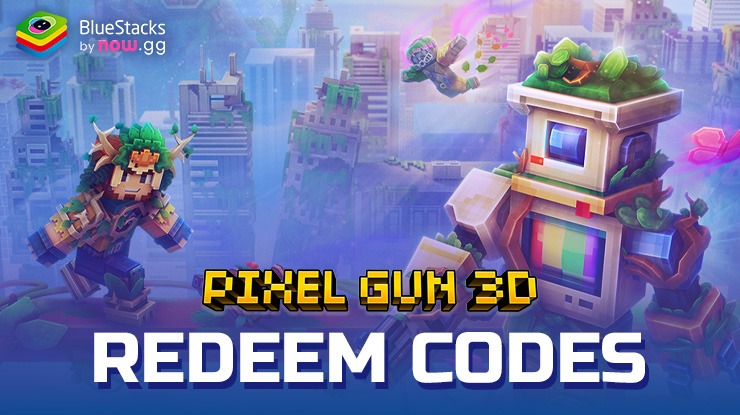
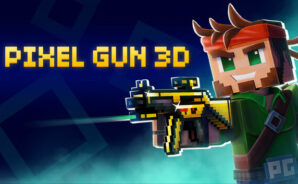
Step into the World of Pixel Gun 3D – FPS Shooter, a thrilling Action game from the house of Pixel Gun 3D. Play this Android game on BlueStacks App Player and experience immersive gaming on PC or Mac.

About the Game

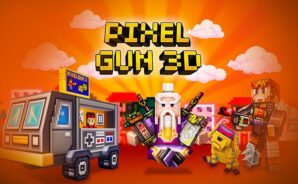
Pixel Gun 3D – FPS Shooter throws you into fast, bouncy firefights where quick reflexes and wild loadouts rule. It’s a first-person multiplayer blast from Pixel Gun 3D that mixes blocky style with surprisingly deep systems, whether you’re squadding up, chasing ranked wins, or poking around solo modes. Expect a steady stream of modes, maps, and gear to tinker with—perfect for a few quick rounds or an all-night climb. Prefer playing on a bigger screen? It runs smoothly on your PC with BlueStacks, too.

Game Features

  • Huge arsenal
    Go nuts with 1000+ weapons—from sci‑fi blasters and medieval gear to oddities like a Dark Matter gizmo. Yes, grenades and gadgets are in the mix.

  • Handy gadgets and tools
    Over 40 utilities to support your playstyle: boost mobility, control space, or outsmart corners with clever tech.

  • Modes for every mood
    Battle Royale, Raids, Deathmatch, Duels, a zombie-survival campaign, and more. Jump into what you’re feeling without getting stuck in one loop.

  • Sneaky spaceship chaos
    A social deduction mode sets you on a ship with tasks to complete… while an impostor quietly ruins everything. Trust carefully.

  • Clans and teamwork
    Team up with friends, push your clan into higher divisions, and earn steady rewards as you grow stronger together.

  • Fort building and sieges
    Upgrade your Fort to withstand PvE assaults, and craft a powerful tank to raid other clans’ strongholds.

  • Clan Wars on a global map
    Capture territories, stack valor points, and manage income from your lands to dominate long-term.

  • Rotating maps, fresh vibes
    100+ themed arenas circulate through the year, keeping firefights feeling new and pushing you to adapt.

  • Style that’s all you
    Rock detailed skins or design your own in the Skin Editor—Orc, Skeleton, Amazon, or anything you dream up.

  • Mini-games that test skills
    Sharpen aim and movement in rotating side events like Sniper Tournament, Parkour Challenge, and Glider Rush.

  • Smooth on-the-go or at home
    Play anywhere on mobile, or switch to your computer with BlueStacks for comfy controls and crisp action.

Get ready for a buttery smooth, high-performance gaming action only on BlueStacks.
Game Features

Enhancements

  • Macros
  • Multi Instance
  • Script
  • Repeated Tap
  • Enhancements
Macros

Macros

Automate the predictable in Pixel Gun 3D - FPS Shooter and transform your gameplay with Macros. Get access to inventive Macros in the BlueStacks Macro Community
Multi Instance

Multi Instance

Play Pixel Gun 3D - FPS Shooter on one window. And chat with your friend on the other. Press CTRL + Shift + 8 to open the Multi-Instance Manager. And start creating fresh instances or clone an existing one.
Script

Script

Script your way to gaming glory in Pixel Gun 3D - FPS Shooter with BlueStacks Script. Write and run a set of commands to automate repeated tasks. Trigger the command by assigning it to any key.
Repeated Tap

Repeated Tap

BlueStacks lets you master Pixel Gun 3D - FPS Shooter with useful features like the Repeated Tap. Now you do not have to press the same key repeatedly to initiate an action. Just assign it to one key and you are good to go.
Read More

How to Download and Play Pixel Gun 3D - FPS Shooter on PC or Mac

  • Download and install BlueStacks on your PC or Mac

  • Complete Google sign-in to access the Play Store, or do it later

  • Look for Pixel Gun 3D - FPS Shooter in the search bar at the top right corner

  • Click to install Pixel Gun 3D - FPS Shooter from the search results

  • Complete Google sign-in (if you skipped step 2) to install Pixel Gun 3D - FPS Shooter

  • Click the Pixel Gun 3D - FPS Shooter icon on the home screen to start playing

video
Watch Video

Minimum System Requirements

With BlueStacks 5, you can get started on a PC that fulfills the following requirements.

  • Operating System

    Microsoft Windows 7 or above, macOS 11 (Big Sur) or above

  • Processor

    Intel, AMD or Apple Silicon Processor

  • RAM

    at least 4GB

  • HDD

    10GB Free Disk Space

Note:

* You must be an Administrator on your PC. Up to date graphics drivers from Microsoft or the chipset vendor.

Pixel Gun 3D - FPS Shooter - FAQs

  • How to play Pixel Gun 3D - FPS Shooter on Windows PC & Mac?

    Play Pixel Gun 3D - FPS Shooter on your PC or Mac by following these simple steps.

    • Click on 'Play Pixel Gun 3D - FPS Shooter on PC’ to download BlueStacks
    • Install it and log-in to Google Play Store
    • Launch and play the game.
  • Why is BlueStacks the fastest and safest platform to play games on PC?

    BlueStacks respects your privacy and is always safe and secure to use. It does not carry any malware, spyware, or any sort of additional software that could harm your PC.

    It is engineered to optimize speed and performance for a seamless gaming experience.

  • What are Pixel Gun 3D - FPS Shooter PC requirements?

    Minimum requirement to run Pixel Gun 3D - FPS Shooter on your PC

    • OS: Microsoft Windows 7 or above MacOS 11 (Big Sur) or above
    • Processor: Intel, AMD or Apple Silicon Processor
    • RAM: Your PC must have at least 4GB of RAM. (Note that having 4GB or more disk space is not a substitute for RAM)
    • HDD: 10GB Free Disk Space.
    • You must be an Administrator on your PC.