Exclusive Gaming Content. And More.
Get the latest updates on the BlueStacks Blog.
See MorePlay on PC with BlueStacks or from our cloud
Page Modified On: July 02, 2026
Explore a whole new adventure with Golden Lap, a Racing game created by Noodlecake. Experience great gameplay with BlueStacks, the most popular gaming platform to play Android games on your PC or Mac.
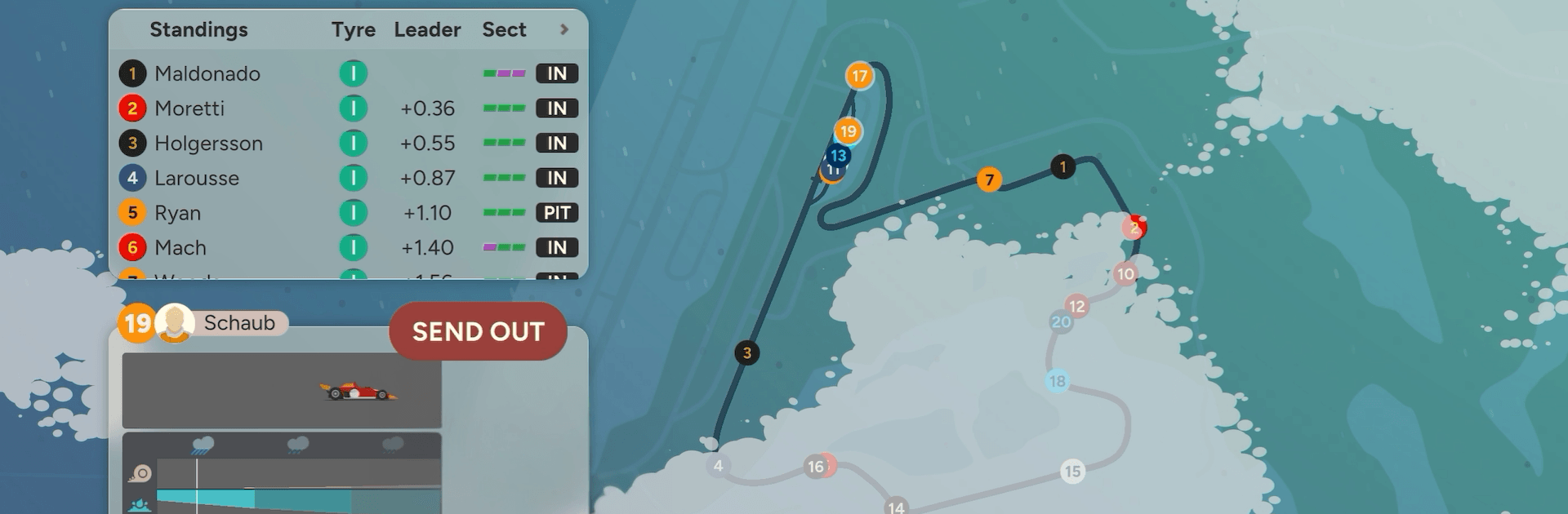
Golden Lap is a strategy-first take on the Racing genre where you run the pit wall, not the pedals. It strips away clutter so you can focus on the calls that actually win championships—who to hire, where the money goes, and how hard to push when the track heats up. Prefer planning on a bigger screen? It plays nicely on BlueStacks.
Minimalist, not basic: A clean interface highlights only what matters, helping you read the race at a glance while still leaving the tough choices squarely on your shoulders.
Big-picture strategy: Set priorities across drivers, engineers, and car development instead of getting buried in busywork. It’s about direction, timing, and nerve.
Golden era flavor: Lead an open-wheel team through a high-stakes decade when technology is racing forward, safety’s improving, and nothing is truly certain.
Personality-driven teams: Every hire comes with traits that cut both ways—brilliant mechanics with rough attitudes, lightning-fast drivers with chaotic habits. Managing egos is part of the job.
Smart budgeting: Stretch your funds between talent, R&D, support staff, and sponsorship goals. Make ambitious plans without sending the team into the red.
Race-day calls that matter: Choose tires, pit timing, and pace targets, then live with the fallout. Accidents and surprises can flip a weekend in seconds.
Season-to-season legacy: Turn a struggling outfit into a contender or keep a powerhouse on top. Your choices ripple across championships and shape your story.
Depth without the grind: Learn quickly, master slowly. The systems are approachable, but squeezing out that last tenth still takes craft.
Try before you buy: You can play the opening for free, then unlock the full experience with a single purchase—no ads, no recurring passes.
Start playing Golden Lap on BlueStacks and get a smoother, more comfortable PC or Mac setup.

Automate the predictable in Golden Lap and transform your gameplay with Macros. Get access to inventive Macros in the BlueStacks Macro Community
Play Golden Lap on one window. And chat with your friend on the other. Press CTRL + Shift + 8 to open the Multi-Instance Manager. And start creating fresh instances or clone an existing one.
Play Golden Lap with the power of Multi-Instance Sync. Replicate what you are doing on the main instance on all other instances. Level up faster, play more.
Script your way to gaming glory in Golden Lap with BlueStacks Script. Write and run a set of commands to automate repeated tasks. Trigger the command by assigning it to any key.
Download and install BlueStacks on your PC or Mac
Complete Google sign-in to access the Play Store, or do it later
Look for Golden Lap in the search bar at the top right corner
Click to install Golden Lap from the search results
Complete Google sign-in (if you skipped step 2) to install Golden Lap
Click the Golden Lap icon on the home screen to start playing
With BlueStacks 5, you can get started on a PC that fulfills the following requirements.
Microsoft Windows 7 or above, macOS 11 (Big Sur) or above
Intel, AMD or Apple Silicon Processor
at least 4GB
10GB Free Disk Space
* You must be an Administrator on your PC. Up to date graphics drivers from Microsoft or the chipset vendor.
Leave your email and we will notify
you when the game launches
Play Golden Lap on your PC or Mac by following these simple steps.
BlueStacks respects your privacy and is always safe and secure to use. It does not carry any malware, spyware, or any sort of additional software that could harm your PC.
It is engineered to optimize speed and performance for a seamless gaming experience.
Minimum requirement to run Golden Lap on your PC
Since you are on your phone, we are going to send you to the Google Play page.
In some cases BlueStacks uses affiliate links when linking to Google Play
BlueStacks 4 is not available on Windows XP. You must have Windows 7 or higher. Windows 10 is recommended.