Winter Burrow
Winter Burrow

Winter Burrow

Simulation

| Noodlecake

Play on PC with BlueStacks or from our cloud

Click here to Pre-Register for Winter Burrow
  • Overview
  • Features
  • How to Play

Page Modified On: July 24, 2026

Play Winter Burrow on PC or Mac

Winter Burrow brings the Simulation genre to life, and throws up exciting challenges for gamers. Developed by Noodlecake, this Android game is best experienced on BlueStacks, the World’s #1 app player for PC and Mac users.

About the Game

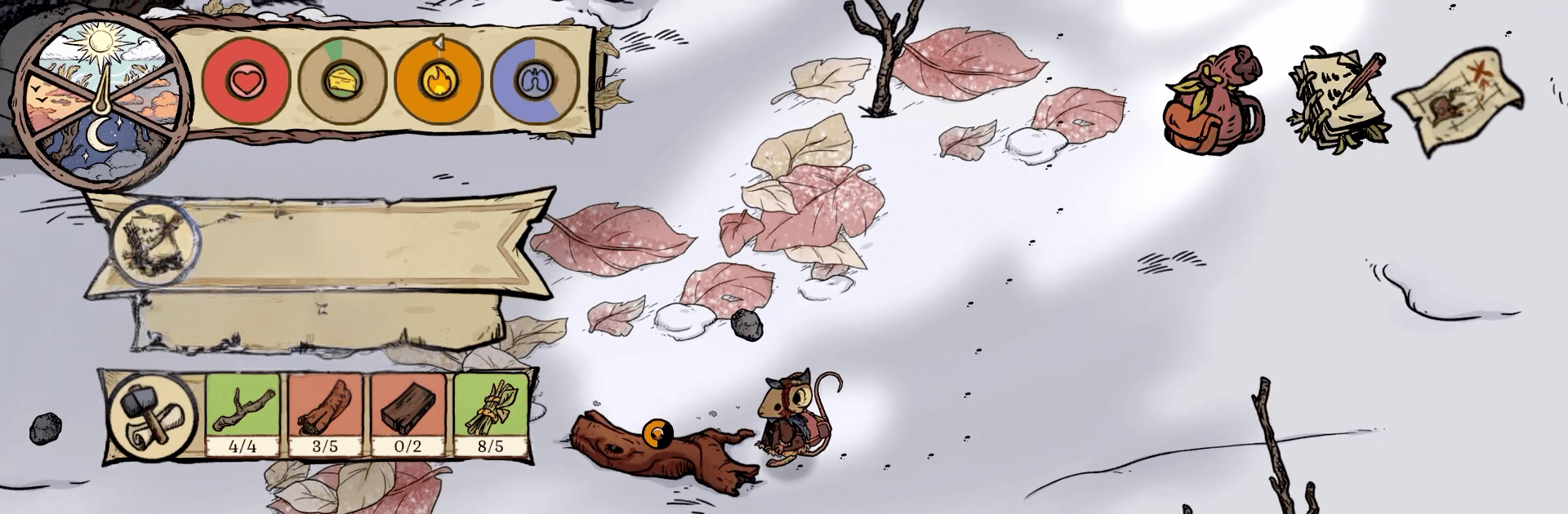
Winter Burrow is a warm, small-scale Simulation about making a home when the snow won’t quit and you’re a mouse with a lot on your plate. You return to your childhood burrow to find it in rough shape—and your aunt is missing. Patch things up, keep the cold at bay, and get to know the neighbors while you figure out what really happened.

Game Features

  • Gentle survival, your way: Set your own pace as you bundle up, scavenge for supplies, and stay safe in a frosty woodland where even bugs can be a problem.
  • Rebuild your burrow: Fix broken rooms, stock the pantry, and turn a drafty hole in the ground into a place you actually want to curl up in.
  • Crafting that matters: Make the tools you need, knit cozy sweaters that keep the chill off, and bake pies that feel like a hug after a long day.
  • Explore the winter woods: Venture into snowy clearings and frozen paths to gather materials and discover spots worth revisiting when you’re better prepared.
  • Meet the locals: Cross paths with quirky woodland folk, trade favors, and find friends who make the long winter a little easier.
  • Shape your story: Customize your mouse’s look, decorate your home to match your vibe, and choose tasks that fit how you like to play.
  • Uncover the mystery: Follow clues, piece together your aunt’s last steps, and add new entries to a handy survival handbook along the way.
  • Play comfortably with BlueStacks: Want more screen space and easy controls? You can run Winter Burrow on your computer with BlueStacks for a cozy, desk-friendly setup.

Ready to top the leaderboard? We bet you do. Let precise controls and sharp visuals optimized on BlueStacks lead you to victory.


Features

  • Macros

    Automate the predictable in Winter Burrow and transform your gameplay with Macros. Get access to inventive Macros in the BlueStacks Macro Community

  • Multi Instance

    Play Winter Burrow on one window. And chat with your friend on the other. Press CTRL + Shift + 8 to open the Multi-Instance Manager. And start creating fresh instances or clone an existing one.

  • Multi Instance Sync

    Play Winter Burrow with the power of Multi-Instance Sync. Replicate what you are doing on the main instance on all other instances. Level up faster, play more.

  • Script

    Script your way to gaming glory in Winter Burrow with BlueStacks Script. Write and run a set of commands to automate repeated tasks. Trigger the command by assigning it to any key.

How to Download and Play Winter Burrow on PC or Mac

  • Download and install BlueStacks on your PC or Mac

  • Complete Google sign-in to access the Play Store, or do it later

  • Look for Winter Burrow in the search bar at the top right corner

  • Click to install Winter Burrow from the search results

  • Complete Google sign-in (if you skipped step 2) to install Winter Burrow

  • Click the Winter Burrow icon on the home screen to start playing

video
Watch Video

Minimum System Requirements

With BlueStacks 5, you can get started on a PC that fulfills the following requirements.

  • Operating System

    Microsoft Windows 7 or above, macOS 11 (Big Sur) or above

  • Processor

    Intel, AMD or Apple Silicon Processor

  • RAM

    at least 4GB

  • HDD

    10GB Free Disk Space

Note:

* You must be an Administrator on your PC. Up to date graphics drivers from Microsoft or the chipset vendor.

Exclusive Gaming Content. And More.

Get the latest updates on the BlueStacks Blog.

See More
Winter Burrow

Be among the first to play Winter Burrow on PC

Get notified when the Game launches

Winter Burrow - FAQs

  • How to play Winter Burrow on Windows PC & Mac?

    Play Winter Burrow on your PC or Mac by following these simple steps.

    • Click on 'Play Winter Burrow on PC’ to download BlueStacks
    • Install it and log-in to Google Play Store
    • Launch and play the game.
  • Why is BlueStacks the fastest and safest platform to play games on PC?

    BlueStacks respects your privacy and is always safe and secure to use. It does not carry any malware, spyware, or any sort of additional software that could harm your PC.

    It is engineered to optimize speed and performance for a seamless gaming experience.

  • What are Winter Burrow PC requirements?

    Minimum requirement to run Winter Burrow on your PC

    • OS: Microsoft Windows 7 or above MacOS 11 (Big Sur) or above
    • Processor: Intel, AMD or Apple Silicon Processor
    • RAM: Your PC must have at least 4GB of RAM. (Note that having 4GB or more disk space is not a substitute for RAM)
    • HDD: 10GB Free Disk Space.
    • You must be an Administrator on your PC.