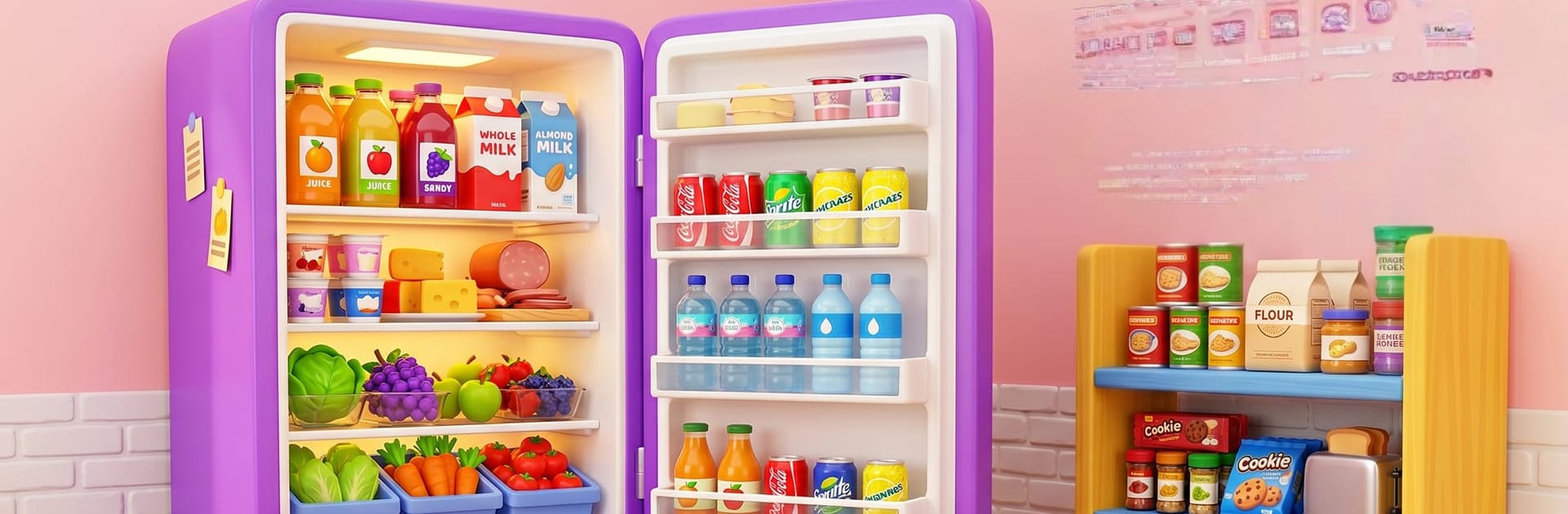
Fill Up Fridge Organizing ASMR

Fill Up Fridge Organizing ASMR

Role Playing

| The Game Critic

Play on PC with BlueStacks or from our cloud

  • Overview
  • Game Features
  • How to Play

Page Modified On: August 20, 2026

Play Fill Up Fridge Organizing ASMR on PC or Mac

Explore a whole new adventure with Fill Up Fridge Organizing ASMR, a Role Playing game created by The Game Critic. Experience great gameplay with BlueStacks, the most popular gaming platform to play Android games on your PC or Mac.

About the Game

Fill Up Fridge Organizing ASMR turns tidying up groceries into a mellow little obsession. This Role Playing twist puts you in the shoes of a meticulous restocker, blending soothing ASMR vibes with clever shelf puzzles and smart space management. Prefer a bigger screen? It feels right at home on BlueStacks.

Game Features

  • Satisfying Shelf Puzzles: Plan each placement and fit odd-shaped cartons, jars, and bottles into tight spaces without the chaos.
  • Realistic Restock Flow: Unpack a fresh haul every stage and sort items into the right zones—produce, dairy, drinks, desserts, and snacks.
  • Smooth Drag-and-Drop: Clean animations and crisp snap-to-place feedback make every move feel intentional and tidy.
  • ASMR Sound and Motion: Gentle swishes, soft clicks, and silky transitions scratch that organization itch while you work.
  • Growing Challenge: Start simple, then tackle trickier shapes and tighter shelves that ask for smarter, cleaner strategies.
  • Space-Savvy Tricks: Stack, align, and group to save room—keep tall bottles upright and tuck smaller treats into just-right nooks.
  • Varied Grocery Catalog: Fruits, veggies, sauces, sweets, and more—each size and shape nudges you to rethink the layout.
  • Clear Goals, No Rush: Focus on neatness over speed with straightforward objectives that make short sessions feel satisfying.
  • Works Great Offline: Jump into a level anytime and keep organizing without needing a connection.
  • New Layouts Every Stage: Shelves and compartments shift from level to level, keeping solutions fresh and your approach evolving.

Start playing Fill Up Fridge Organizing ASMR on BlueStacks and get a smoother, more comfortable PC or Mac setup.


Game Features

Enhancements

  • Macros
  • Rerolling
  • Eco Mode
  • Multi Instance Sync
  • Enhancements
Macros

Macros

Focus more on the fun part of the game, skip the tedious aspects. Master Fill Up Fridge Organizing ASMR with Macros. Record yourself completing the monotonous tasks you wish to automate and replay them later with just one keypress.
Rerolling

Rerolling

Speed up the rerolling process in Fill Up Fridge Organizing ASMR. Perform multiple summons and keep looking for the best Heroes. Use Multi-Instance sync to replicate the rerolling mechanism in all instances.
Eco Mode

Eco Mode

Farm in-game resources with ease in Fill Up Fridge Organizing ASMR. Enable the Eco Mode when running the game in multiple instances. And lower your PC's resource consumption.
Multi Instance Sync

Multi Instance Sync

With the Multi-instance Sync, you can do even more in Fill Up Fridge Organizing ASMR. Sync the action of the main instance and repeat them in real time for all other instances. Sync and sit back, let the game progress unfold.
Read More

How to Download and Play Fill Up Fridge Organizing ASMR on PC or Mac

  • Download and install BlueStacks on your PC or Mac

  • Complete Google sign-in to access the Play Store, or do it later

  • Look for Fill Up Fridge Organizing ASMR in the search bar at the top right corner

  • Click to install Fill Up Fridge Organizing ASMR from the search results

  • Complete Google sign-in (if you skipped step 2) to install Fill Up Fridge Organizing ASMR

  • Click the Fill Up Fridge Organizing ASMR icon on the home screen to start playing

video
Watch Video

Minimum System Requirements

With BlueStacks 5, you can get started on a PC that fulfills the following requirements.

  • Operating System

    Microsoft Windows 7 or above, macOS 11 (Big Sur) or above

  • Processor

    Intel, AMD or Apple Silicon Processor

  • RAM

    at least 4GB

  • HDD

    10GB Free Disk Space

Note:

* You must be an Administrator on your PC. Up to date graphics drivers from Microsoft or the chipset vendor.

Fill Up Fridge Organizing ASMR - FAQs

  • How to play Fill Up Fridge Organizing ASMR on Windows PC & Mac?

    Play Fill Up Fridge Organizing ASMR on your PC or Mac by following these simple steps.

    • Click on 'Play Fill Up Fridge Organizing ASMR on PC’ to download BlueStacks
    • Install it and log-in to Google Play Store
    • Launch and play the game.
  • Why is BlueStacks the fastest and safest platform to play games on PC?

    BlueStacks respects your privacy and is always safe and secure to use. It does not carry any malware, spyware, or any sort of additional software that could harm your PC.

    It is engineered to optimize speed and performance for a seamless gaming experience.

  • What are Fill Up Fridge Organizing ASMR PC requirements?

    Minimum requirement to run Fill Up Fridge Organizing ASMR on your PC

    • OS: Microsoft Windows 7 or above MacOS 11 (Big Sur) or above
    • Processor: Intel, AMD or Apple Silicon Processor
    • RAM: Your PC must have at least 4GB of RAM. (Note that having 4GB or more disk space is not a substitute for RAM)
    • HDD: 10GB Free Disk Space.
    • You must be an Administrator on your PC.