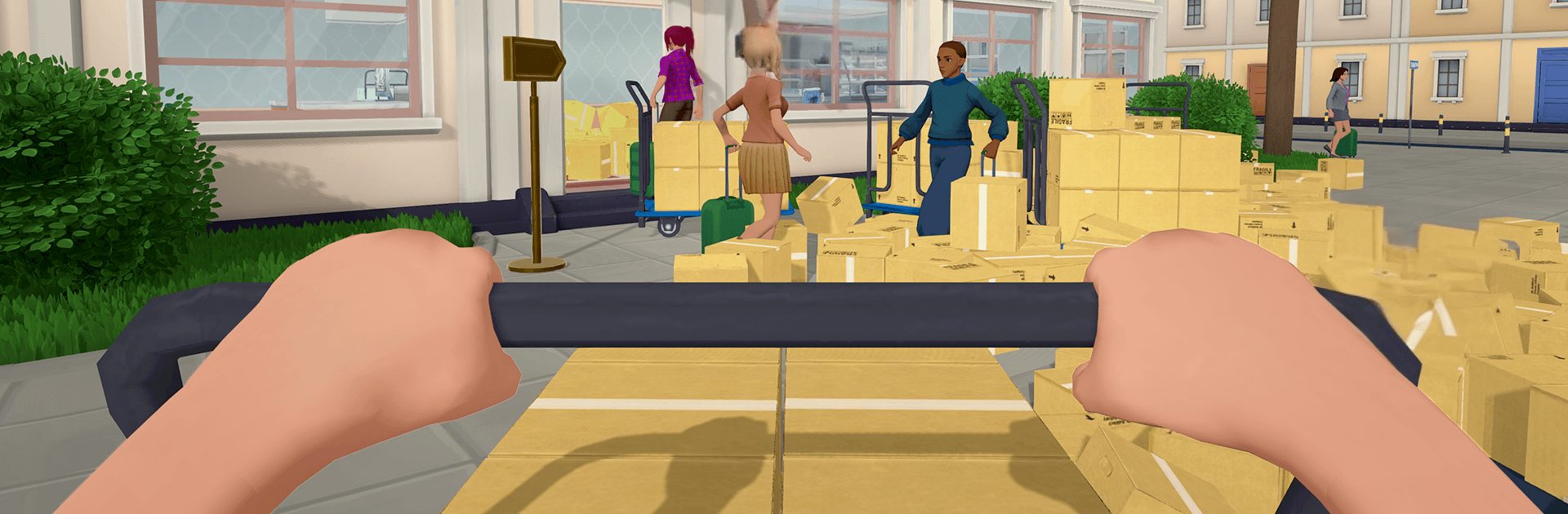
My Super Hotel Simulator 3D

My Super Hotel Simulator 3D

Simulation

| MAD PIXEL GAMES LTD

Play on PC with BlueStacks or from our cloud

  • Overview
  • Game Features
  • How to Play

Page Modified On: August 24, 2026

Play My Super Hotel Simulator 3D on PC or Mac

Play My Super Hotel Simulator 3D by MAD PIXEL GAMES LTD on PC or Mac with BlueStacks. Use a bigger screen, mouse and keyboard controls, and smoother performance while you play.

About the Game

My Super Hotel Simulator 3D hands you the keys to a growing hospitality business and asks, “Can you keep guests smiling while everything’s happening at once?” This Simulation focuses on the fun rhythm of day-to-day hotel work—taking bookings, checking folks in, fixing rooms up, and steadily turning a humble spot into a high-end resort. Prefer playing with a keyboard and mouse? It also feels great on BlueStacks without making a big deal out of it.

Game Features

  • Hands-on Management: Oversee the whole operation—reservations, front-desk chaos, housekeeping flow, and those last-minute requests that show up right when the lobby gets busy.
  • Smart Booking Flow: Track check-ins and check-outs, juggle room availability, and keep lines moving during rush hour without breaking a sweat.
  • Expand and Upgrade: Reinvent your space with better rooms, a sleeker lobby, and extra facilities like a spa, gym, or lounge to attract higher-paying guests.
  • Restaurant and Bar: Build out your dining scene, hire a chef, serve coffee, meals, and cocktails, and watch satisfaction climb with every well-timed order.
  • Stylish Customization: Redesign layouts, pick colors and finishes, and add décor that makes each floor feel curated, cozy, and genuinely yours.
  • Smooth Payments and Budgeting: Accept cash, cards, and contactless options while keeping a tight grip on expenses, staffing, and future investments.
  • Guest Happiness System: Read the room—literally—by responding to feedback, tuning services, and turning first-time visitors into loyal regulars.
  • Rich 3D Presentation: Enjoy clean visuals, lively animations, and punchy audio that make bustling lobbies, busy kitchens, and quiet suites feel alive.

Start your journey now. Download the game on BlueStacks, invite your friends, and march on a new adventure.


Game Features

Enhancements

  • Macros
  • Multi Instance
  • Multi Instance Sync
  • Script
  • Enhancements
Macros

Macros

Automate the predictable in My Super Hotel Simulator 3D and transform your gameplay with Macros. Get access to inventive Macros in the BlueStacks Macro Community
Multi Instance

Multi Instance

Play My Super Hotel Simulator 3D on one window. And chat with your friend on the other. Press CTRL + Shift + 8 to open the Multi-Instance Manager. And start creating fresh instances or clone an existing one.
Multi Instance Sync

Multi Instance Sync

Play My Super Hotel Simulator 3D with the power of Multi-Instance Sync. Replicate what you are doing on the main instance on all other instances. Level up faster, play more.
Script

Script

Script your way to gaming glory in My Super Hotel Simulator 3D with BlueStacks Script. Write and run a set of commands to automate repeated tasks. Trigger the command by assigning it to any key.
Read More

How to Download and Play My Super Hotel Simulator 3D on PC or Mac

  • Download and install BlueStacks on your PC or Mac

  • Complete Google sign-in to access the Play Store, or do it later

  • Look for My Super Hotel Simulator 3D in the search bar at the top right corner

  • Click to install My Super Hotel Simulator 3D from the search results

  • Complete Google sign-in (if you skipped step 2) to install My Super Hotel Simulator 3D

  • Click the My Super Hotel Simulator 3D icon on the home screen to start playing

video
Watch Video

Minimum System Requirements

With BlueStacks 5, you can get started on a PC that fulfills the following requirements.

  • Operating System

    Microsoft Windows 7 or above, macOS 11 (Big Sur) or above

  • Processor

    Intel, AMD or Apple Silicon Processor

  • RAM

    at least 4GB

  • HDD

    10GB Free Disk Space

Note:

* You must be an Administrator on your PC. Up to date graphics drivers from Microsoft or the chipset vendor.

My Super Hotel Simulator 3D - FAQs

  • How to play My Super Hotel Simulator 3D on Windows PC & Mac?

    Play My Super Hotel Simulator 3D on your PC or Mac by following these simple steps.

    • Click on 'Play My Super Hotel Simulator 3D on PC’ to download BlueStacks
    • Install it and log-in to Google Play Store
    • Launch and play the game.
  • Why is BlueStacks the fastest and safest platform to play games on PC?

    BlueStacks respects your privacy and is always safe and secure to use. It does not carry any malware, spyware, or any sort of additional software that could harm your PC.

    It is engineered to optimize speed and performance for a seamless gaming experience.

  • What are My Super Hotel Simulator 3D PC requirements?

    Minimum requirement to run My Super Hotel Simulator 3D on your PC

    • OS: Microsoft Windows 7 or above MacOS 11 (Big Sur) or above
    • Processor: Intel, AMD or Apple Silicon Processor
    • RAM: Your PC must have at least 4GB of RAM. (Note that having 4GB or more disk space is not a substitute for RAM)
    • HDD: 10GB Free Disk Space.
    • You must be an Administrator on your PC.