
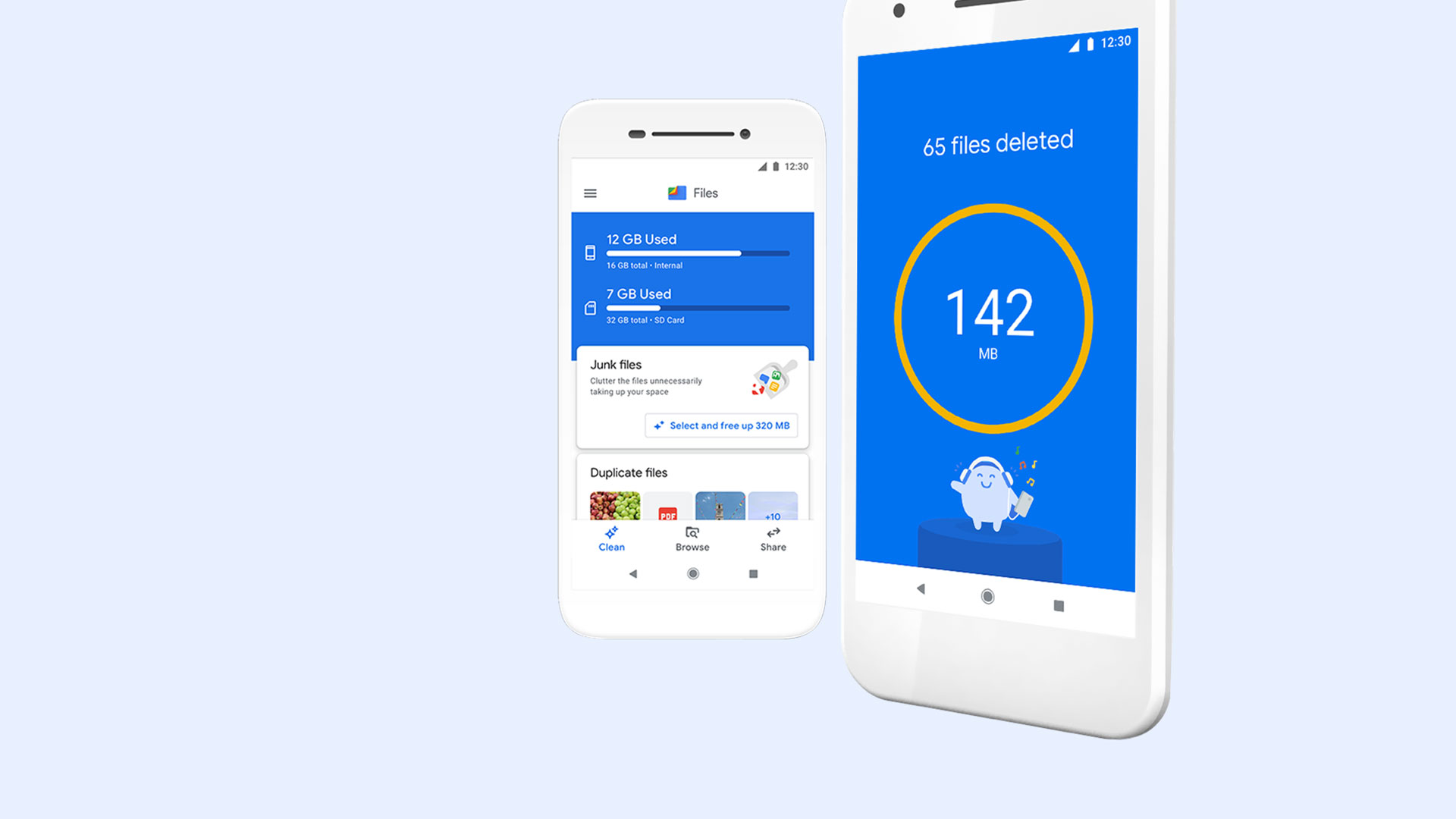
Files by Google
Files by Google

Files by Google

Tools

| Google LLC

Play on PC with BlueStacks or from our cloud

  • Overview
  • How to Download

Page Modified On: April 08, 2026

Run Files by Google on PC or Mac

What’s better than using Files by Google by Google LLC? Well, try it on a big screen, on your PC or Mac, with BlueStacks to see the difference.

About the App

Files by Google from Google LLC is a straightforward, no-nonsense Tools app that helps you take control of your phone’s storage. It’s easy to browse, clean, and organize your stuff without digging through endless folders. Prefer managing things on a bigger screen? You can run it on your PC with BlueStacks and keep everything tidy from your desk.

App Features

  • Smart cleanups
  • See what’s hogging space across internal storage, SD cards, and USB drives, then clear out junk like duplicates, old chat photos, and cache in a few taps.

  • Faster finding

  • Jump to the file you need with quick search and simple categories for photos, videos, documents, and even GIFs. Sort by size to spot the real space-eaters.

  • Quick Share offline

  • Send photos, videos, apps, and more to nearby Android and Chromebook devices without using data. Transfers are encrypted end to end and seriously fast.

  • Extra security

  • Keep sensitive items in a locked folder protected by a PIN or pattern that’s separate from your device’s main screen lock.

  • Built-in media player

  • Play music and videos right inside the app with handy controls like speed adjustments and shuffle—no extra player required.

  • Easy backups

  • Move files to Google Drive or an SD card to free up space. You can also share items to other cloud storage apps already on your device.

  • Helpful suggestions

  • Get personalized tips that learn from how you use your phone—delete clutter, protect important files, and keep things running smoothly.

  • Small and ad-free

  • Lightweight install that won’t crowd your phone, with a clean interface and zero ads to slow you down.

BlueStacks gives you the much-needed freedom to experience your favorite apps on a bigger screen. Get it now.


How to Download and Run Files by Google on PC or Mac

  • Download and install BlueStacks on your PC or Mac

  • Complete Google sign-in to access the Play Store, or do it later

  • Look for Files by Google in the search bar at the top right corner

  • Click to install Files by Google from the search results

  • Complete Google sign-in (if you skipped step 2) to install Files by Google

  • Click the Files by Google icon on the home screen to start playing

video
Watch Video

Minimum System Requirements

With BlueStacks 5, you can get started on a PC that fulfills the following requirements.

  • Operating System

    Microsoft Windows 7 or above, macOS 11 (Big Sur) or above

  • Processor

    Intel, AMD or Apple Silicon Processor

  • RAM

    at least 4GB

  • HDD

    10GB Free Disk Space

Note:

* You must be an Administrator on your PC. Up to date graphics drivers from Microsoft or the chipset vendor.

Files by Google - FAQs

  • How to Run Files by Google on Windows PC & Mac?

    Run Files by Google on your PC or Mac by following these simple steps.

    • Click on ‘Download Files by Google on PC’ to download BlueStacks
    • Install it and log-in to Google Play Store
    • Launch and run the app.
  • Why is BlueStacks the fastest and safest platform to play games on PC?

    BlueStacks respects your privacy and is always safe and secure to use. It does not carry any malware, spyware, or any sort of additional software that could harm your PC.

    It is engineered to optimize speed and performance for a seamless gaming experience.

  • What are Files by Google PC requirements?

    Minimum requirement to run Files by Google on your PC

    • OS: Microsoft Windows 7 and above:
    • Processor: Intel or AMD Processor:
    • RAM: Your PC must have at least 2GB of RAM. (Note that having 2GB or more disk space is not a substitute for RAM):
    • HDD: 5GB Free Disk Space.
    • You must be an Administrator on your PC.



