Do Not Disturb Funny Prankster

Do Not Disturb Funny Prankster

Casual

| Tapps Games

Play on PC with BlueStacks or from our cloud

  • Overview
  • Tips & Tricks
  • Game Features
  • How to Play

Page Modified On: October 23, 2026

Play Do Not Disturb Funny Prankster on PC or Mac

Do Not Disturb Funny Prankster by Tapps Games has plenty to keep you busy. BlueStacks lets you play it on PC or Mac with more screen space, better control, and fewer mobile limits.

About the Game

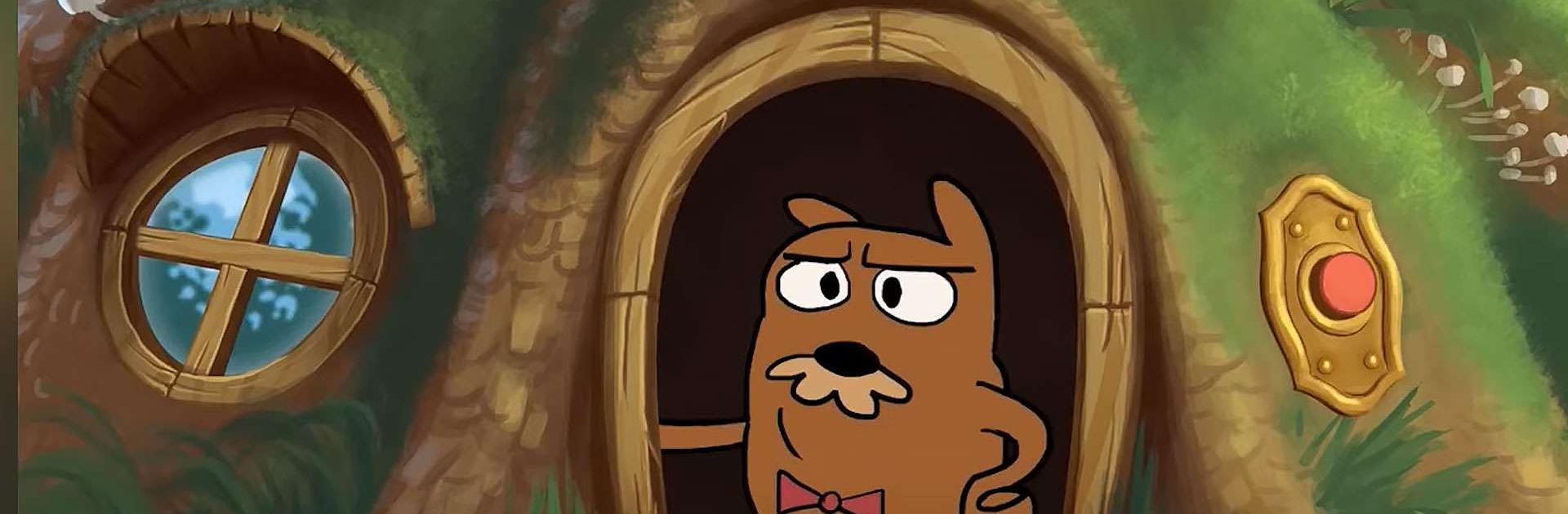
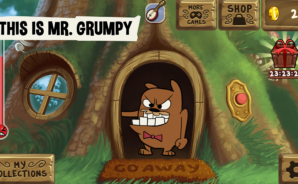
Do Not Disturb Funny Prankster turns everyday curiosity into comedy gold. In this Educational game, you’ll poke, knock, and ring your way through a grouchy marmot neighbor’s routine just to see what hilarious thing he does next. It’s light, silly, and oddly satisfying—perfect for quick laughs or an extended streak of mischief.

Game Features

  • Endless Pranks: Knock on the door, ring the bell, tap the windows—experiment with different spots to trigger fresh reactions.
  • Comedy Reactions: Watch a moody marmot swing from annoyed to absolutely over-the-top with chuckles, grumbles, and goofy payoffs.
  • Anger Gauge Rewards: Fill the irritation gauge and snag quirky souvenirs, secret gags, and rare reactions as your trophy haul grows.
  • Collectible Shelf: Build a gallery of keepsakes from your best pranks and try to complete every set for bragging rights.
  • Simple Tap Gameplay: One-finger actions keep it breezy—great for short breaks or long sessions when you’re on a roll.
  • New Toys to Unlock: Earn props and oddball items that open new prank paths and uncover hidden punchlines.
  • Kid-Friendly Humor: Clean, cartoony jokes and gentle mischief make it easy to share with the family.
  • Works Offline: No connection needed—play anytime, and your progress and collectibles stay put.
  • BlueStacks Support: Want a bigger screen and comfy clicks? It plays smoothly on PC with BlueStacks without changing the vibe.

Ready to top the leaderboard? We bet you do. Let precise controls and sharp visuals optimized on BlueStacks lead you to victory.

Game Features

Enhancements

  • Macros
  • Multi Instance
  • Script
  • Repeated Tap
  • Enhancements
Macros

Macros

Automate the predictable in Do Not Disturb Funny Prankster and transform your gameplay with Macros. Get access to inventive Macros in the BlueStacks Macro Community
Multi Instance

Multi Instance

Play Do Not Disturb Funny Prankster on one window. And chat with your friend on the other. Press CTRL + Shift + 8 to open the Multi-Instance Manager. And start creating fresh instances or clone an existing one.
Script

Script

Script your way to gaming glory in Do Not Disturb Funny Prankster with BlueStacks Script. Write and run a set of commands to automate repeated tasks. Trigger the command by assigning it to any key.
Repeated Tap

Repeated Tap

BlueStacks lets you master Do Not Disturb Funny Prankster with useful features like the Repeated Tap. Now you do not have to press the same key repeatedly to initiate an action. Just assign it to one key and you are good to go.
Read More

How to Download and Play Do Not Disturb Funny Prankster on PC or Mac

  • Download and install BlueStacks on your PC or Mac

  • Complete Google sign-in to access the Play Store, or do it later

  • Look for Do Not Disturb Funny Prankster in the search bar at the top right corner

  • Click to install Do Not Disturb Funny Prankster from the search results

  • Complete Google sign-in (if you skipped step 2) to install Do Not Disturb Funny Prankster

  • Click the Do Not Disturb Funny Prankster icon on the home screen to start playing

video
Watch Video

Minimum System Requirements

With BlueStacks 5, you can get started on a PC that fulfills the following requirements.

  • Operating System

    Microsoft Windows 7 or above, macOS 11 (Big Sur) or above

  • Processor

    Intel, AMD or Apple Silicon Processor

  • RAM

    at least 4GB

  • HDD

    10GB Free Disk Space

Note:

* You must be an Administrator on your PC. Up to date graphics drivers from Microsoft or the chipset vendor.

Do Not Disturb Funny Prankster - FAQs

  • How to play Do Not Disturb Funny Prankster on Windows PC & Mac?

    Play Do Not Disturb Funny Prankster on your PC or Mac by following these simple steps.

    • Click on 'Play Do Not Disturb Funny Prankster on PC’ to download BlueStacks
    • Install it and log-in to Google Play Store
    • Launch and play the game.
  • Why is BlueStacks the fastest and safest platform to play games on PC?

    BlueStacks respects your privacy and is always safe and secure to use. It does not carry any malware, spyware, or any sort of additional software that could harm your PC.

    It is engineered to optimize speed and performance for a seamless gaming experience.

  • What are Do Not Disturb Funny Prankster PC requirements?

    Minimum requirement to run Do Not Disturb Funny Prankster on your PC

    • OS: Microsoft Windows 7 or above MacOS 11 (Big Sur) or above
    • Processor: Intel, AMD or Apple Silicon Processor
    • RAM: Your PC must have at least 4GB of RAM. (Note that having 4GB or more disk space is not a substitute for RAM)
    • HDD: 10GB Free Disk Space.
    • You must be an Administrator on your PC.